
✨ Highlights
Picking operators on the PDA (Portable Data Assistant) and packing operators at the packing workstation can now ask a manager for help. Put-walls can now be divided into zones, so each operator and each packing workstation works only its own part of the wall. Printers also get a new list and a page of their own in the back office.
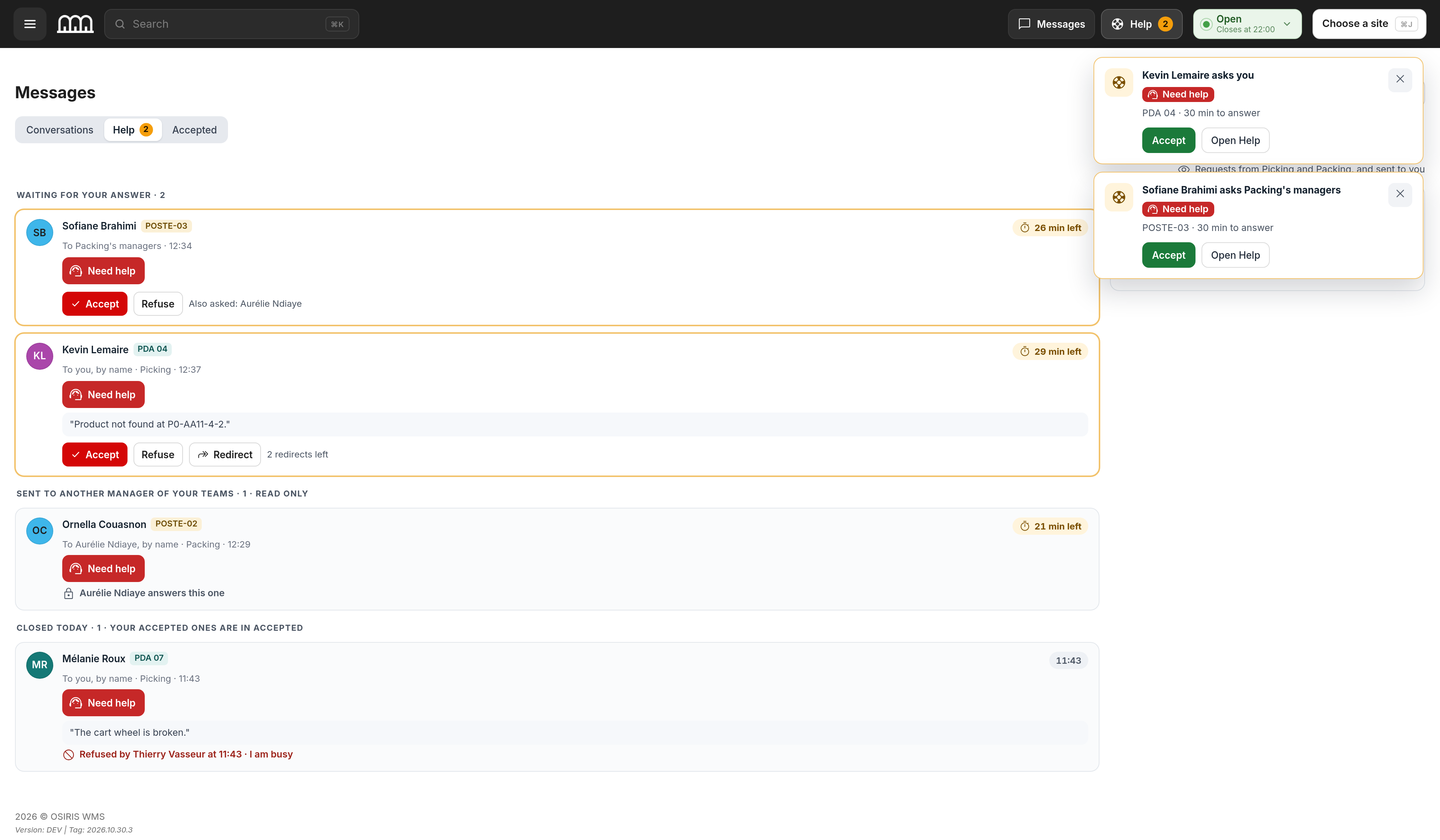
Ask a Manager for Help on the Floor
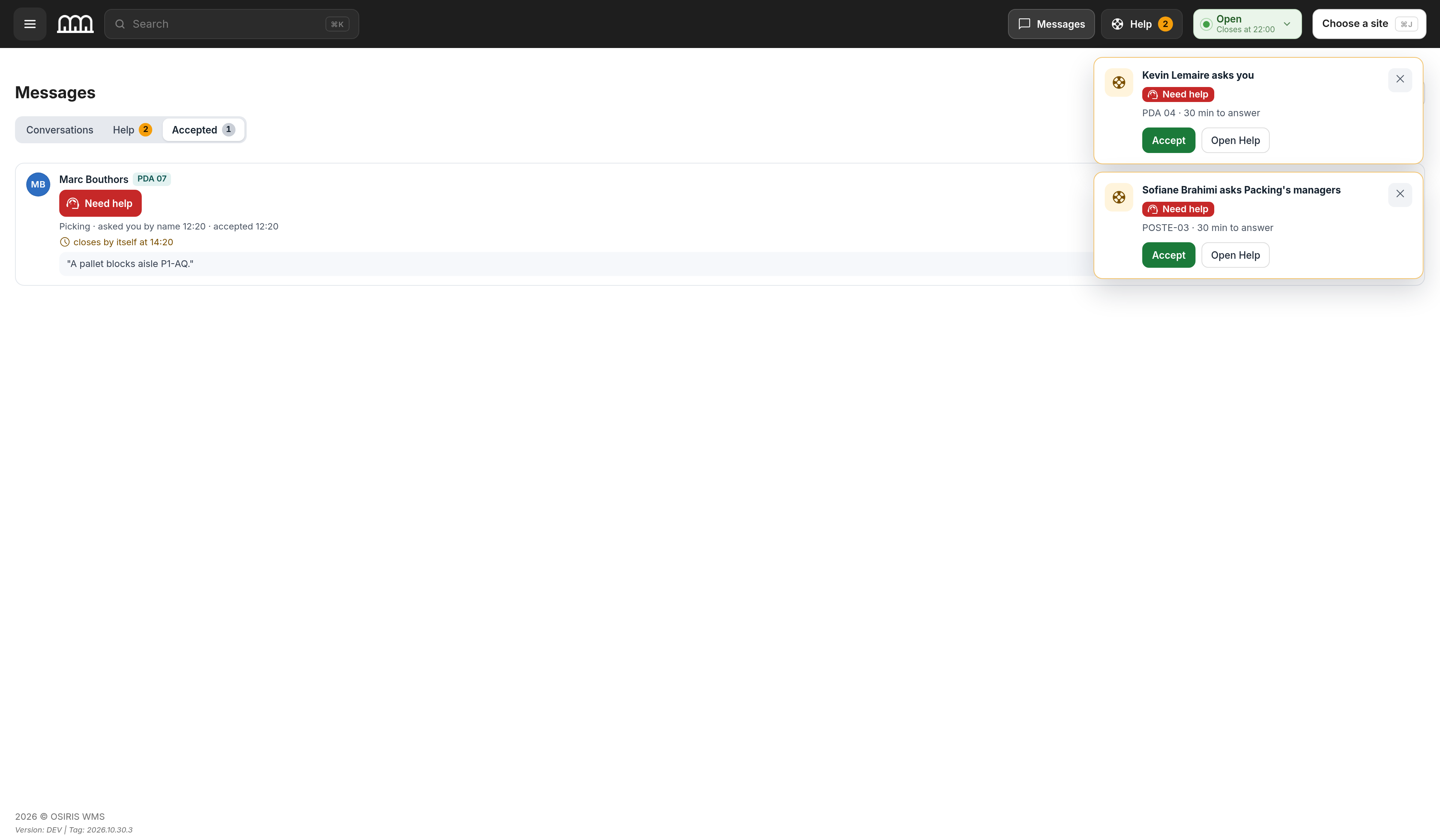
Picking operators on the PDA and packing operators at the packing workstation can now ask a manager for help, and managers receive an alert for each request. This delivers the help requests promised with Messages in the previous release. As with Messages, this needs Messages turned on for your warehouse and a Messages seat for each operator.
Split a Put-Wall Into Zones
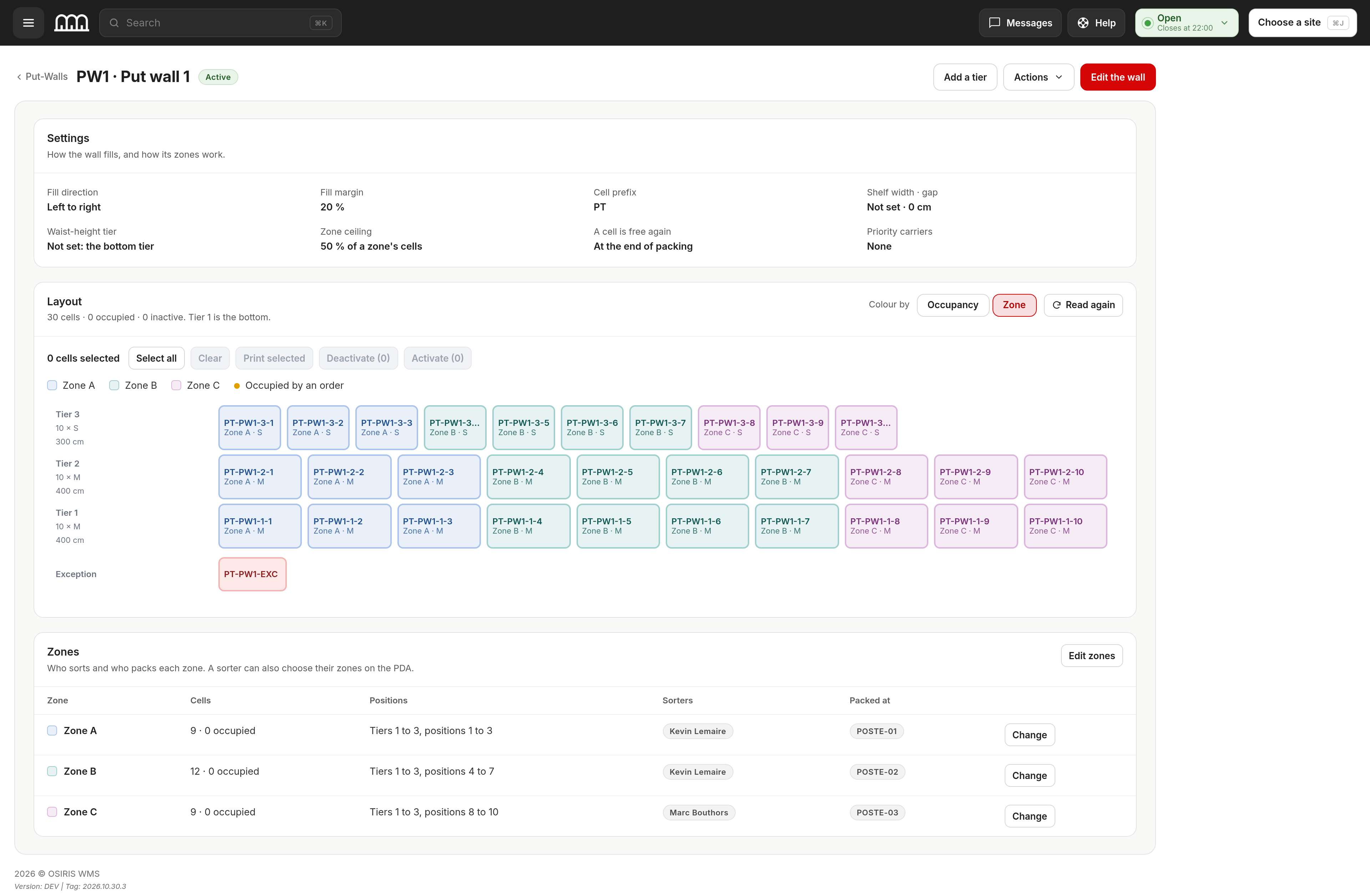
You can now split a put-wall into zones, and each operator sorting into the wall and each packing workstation works only its own zones. A wave gives each zone its own work, and the zones stay up to date when the wall is changed elsewhere. Several people can work one large wall at the same time without working the same cells.
A New Printers Page in the Back Office
You can now see every printer with its print queue on the new Printers list, and act on several queues at once. Each printer has its own page with its state, queue and jobs, a test print, and its connection, paper and driver settings, including Driver defaults and When a job fails. Administration > Printers now opens the new pages, and the Printing section is no longer on the Maintenance page.
New Pages for Order File Imports
The back office now has pages for importing orders from a file: a list of imports, a new import with a step to match each column of the file, and one page for each import. They replace the previous order import pages. An import can be undone for 5 minutes after it runs, and undoing it keeps the orders someone has changed in the meantime, so work already done is not lost.
🧭 Where to Find Things
- Help requests: the Help tab of Messages, opened with the Messages button in the top bar.
- Asking a manager for help: the Ask for help button at the packing workstation; on the PDA, the messages button at the top of the screen.
- Put-wall zones: Shipments > Picking > Put-Walls, then the Zones card on a wall's page, where a manager also sets who sorts and which station packs each zone.
- Each packing station's zones: Shipments > Picking > Put-wall stations, read only.
- Printers: Administration > Printers. The Printing section is no longer on the Maintenance page.
- Order file imports: Shipments > Imports, and Shipments > New import to start one.
- Schedules and IP lists: Users > Schedules and IP lists.
- Rule groups: Users > Rule groups.
- Change carrier: on the Customer Orders page, tick orders, then Actions… in the bar at the bottom; Change carrier is in the panel that opens.
🚀 Features
WMS
- A series' picking time now counts from the picking operator's first scan instead of from opening the series, so reported picking times are shorter than in earlier reports, and the series page shows a First scan at row.
- Put-wall orders with missing units now show those units on the series page, and bins left empty are released.
- On the orders page, you can now change the carrier of several selected orders at once; orders that are shipped, cancelled or being picked keep their carrier, and only carriers active on every site of the selected orders are offered.
- On the Products page, you can open a product's image in a large view from the list, the cards and the quick view, and the Not scannable, in stock view now lists the products in stock that cannot be scanned.
- Exports now hold up to 1,048,575 rows by default, so the rows and the header fit on one Excel sheet.
- When the live connection has been lost for 30 seconds, a notice says so and stays until the connection returns, then shows Live updates are back.
- When a session ends, every open back office tab stops and shows a single dialog that explains why.
- Back office access can now follow schedules and IP (Internet Protocol) address lists set on the Schedules and IP lists page: a refused sign-in says why, a session outside its allowed hours or network ends, and rule groups have their own page.
- Ten wrong passwords in a row now lock an account for 15 minutes; it unlocks by itself, and the lockout email sent to administrators says so.
- A person given a temporary password can open only Choose your password until they set their own, and the Users screens show when a password is temporary.
- A warehouse back office account without an email address can now choose Skip for now when asked for one, and is asked again at its next sign-in; customer accounts must still add one, and an email address, once saved, can no longer be removed.
- On the Users page, you can delete the selected accounts after typing how many you are deleting, and the search accepts a pasted list with Exact, Starts with and Ends with.
- Messages now shows Delivered and Seen in words under your last message, instead of ticks.
PDA
- A distinct error sound now signals a wrong scan, so operators notice it immediately.
- The PDA now shows maintenance announcements, with a countdown before a planned maintenance, so teams know in advance when work will pause.
Workstation
- The packing workstation now shows maintenance announcements, with a countdown before a planned maintenance.
🐛 Bug Fixes
- Generating a return label could remove another site's inactive return label with the same tracking number from that site's return history; it no longer does, and the new label is refused instead.
- Auto-picking (automatic picking of a series) failed when another picking operator was holding a product or position; it now waits up to 60 seconds for the product or position to be free, and a series with more than 100 picks no longer fails partway.
- Customers could not see Shipments > Statistics and Warehouse > Products > Statistics; they see them again for their own sites.
- Customers could not import old-format orders, delete their own orders not yet processed or regenerate labels from the old order list; they can again.
- The feed import could save a new order without its address or one of its items; it no longer does, and an order the system refuses is set aside so the orders after it still import.
- On the PDA, the announcement strip covered the top of the open side menu; the menu now opens over it.
- At the workstation, the Assembler (a series that bulk-collects identical products, then assembles the orders afterward) screen stopped updating live; it updates live again.
- The orders dashboard of Administrator and IT accounts counted orders from inactive sites; it counts only active sites again.
❤️ Thank You
Thank you for being part of the v2026.10.30.1 release of OSIRIS WMS.
With this update, we continue refining the platform, addressing real operational needs, improving stability, and making the day-to-day experience better across all teams.
We appreciate your trust and remain dedicated to building a system that grows alongside your business.