
✨ Highlights
Picking operators can now collect items for many orders in one trip and sort them into a put-wall, where each complete order waits to be packed. Messages brings conversations and requests for help into the back office, and sign-in gets safer with two-step sign-in. All screenshots below are subject to change until the release is deployed.
Pick, Sort and Pack Orders With a Put-Wall
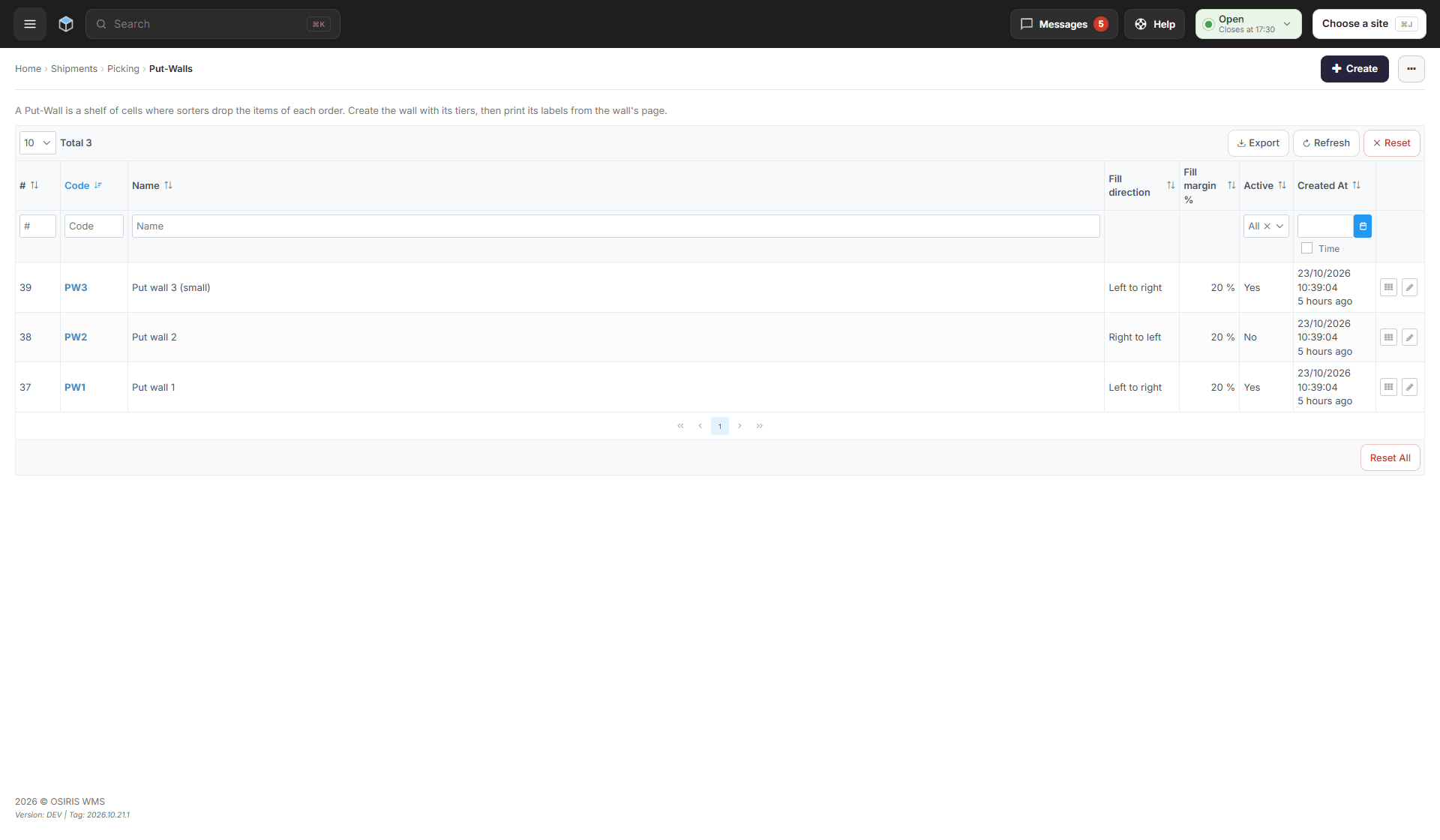
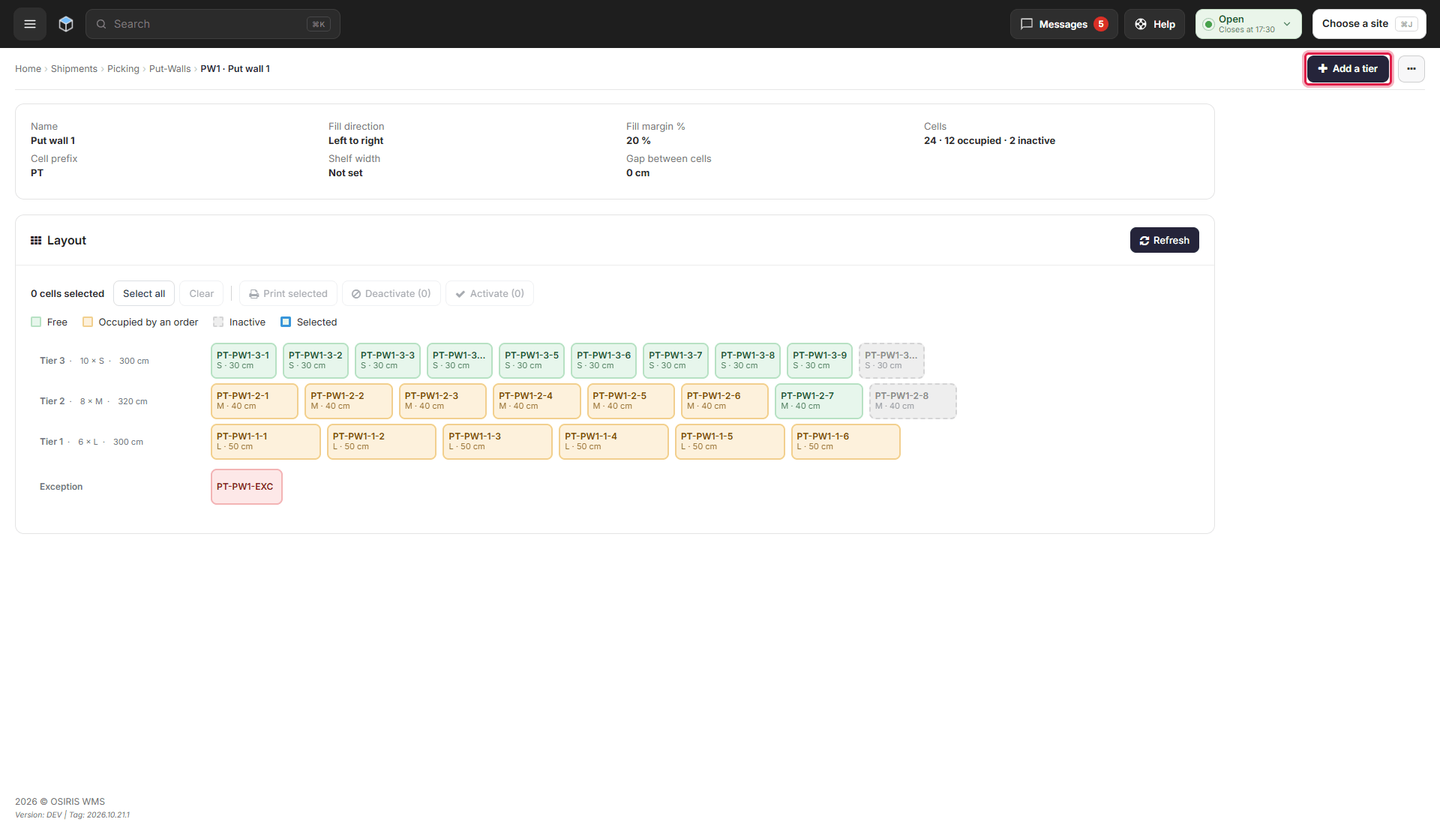
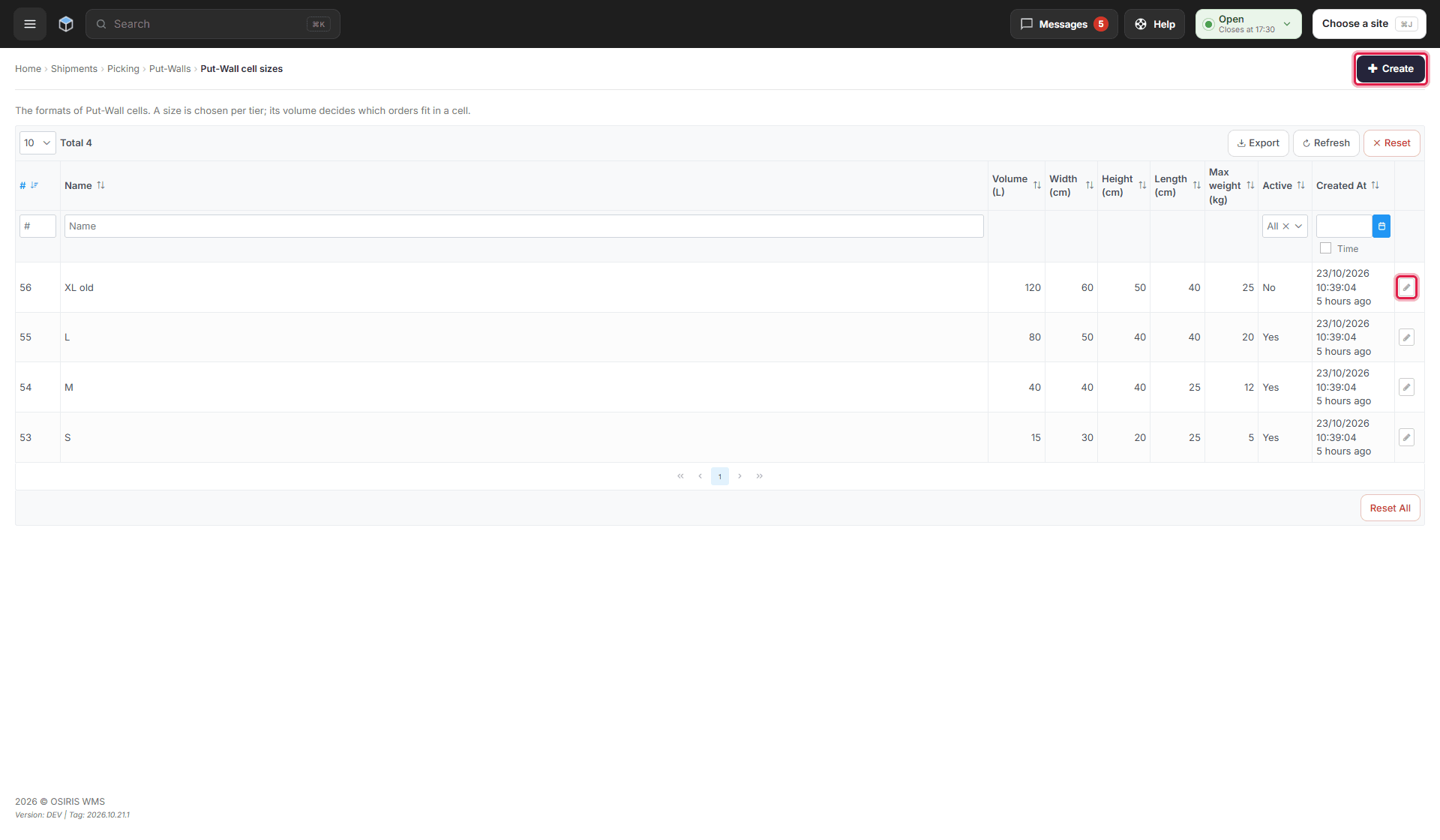
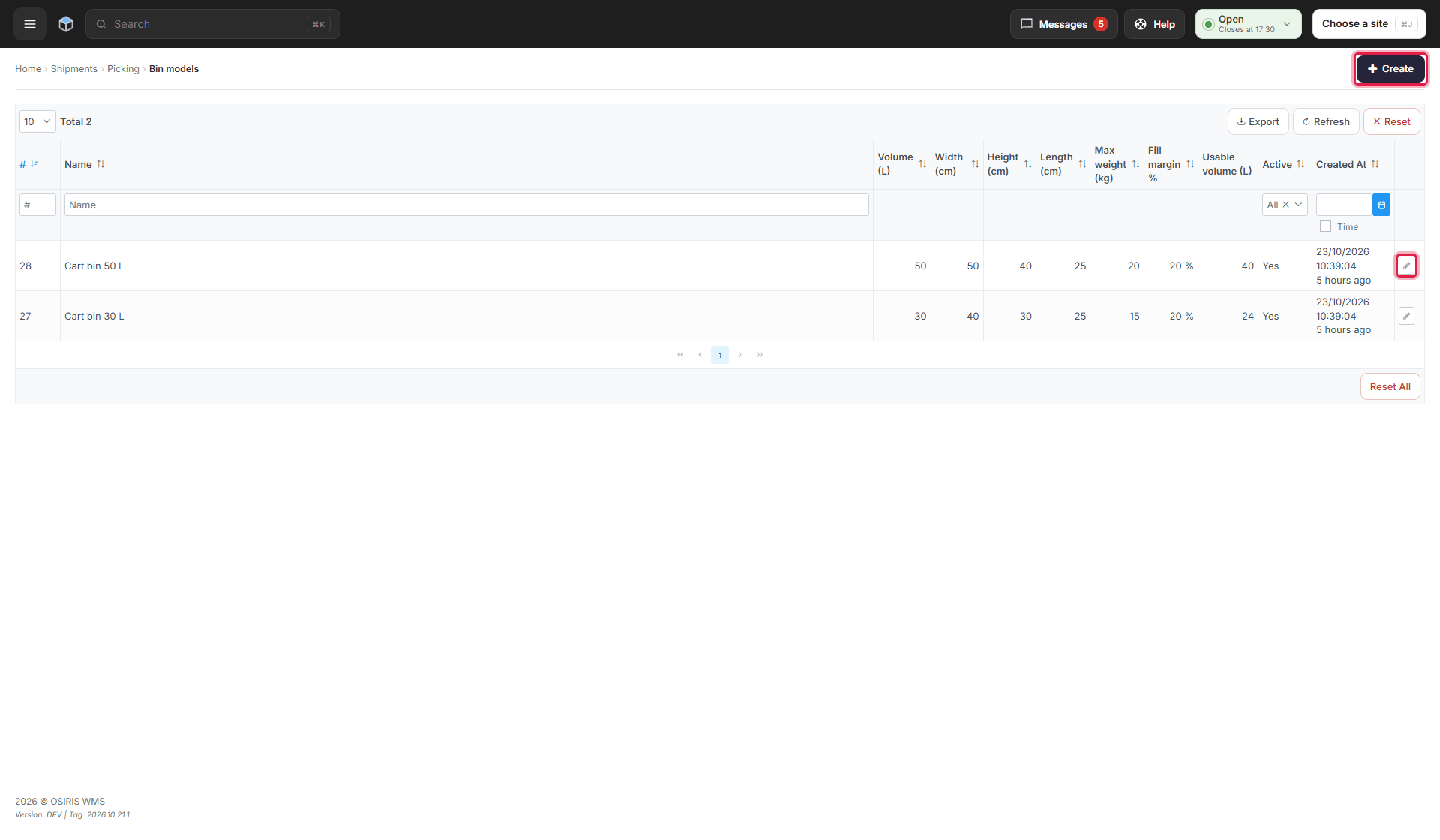
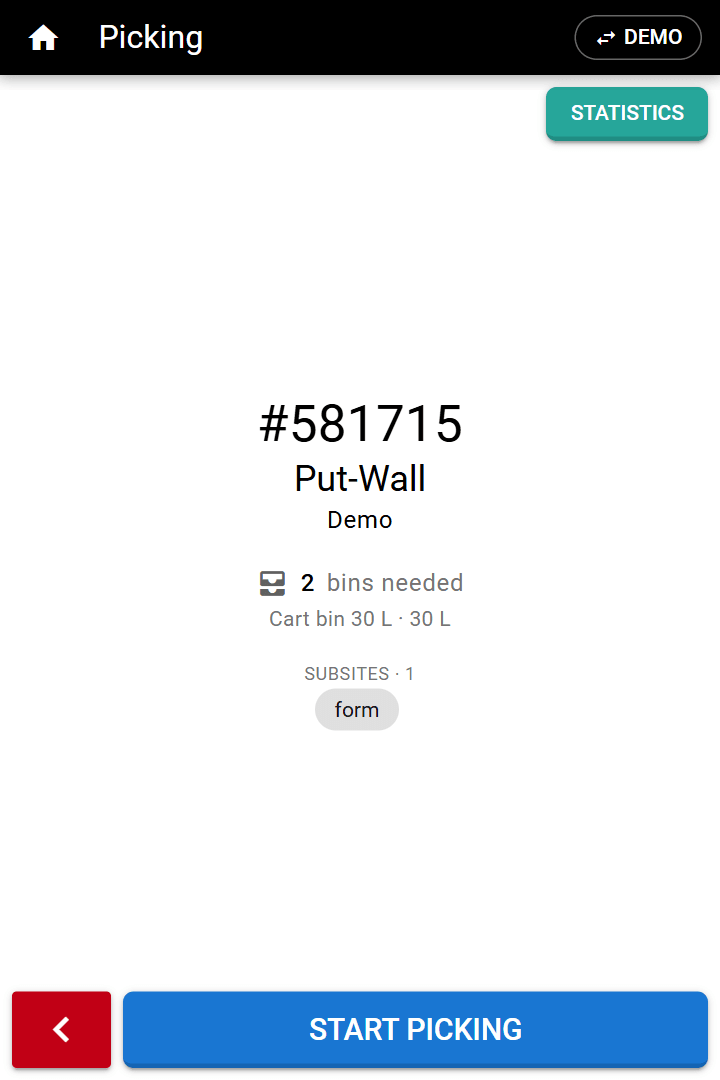
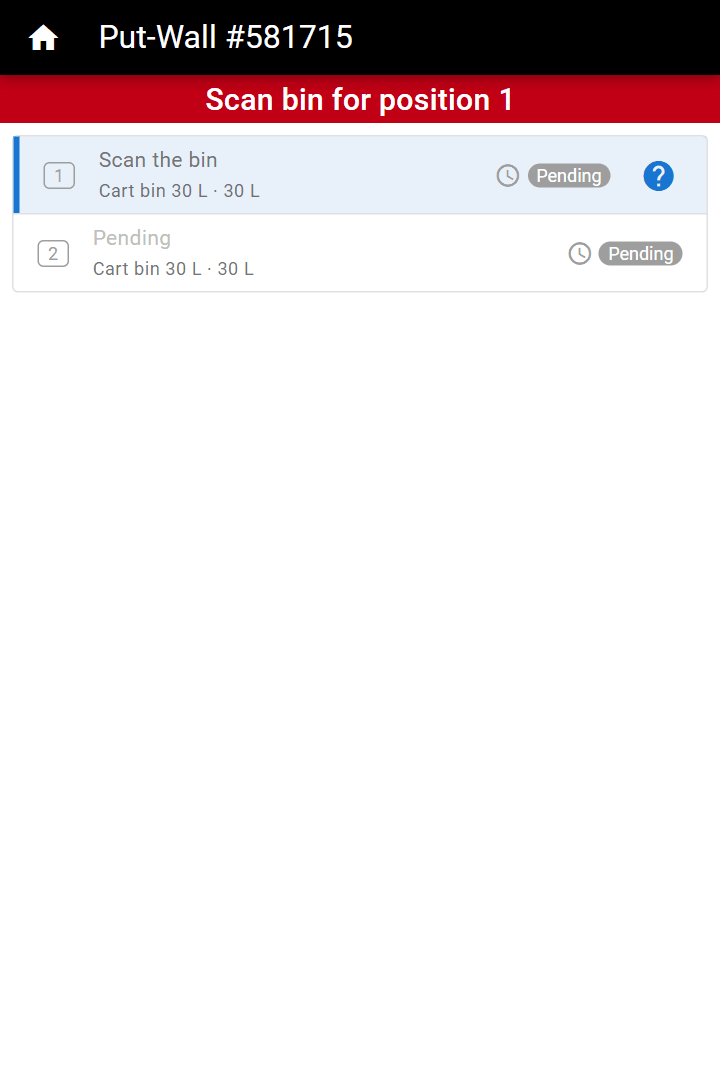
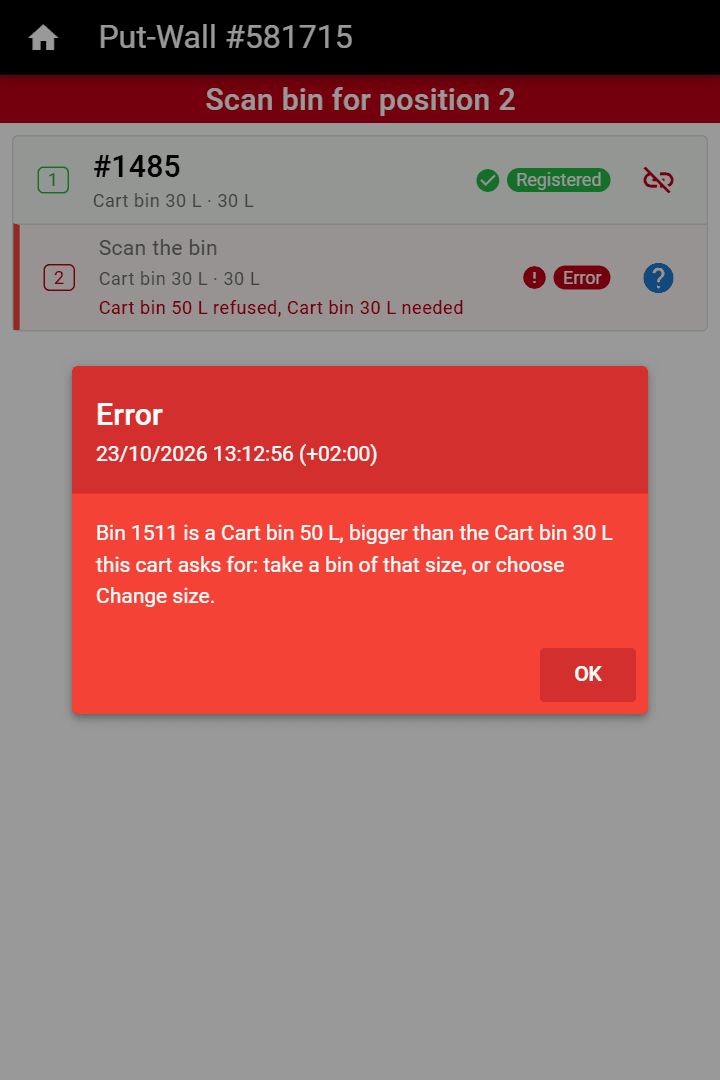
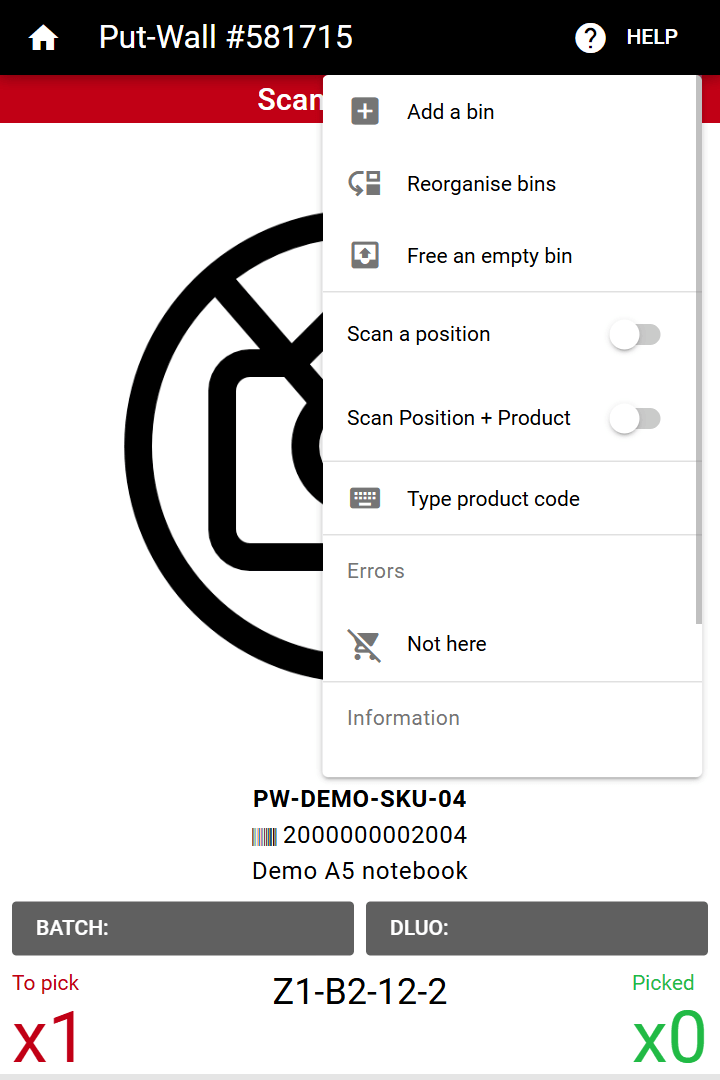
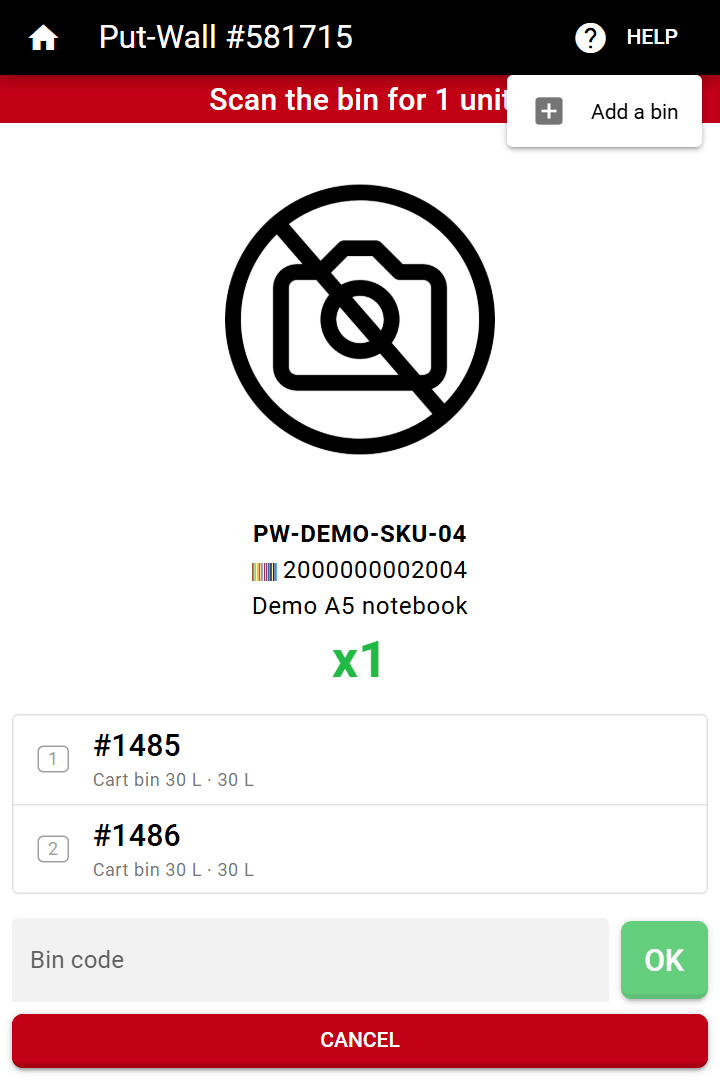
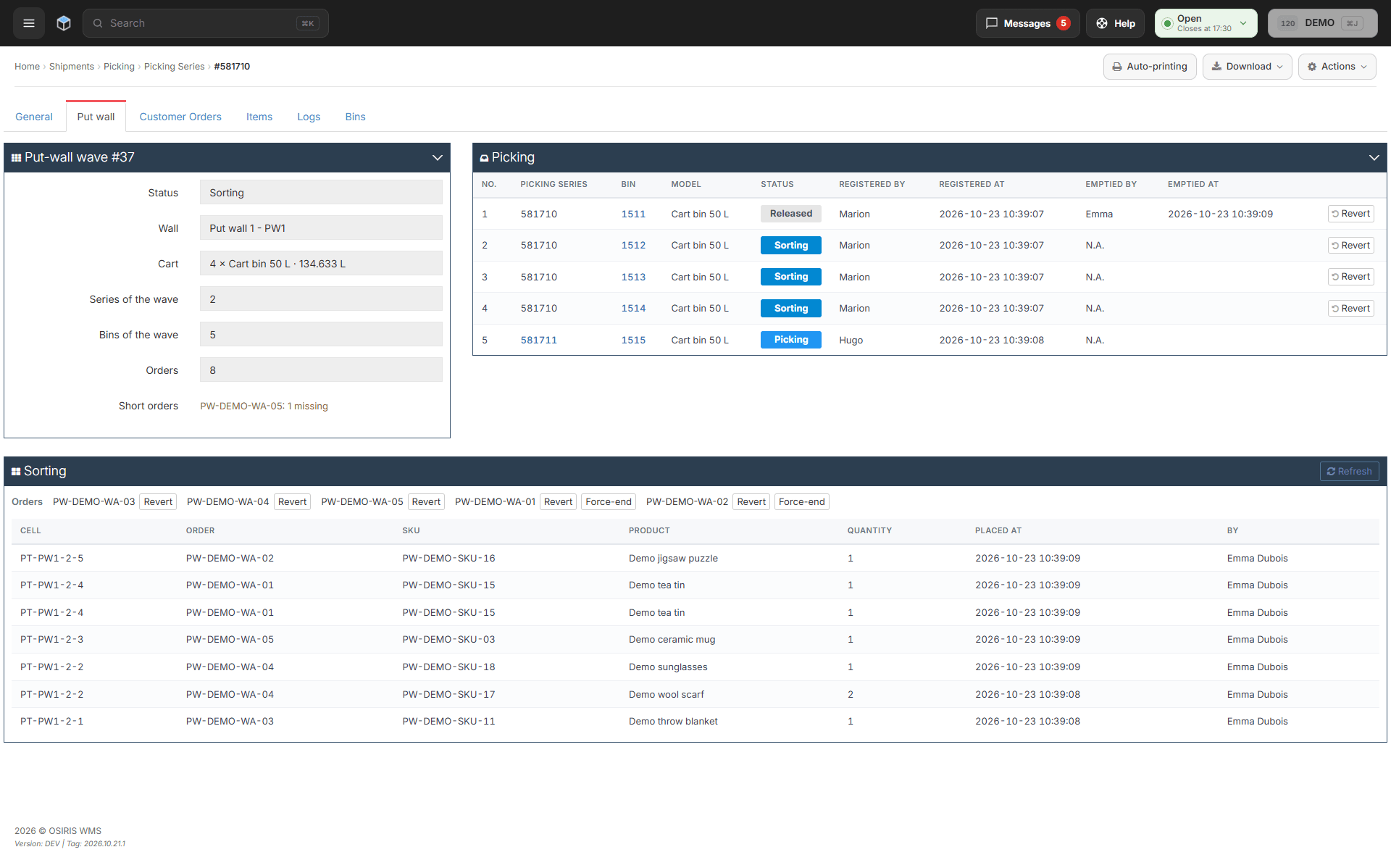
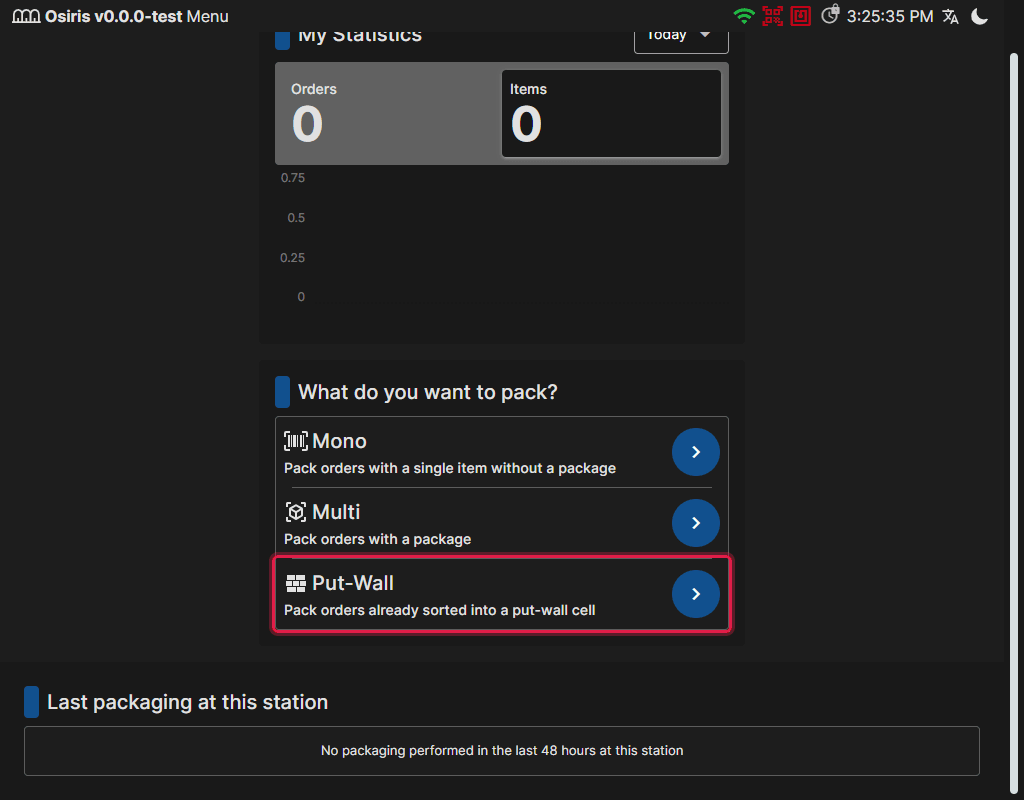
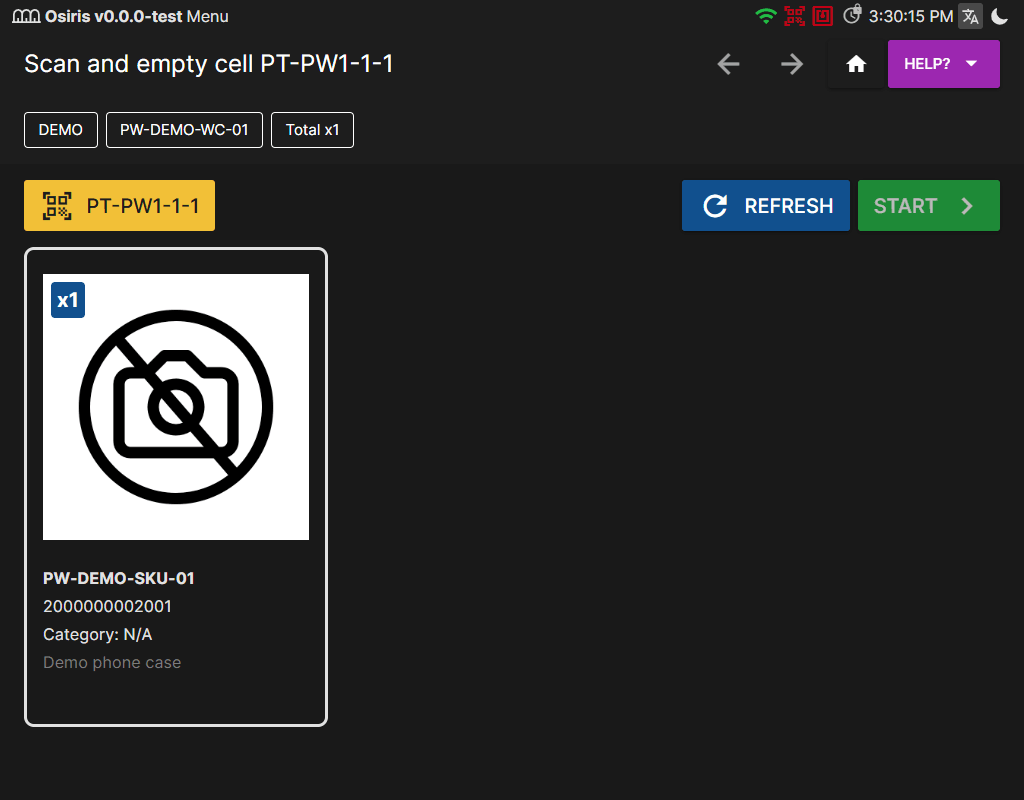
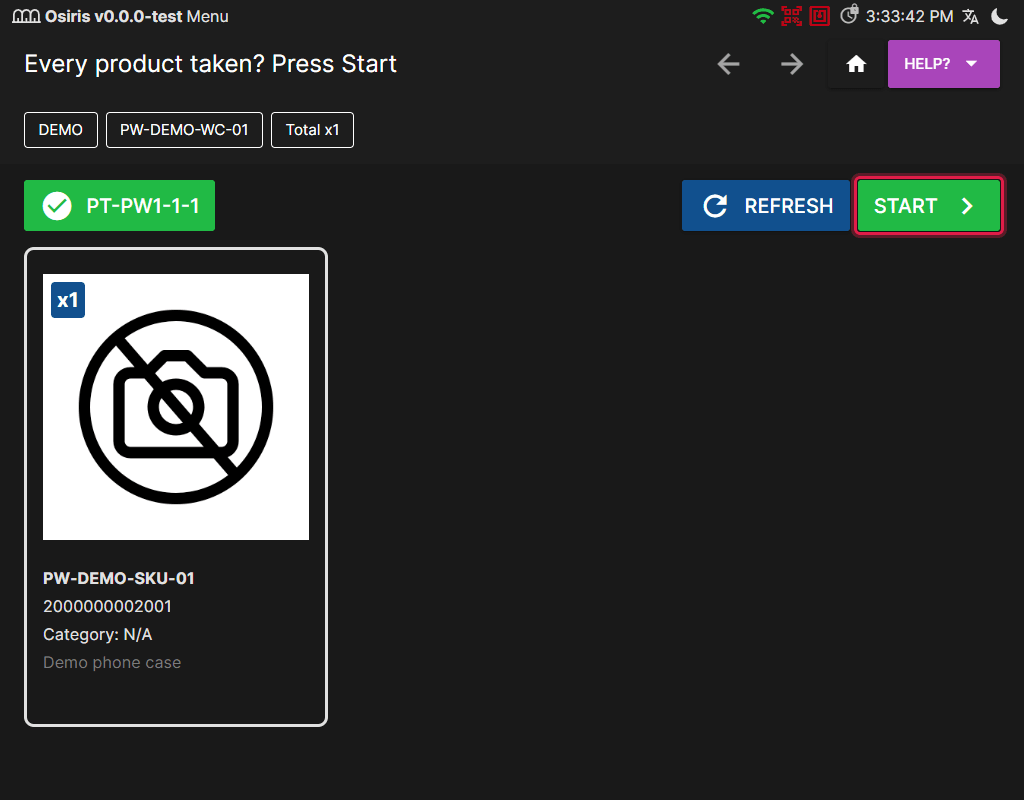
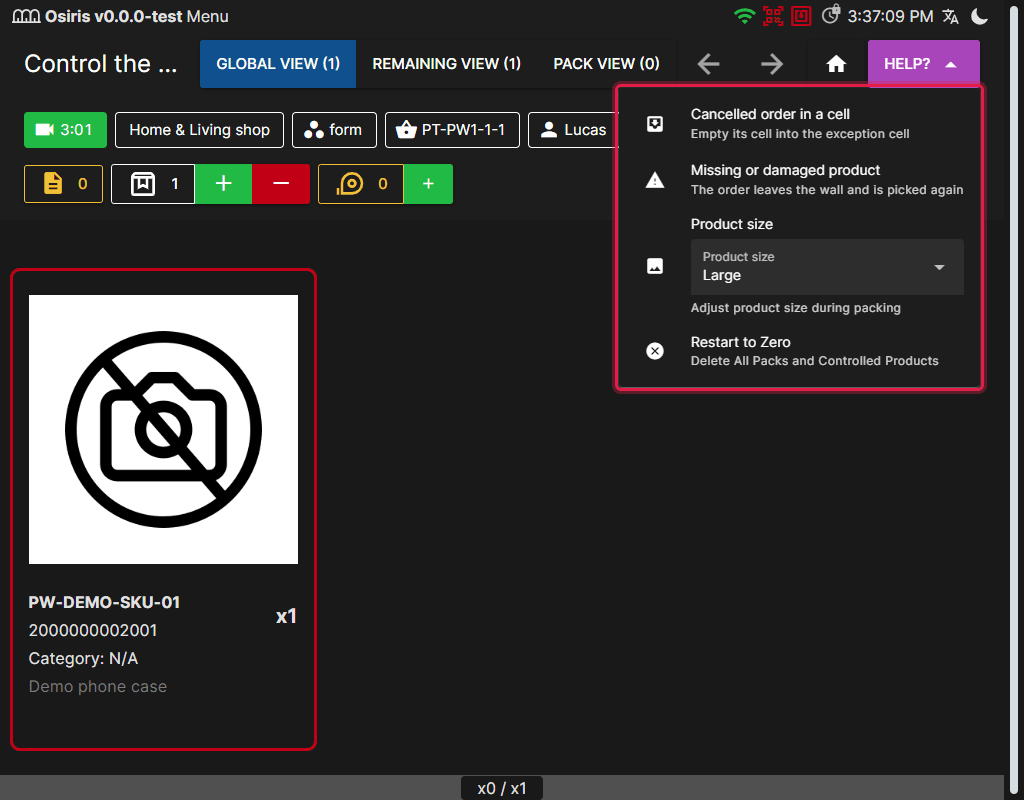
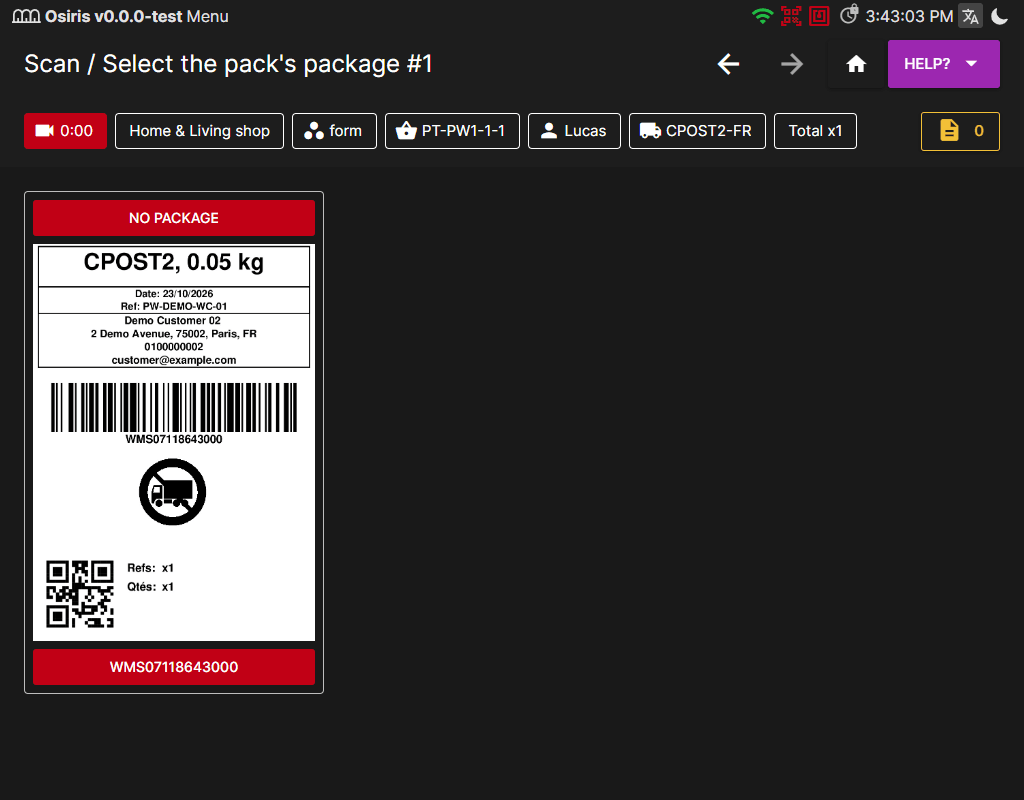
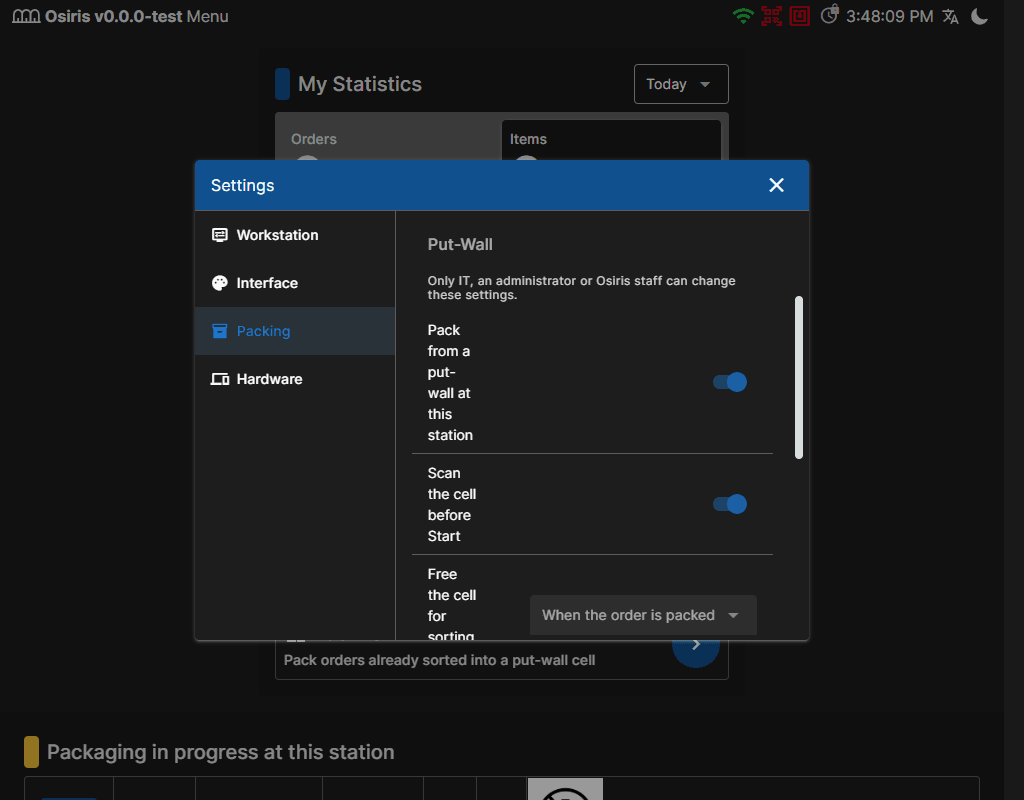
You can now collect items for several orders in one trip and sort them at a put-wall, with one cell per order. Create the wall under Shipments > Picking > Put-Walls, then use the PDA (Portable Data Assistant) to pick into bins and sort their contents into cells. Once an order is complete, a packing operator empties its cell and packs the order at the packing station. The back office tracks the wave, and incomplete orders stay at the wall until their missing items arrive.
Messages and Teams
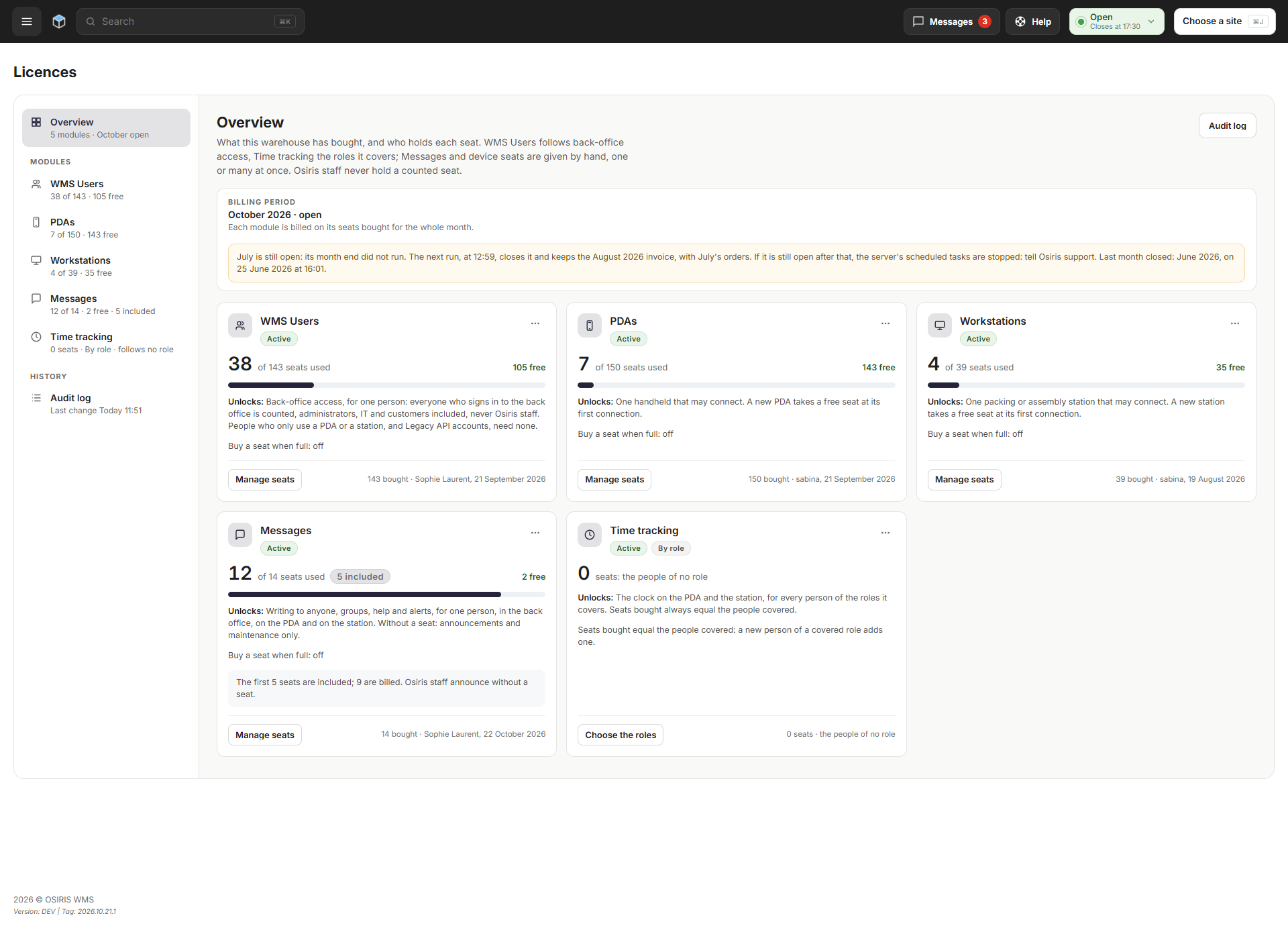
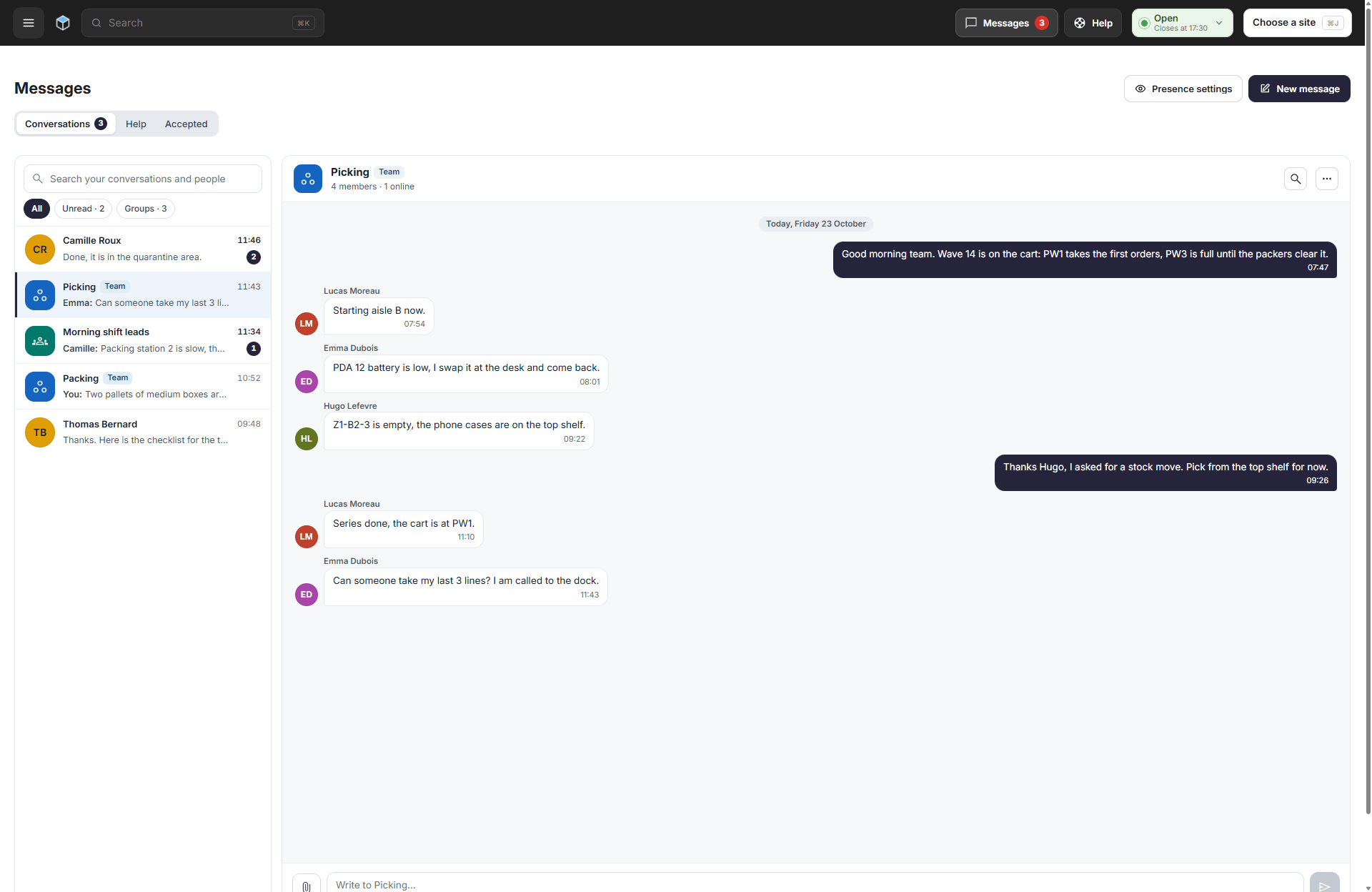
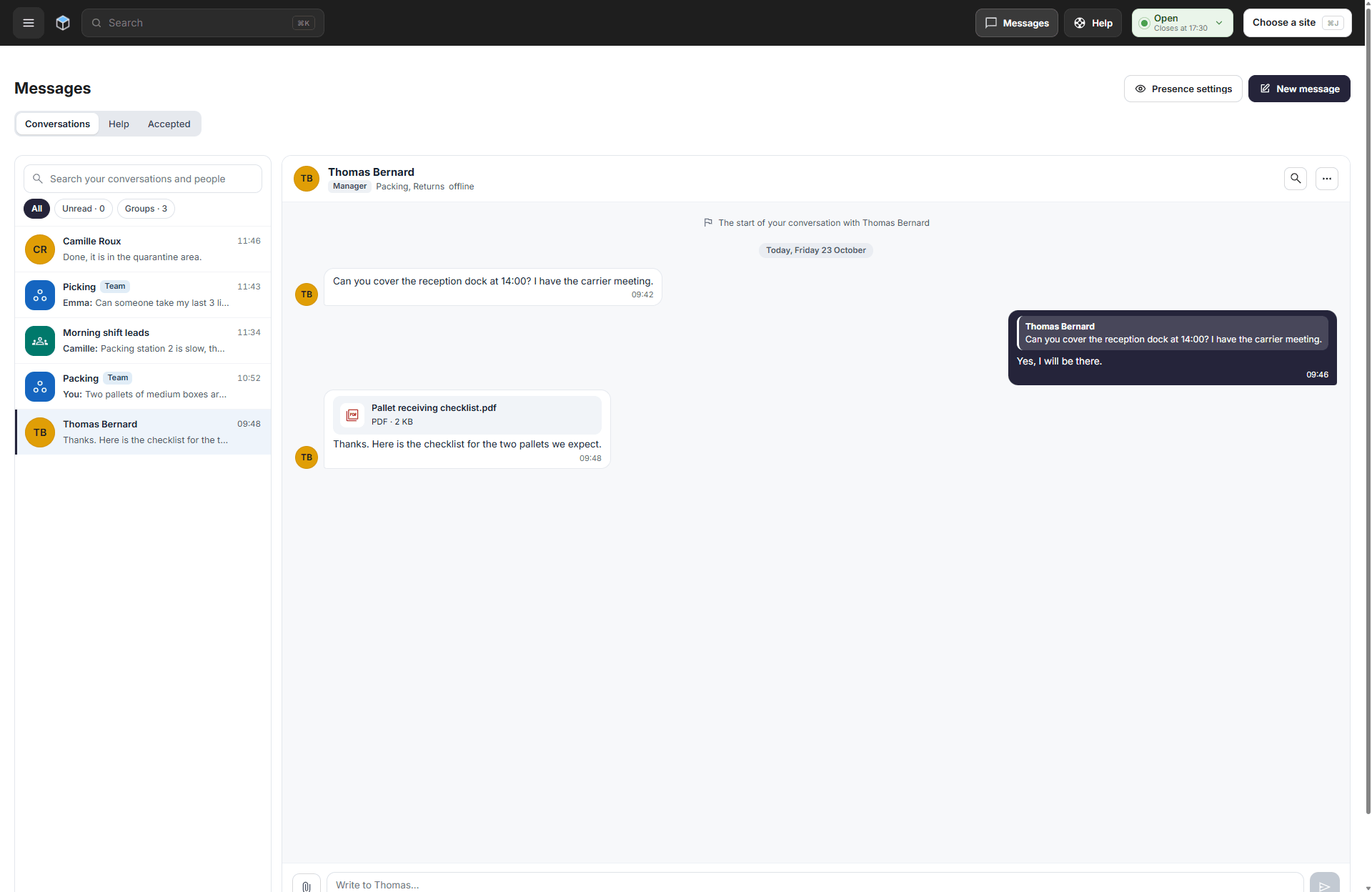
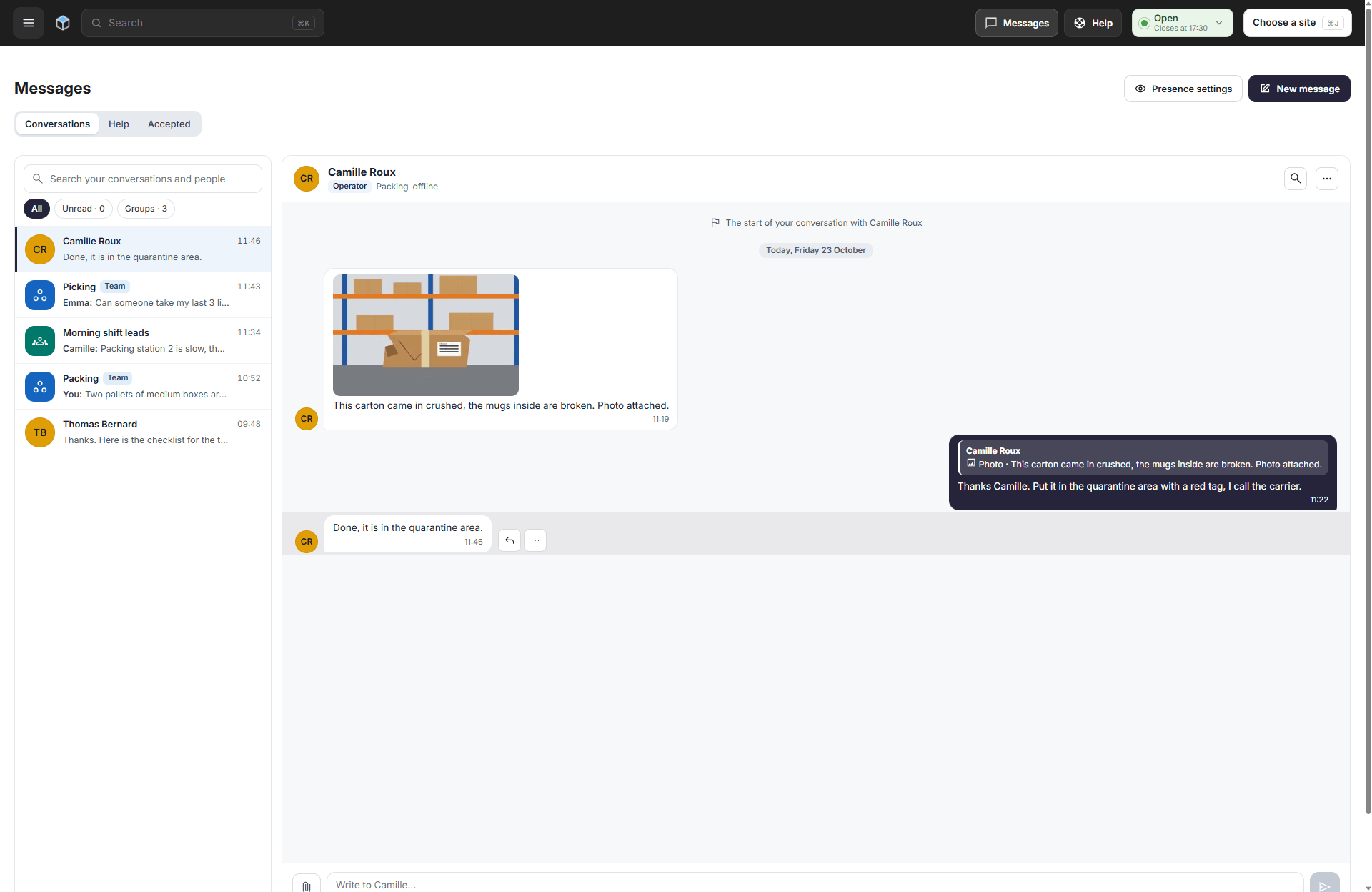
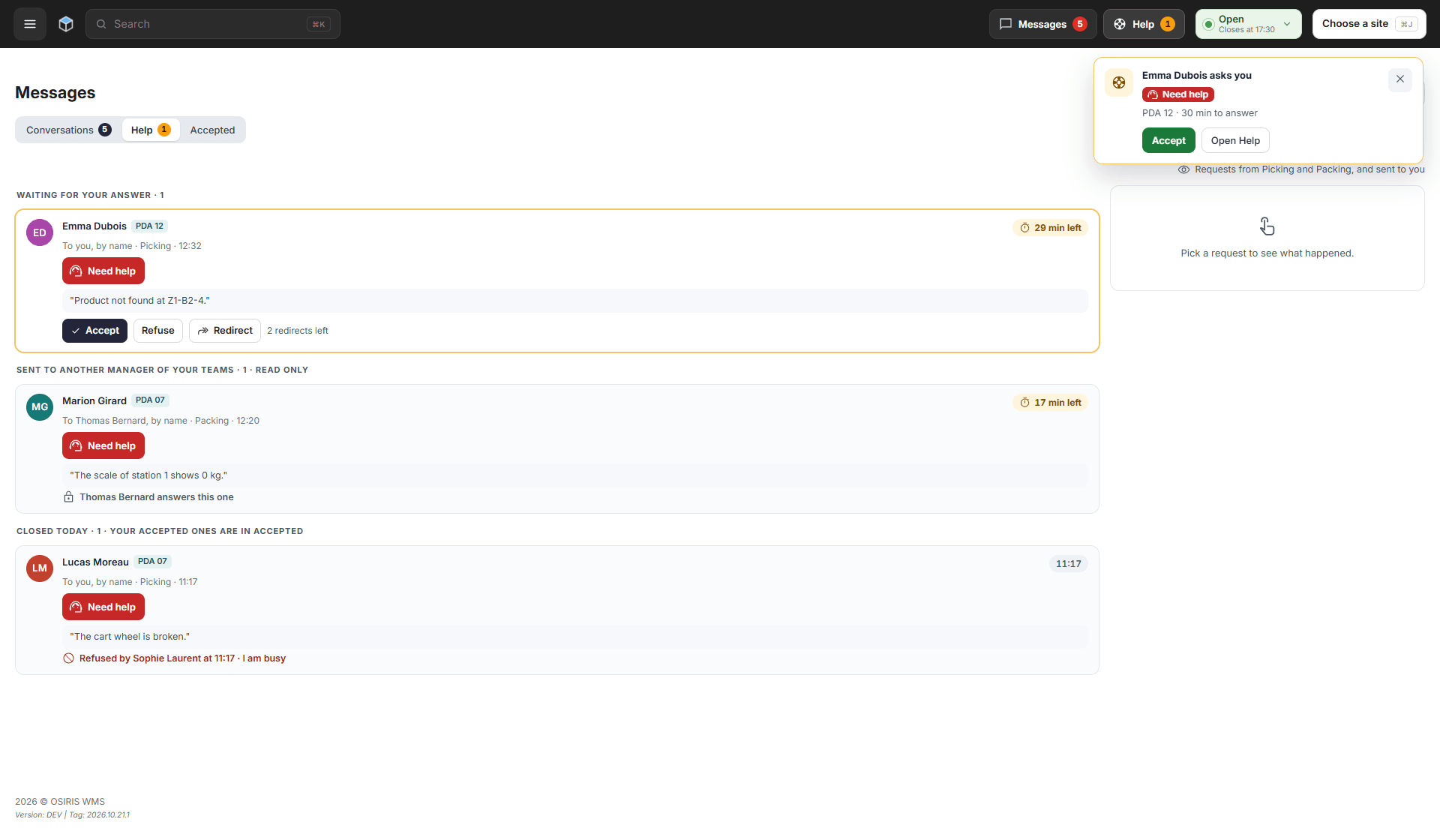
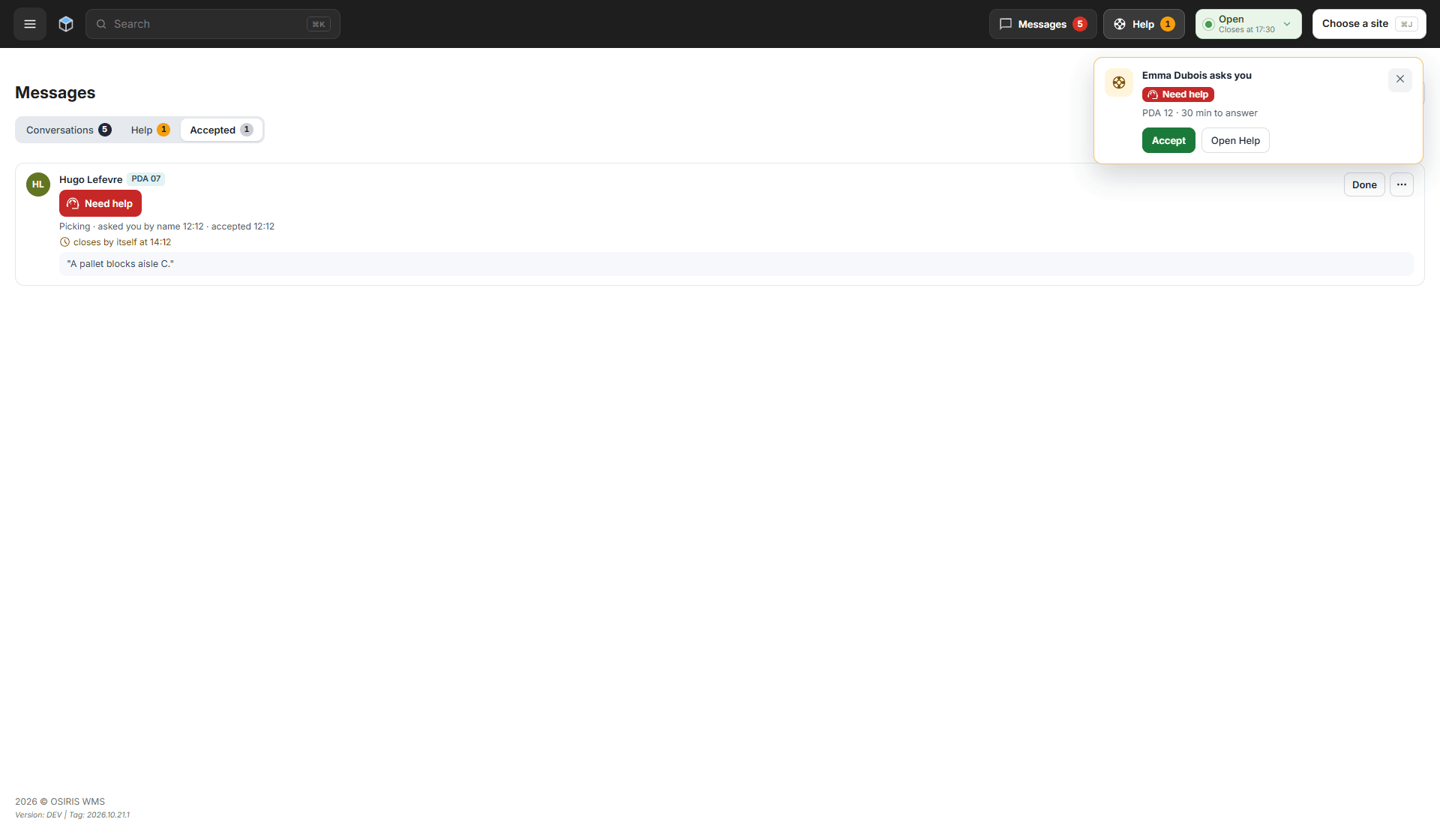
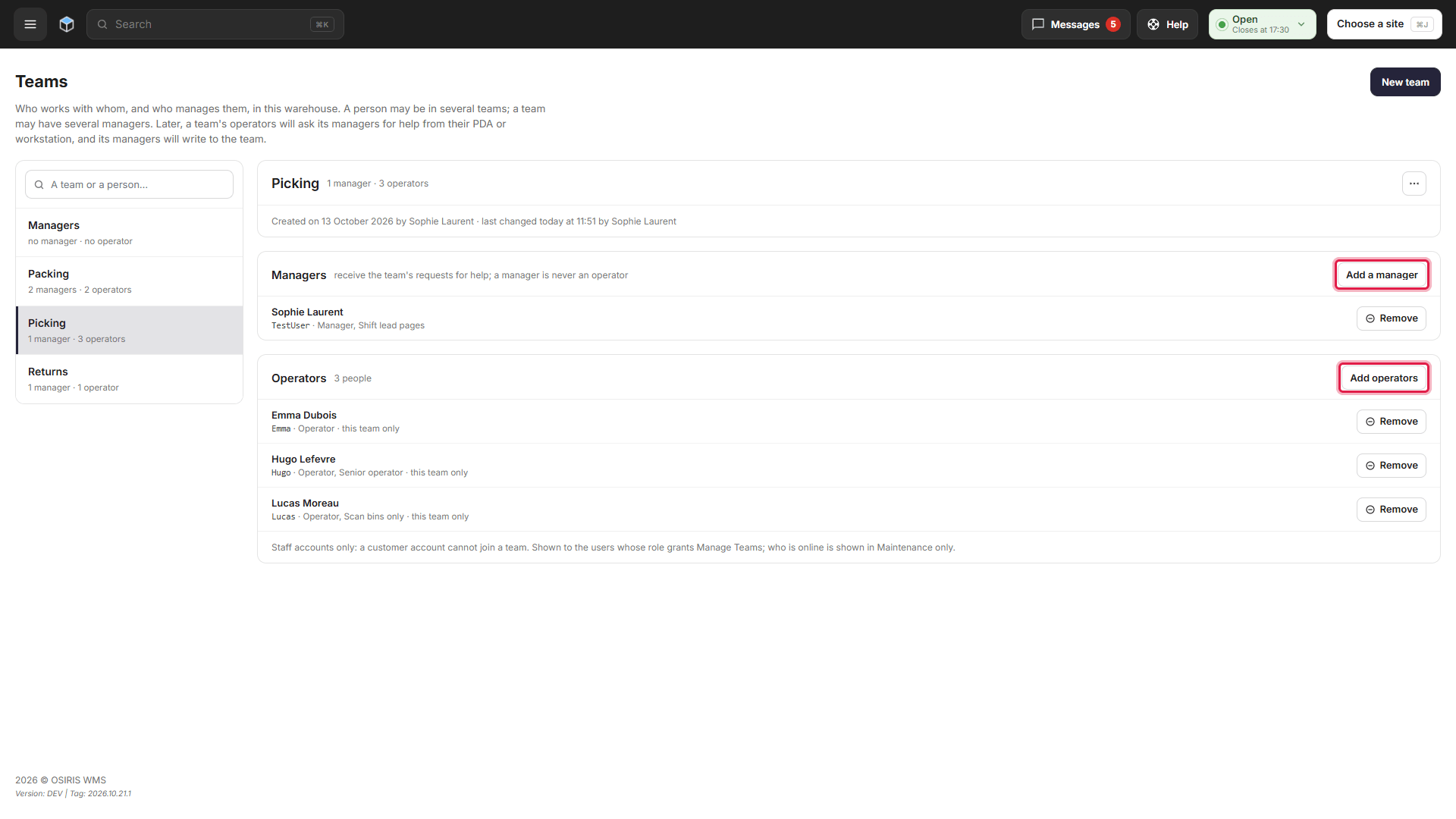
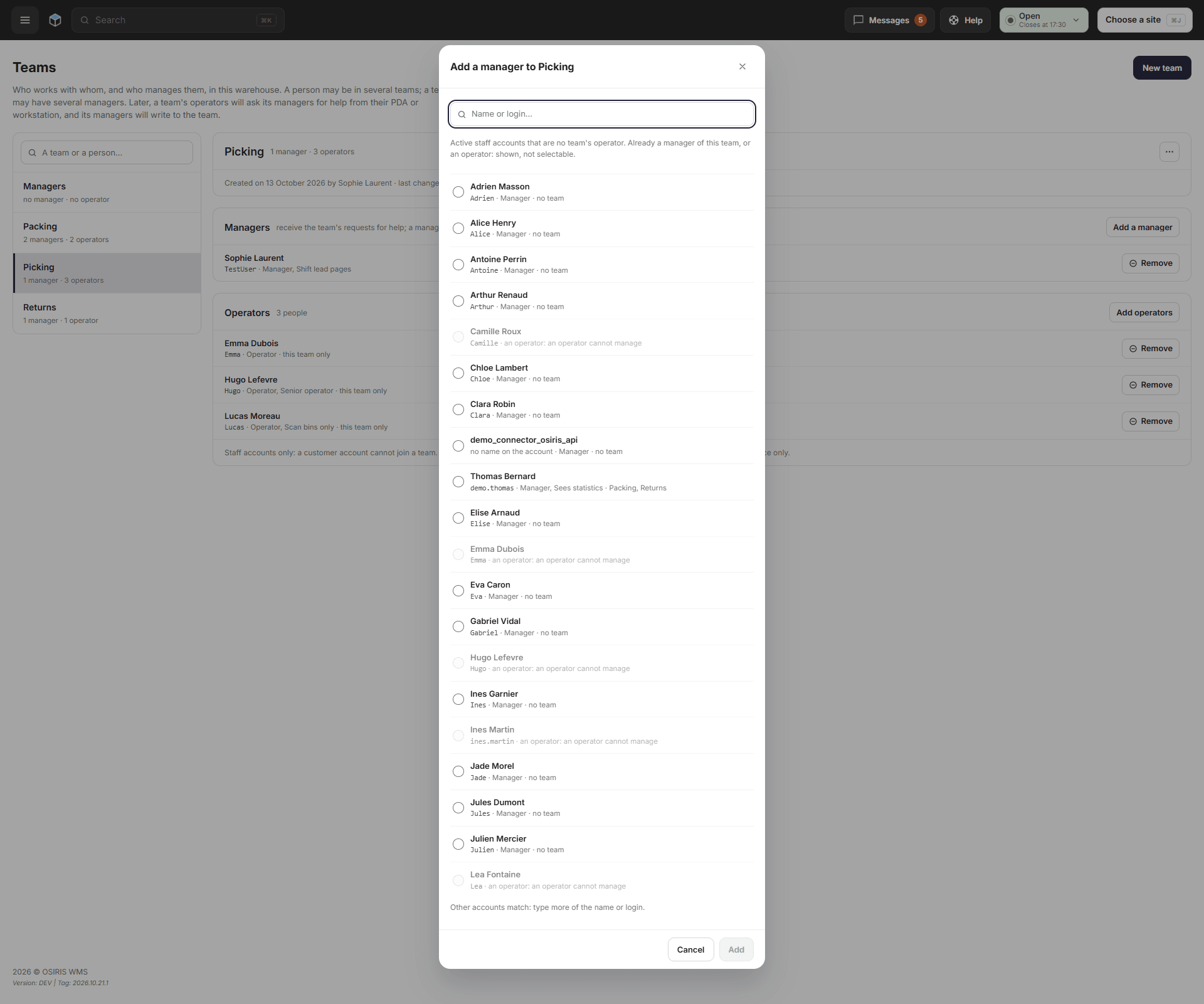
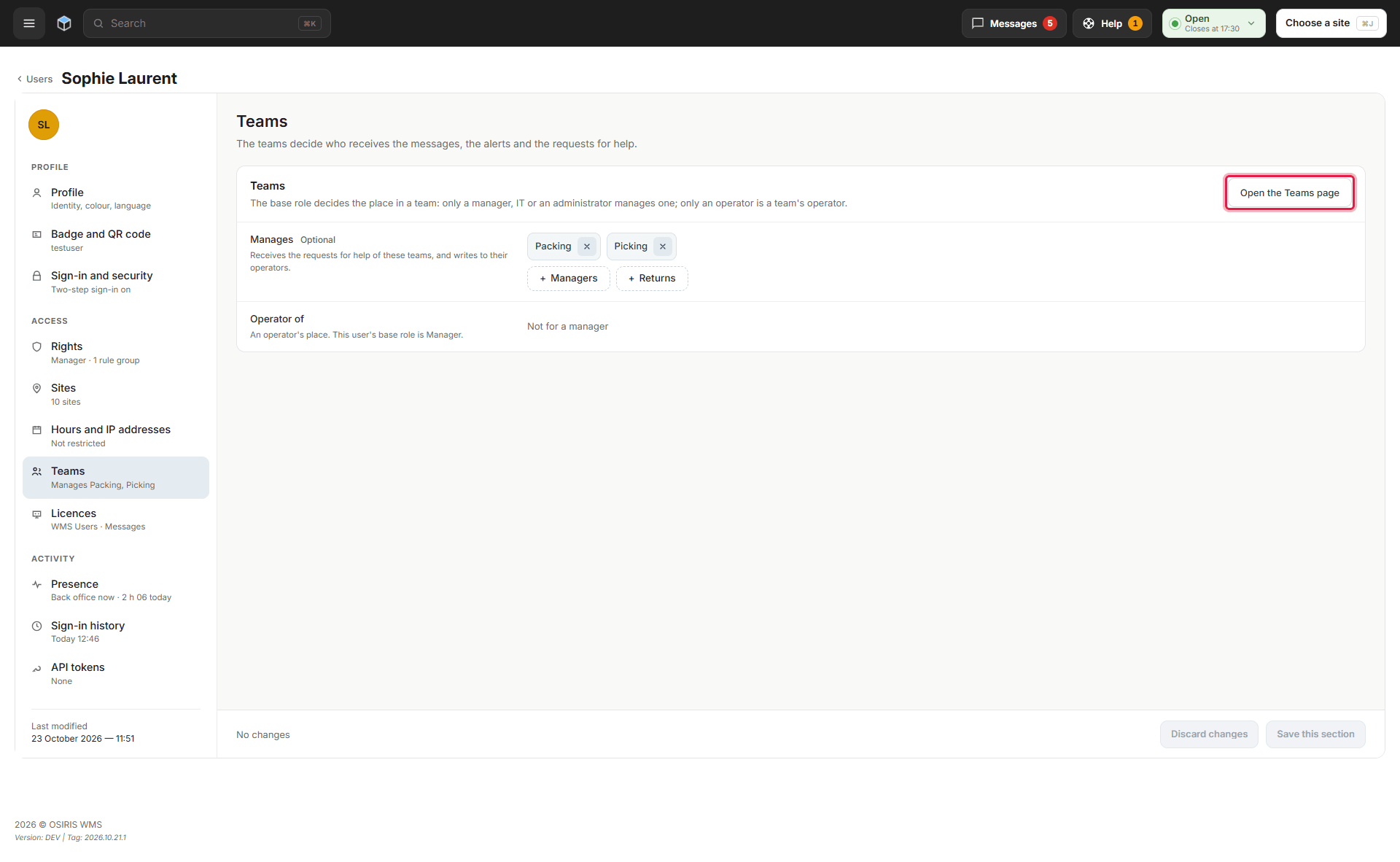
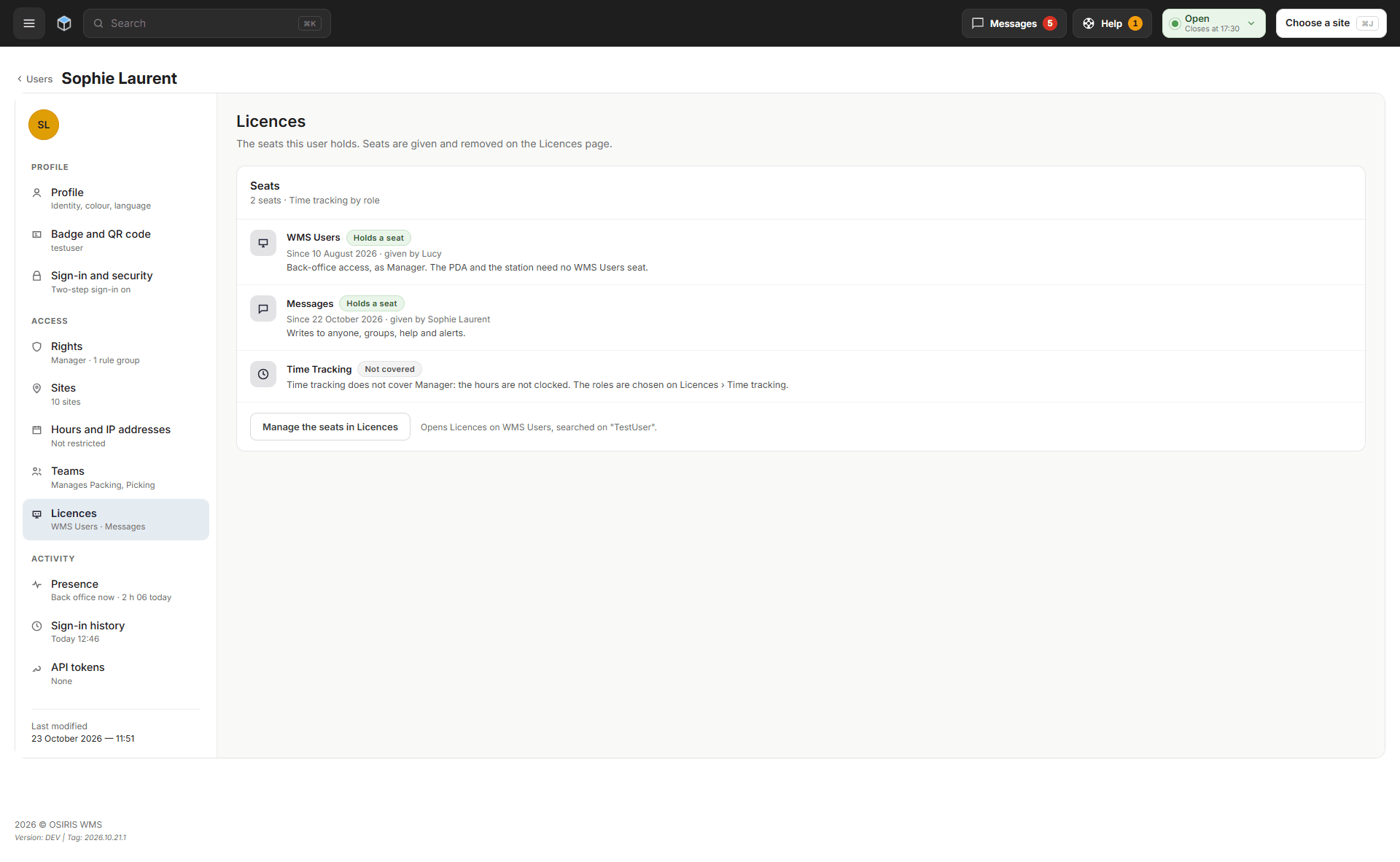
Your warehouse staff can now exchange messages, share files and organize conversations by team in the back office. Open Messages in the top bar or manage teams under Users > Teams. Ask OSIRIS to enable Messages for your warehouse, then assign each participant a seat on the Licences page; customer accounts cannot use it. Requests for help from the PDA and packing station will follow in a later update.
Advanced Search and Exports
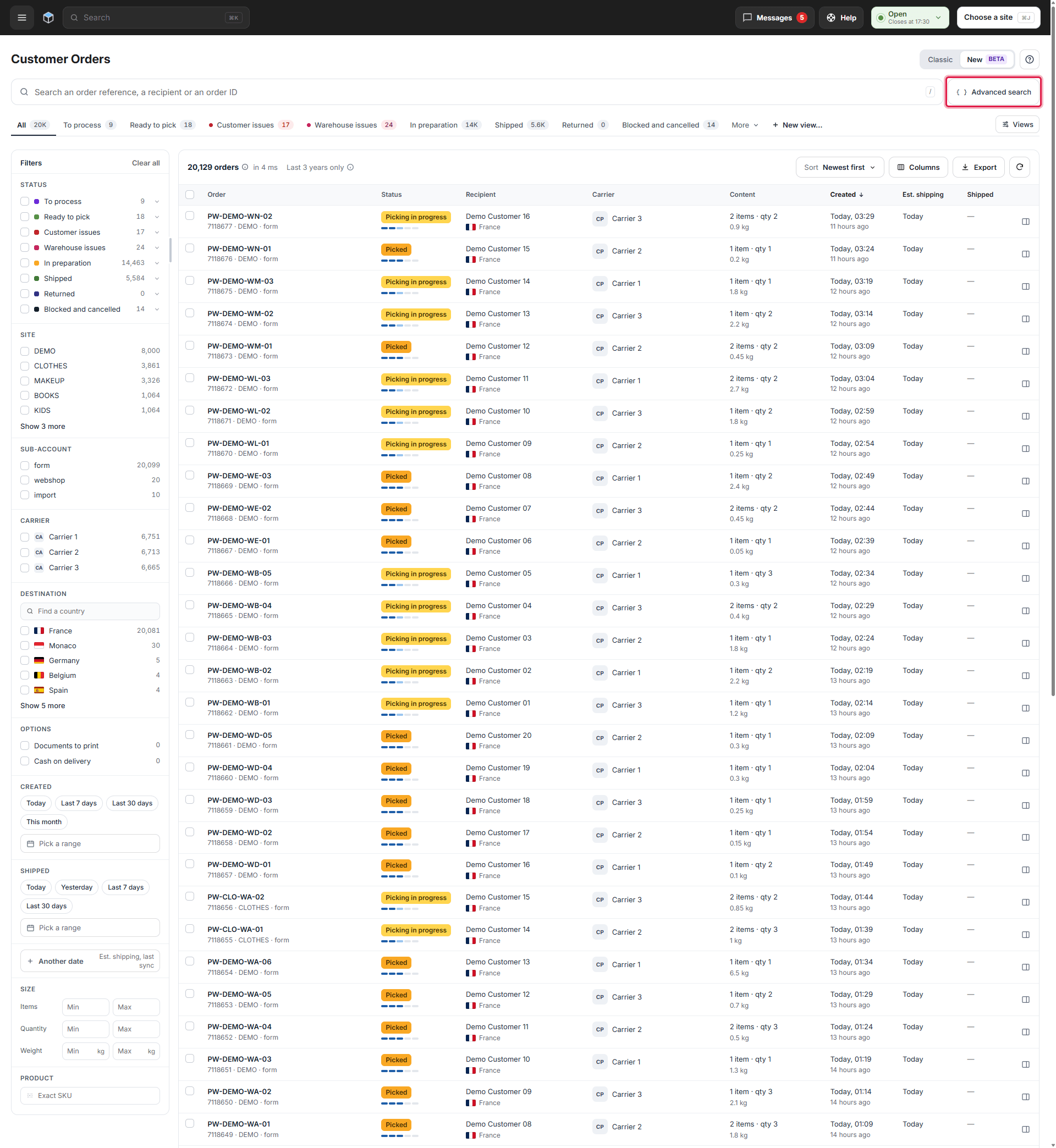
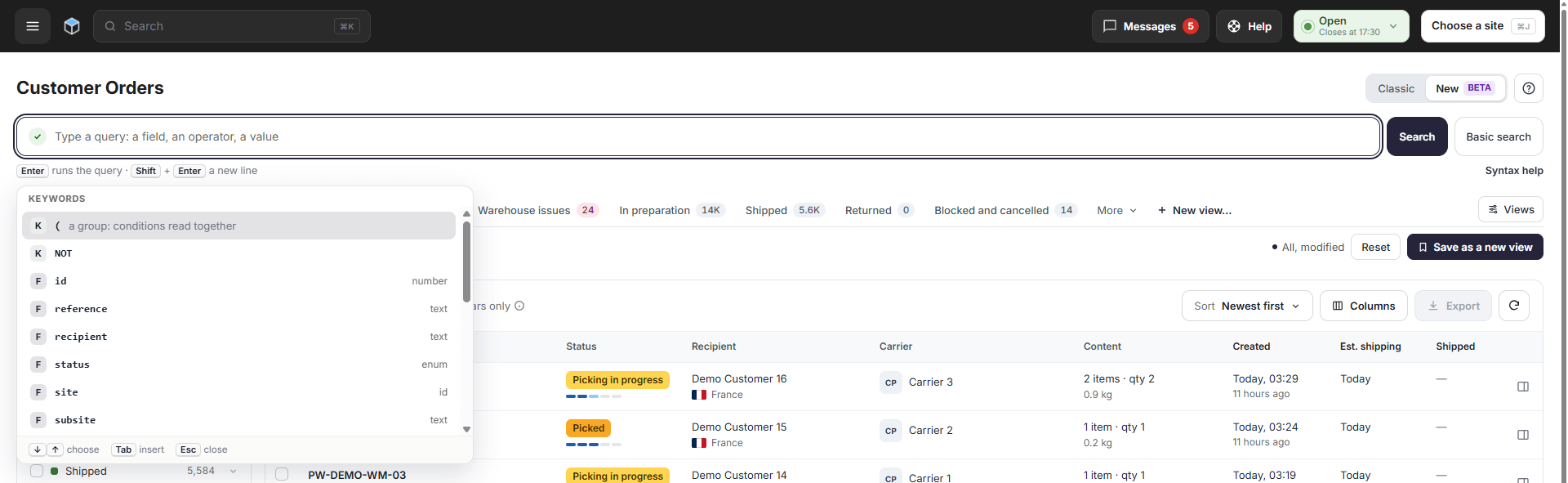
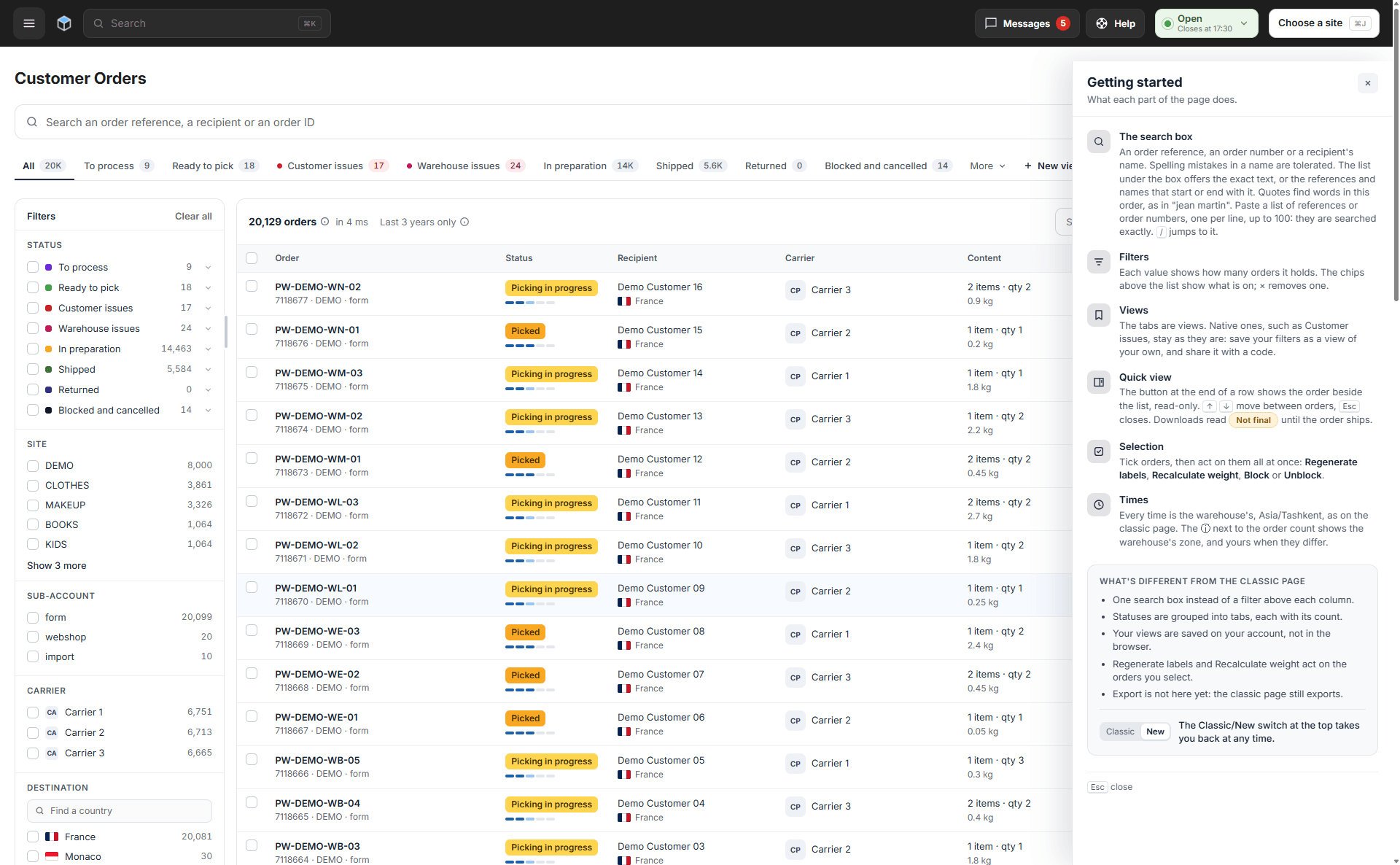
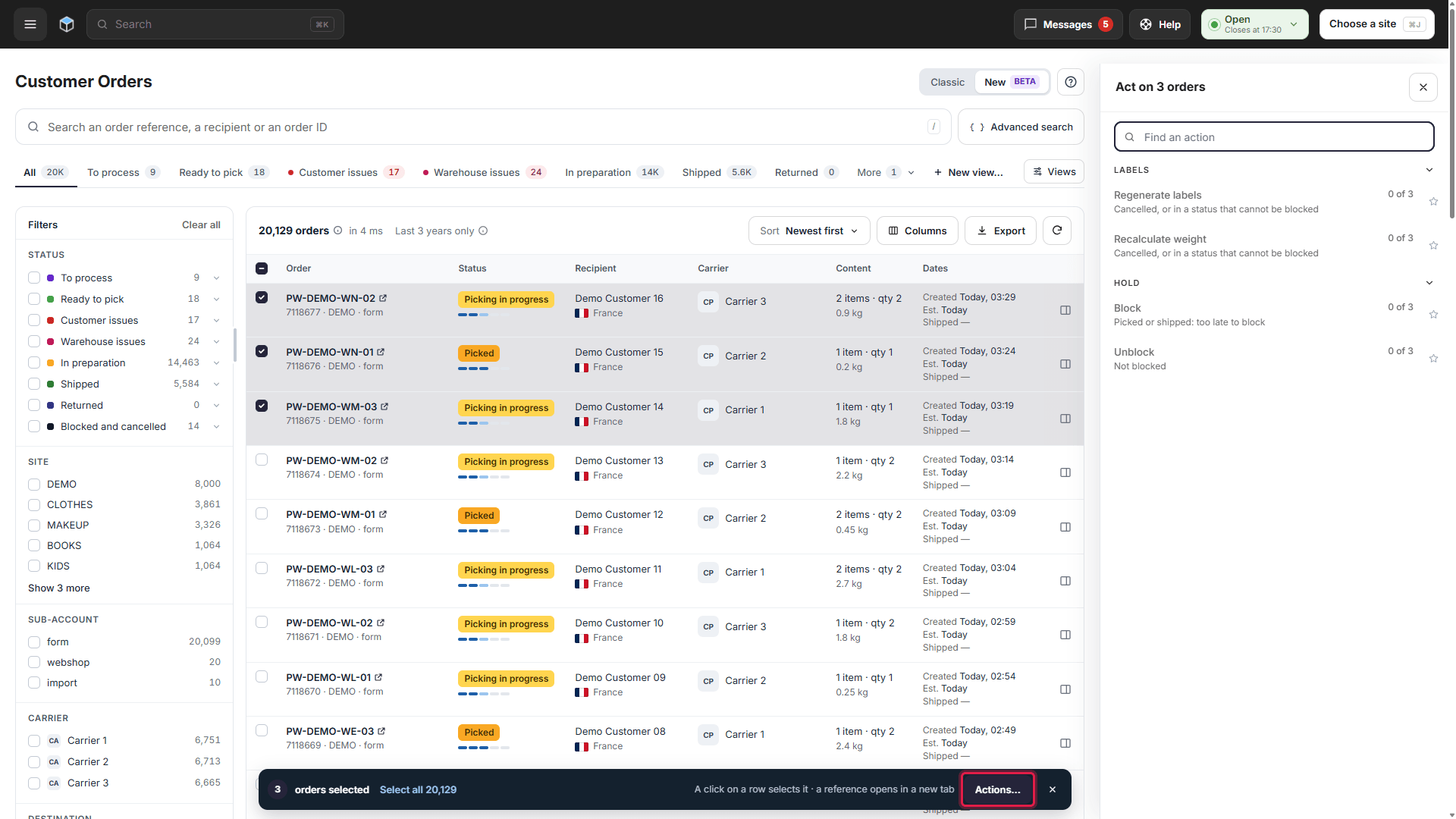
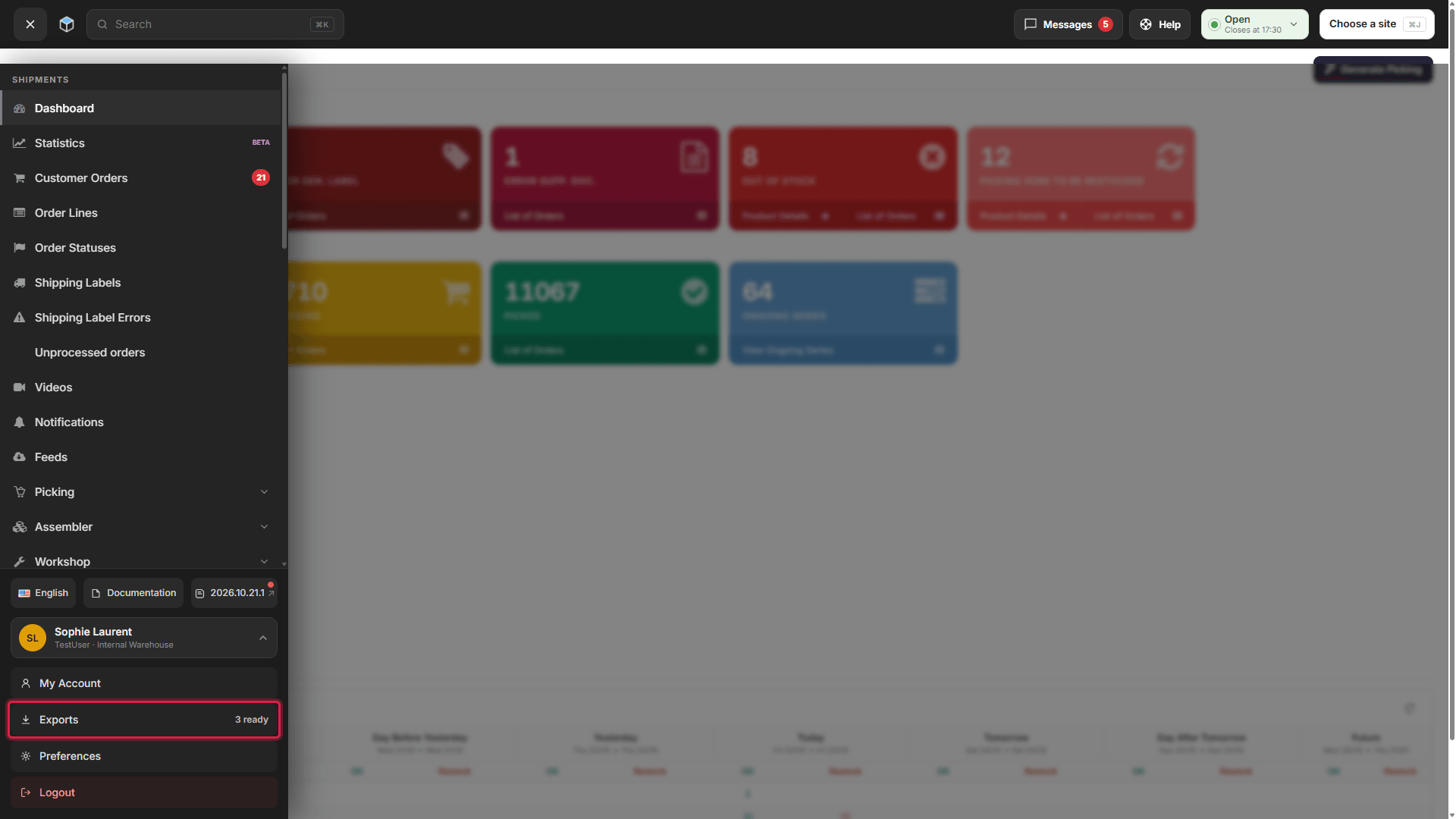
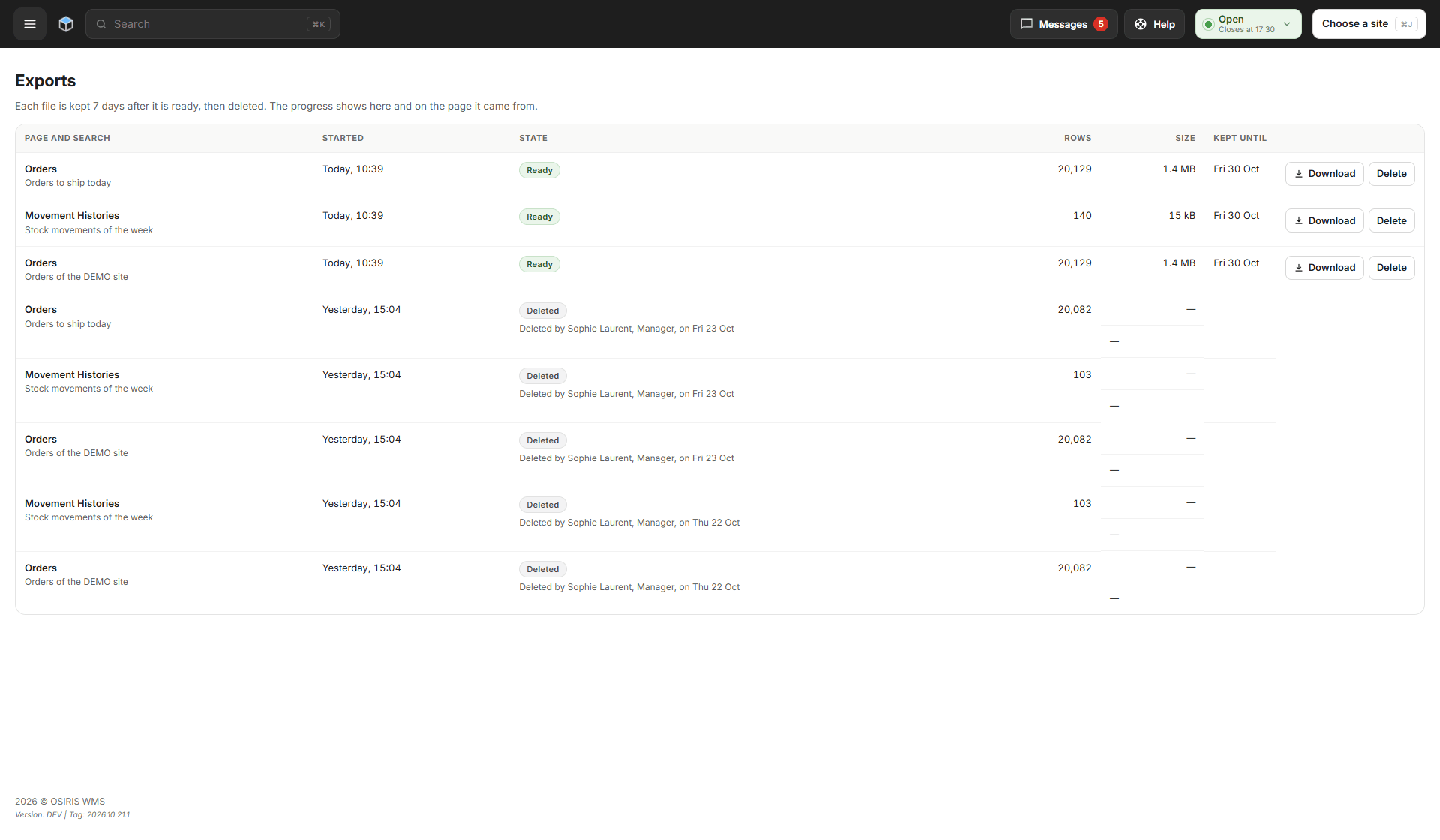
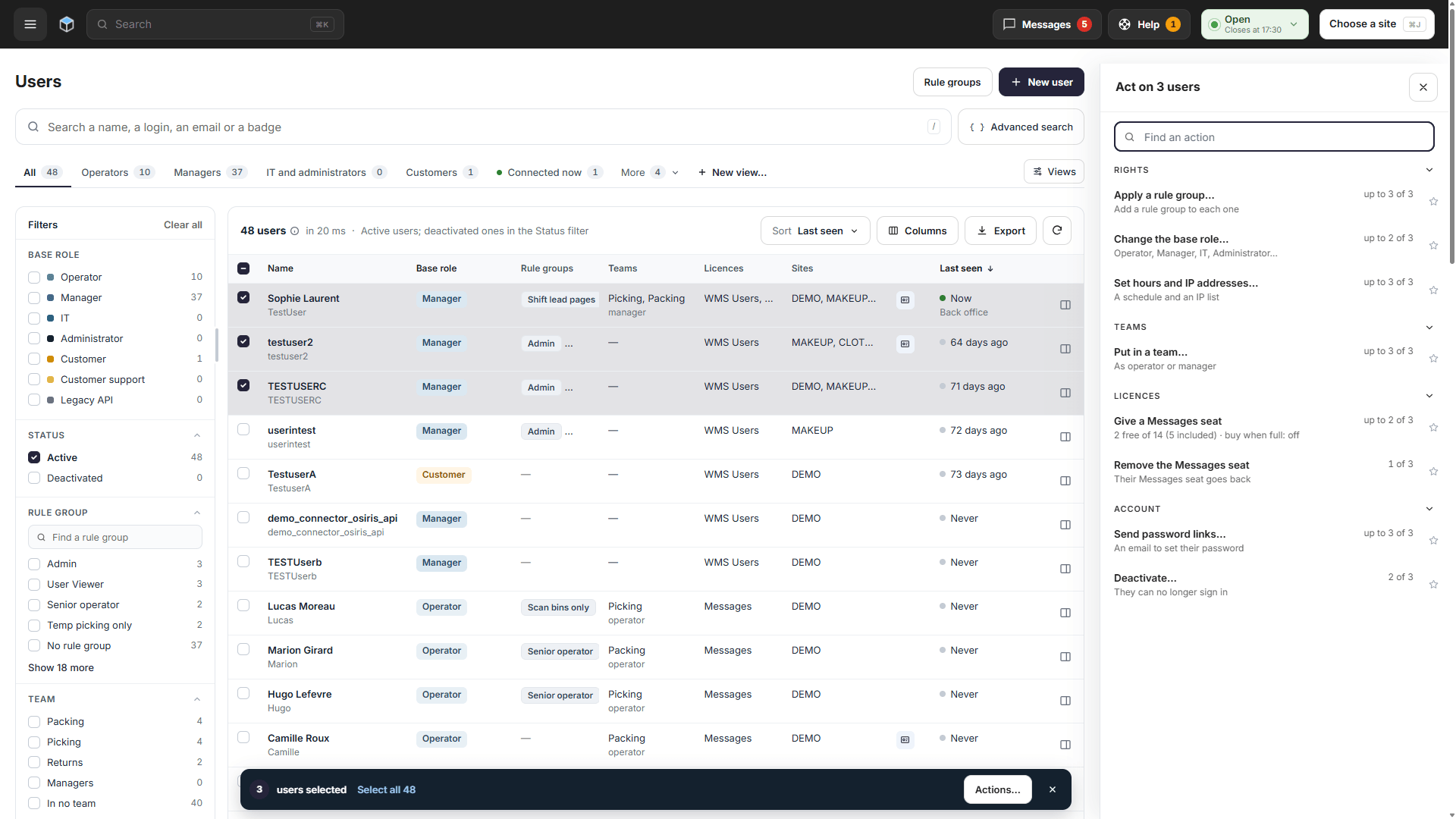
You can now use advanced search and export files on the Customer Orders, Users and Movement Histories pages. Click Advanced search to build a query with field suggestions, or select orders and use Actions… for bulk changes. Click Export, then open Exports in your account menu to download the file; files are kept for 7 days unless your warehouse sets another period. The Getting started panel explains the page's search, filters and views.
Your Account and the New Users Page
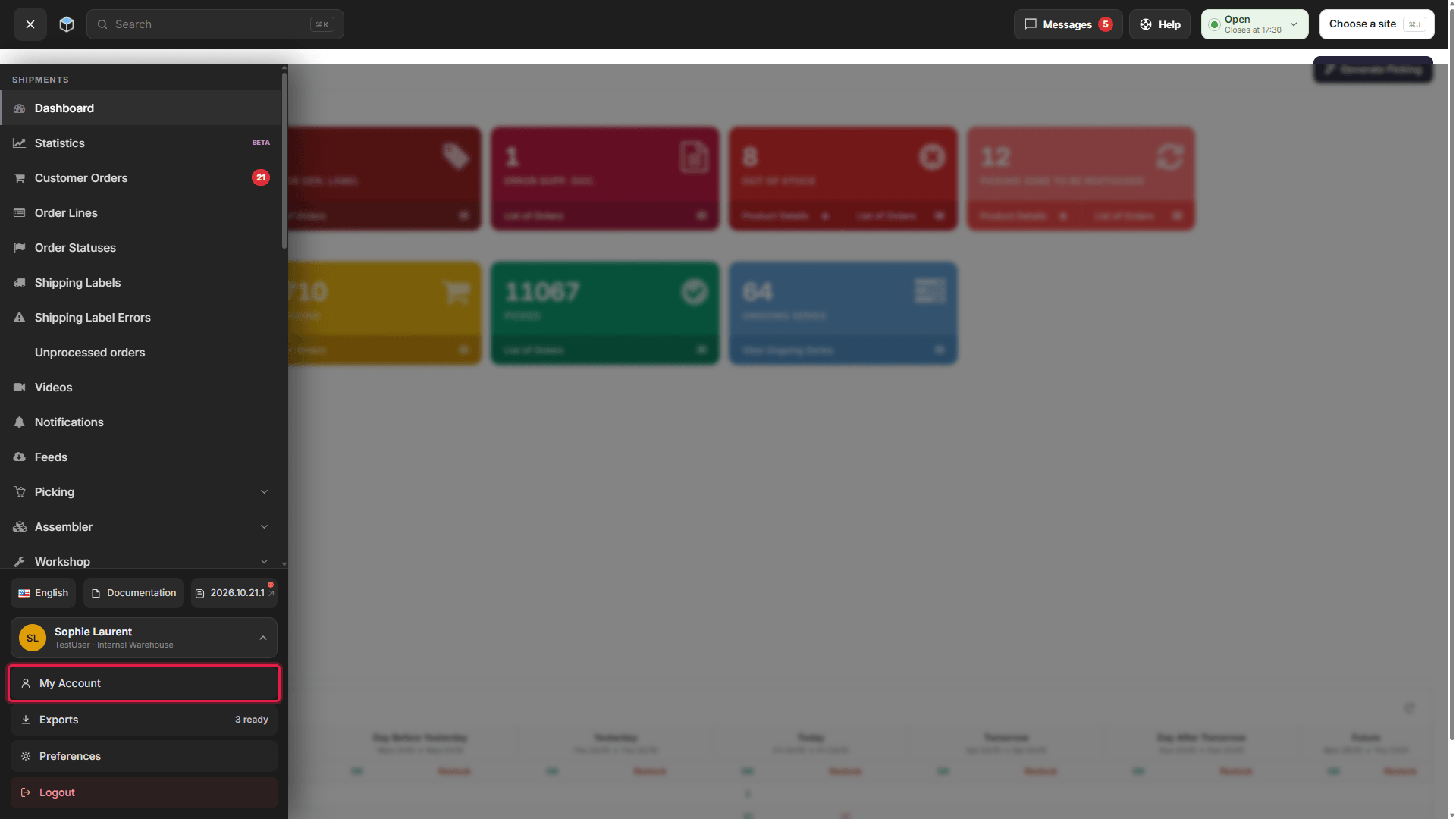
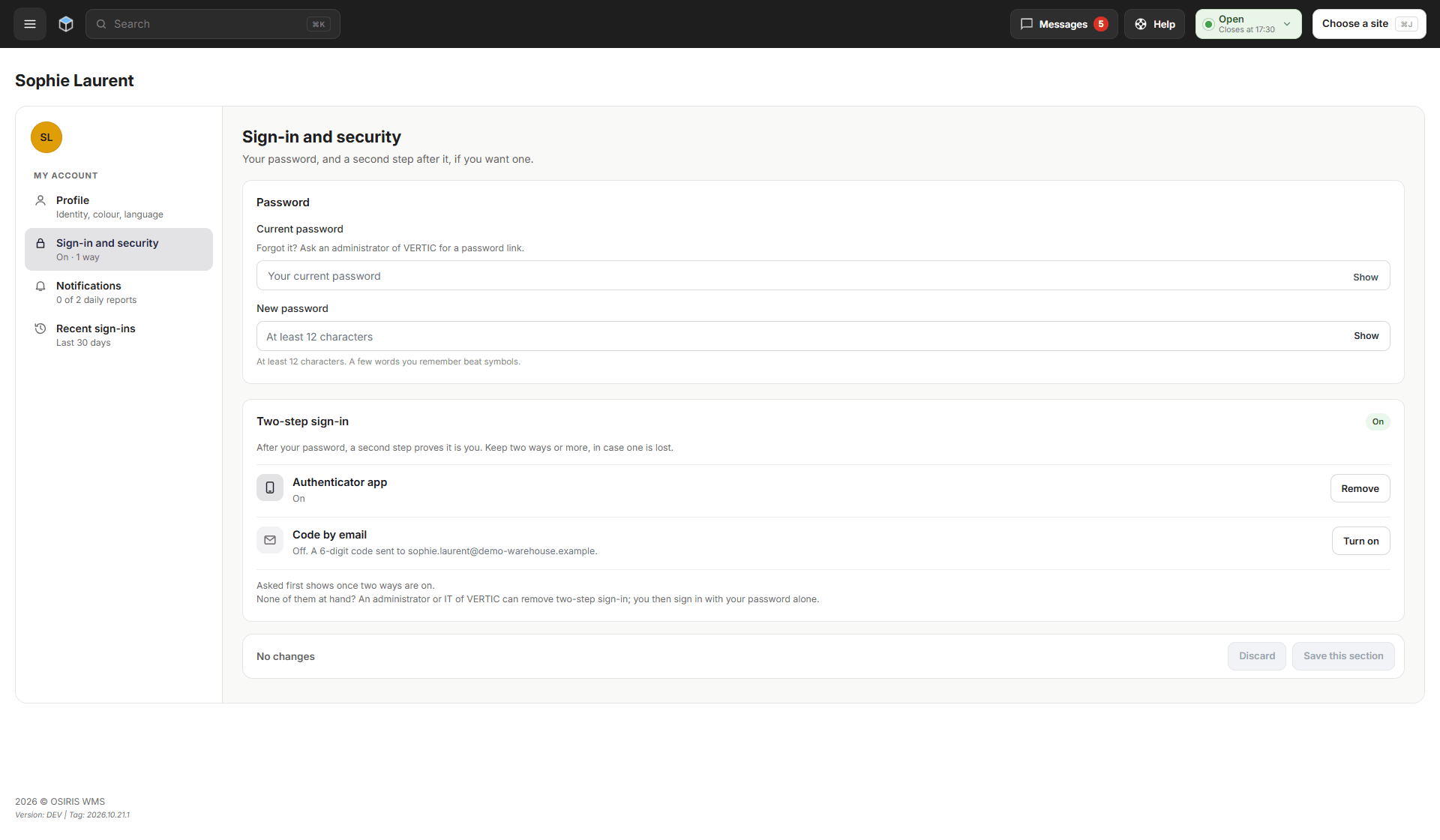
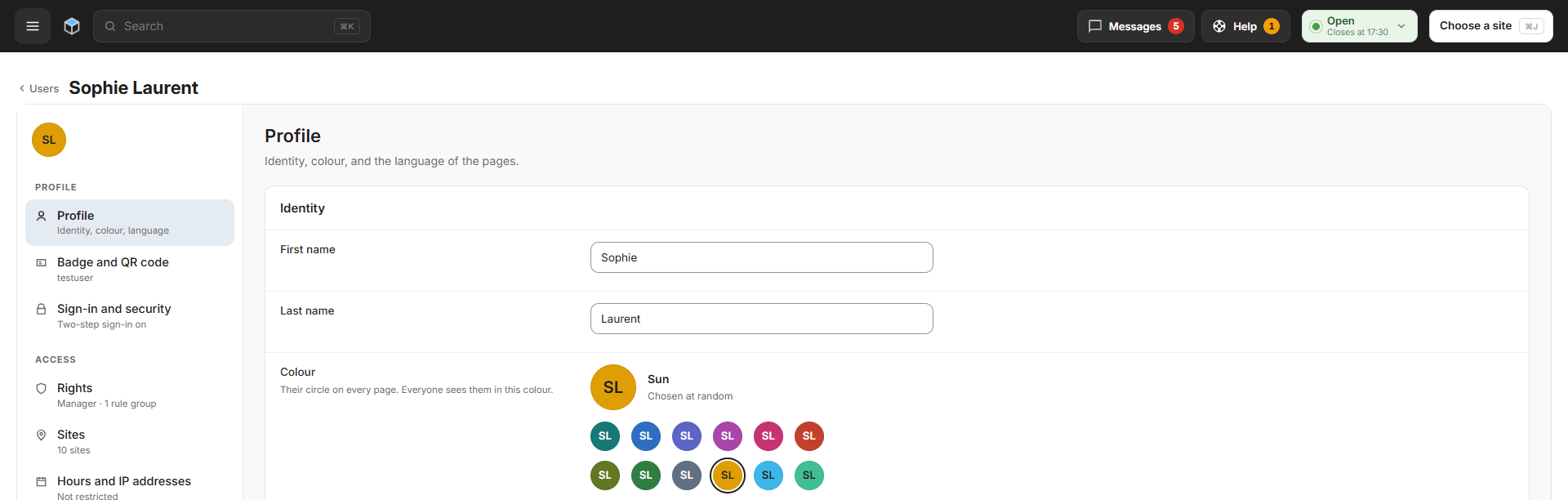
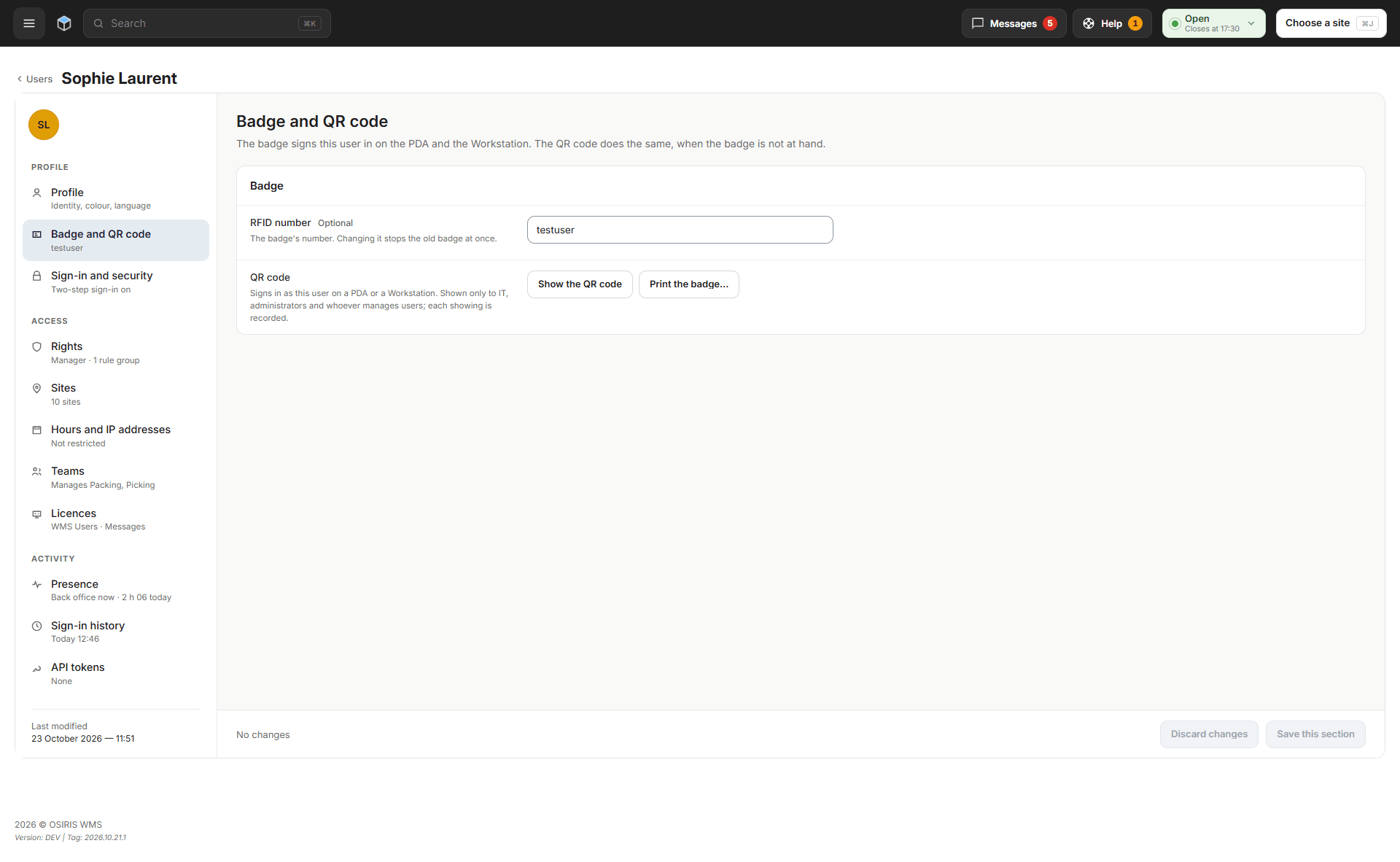
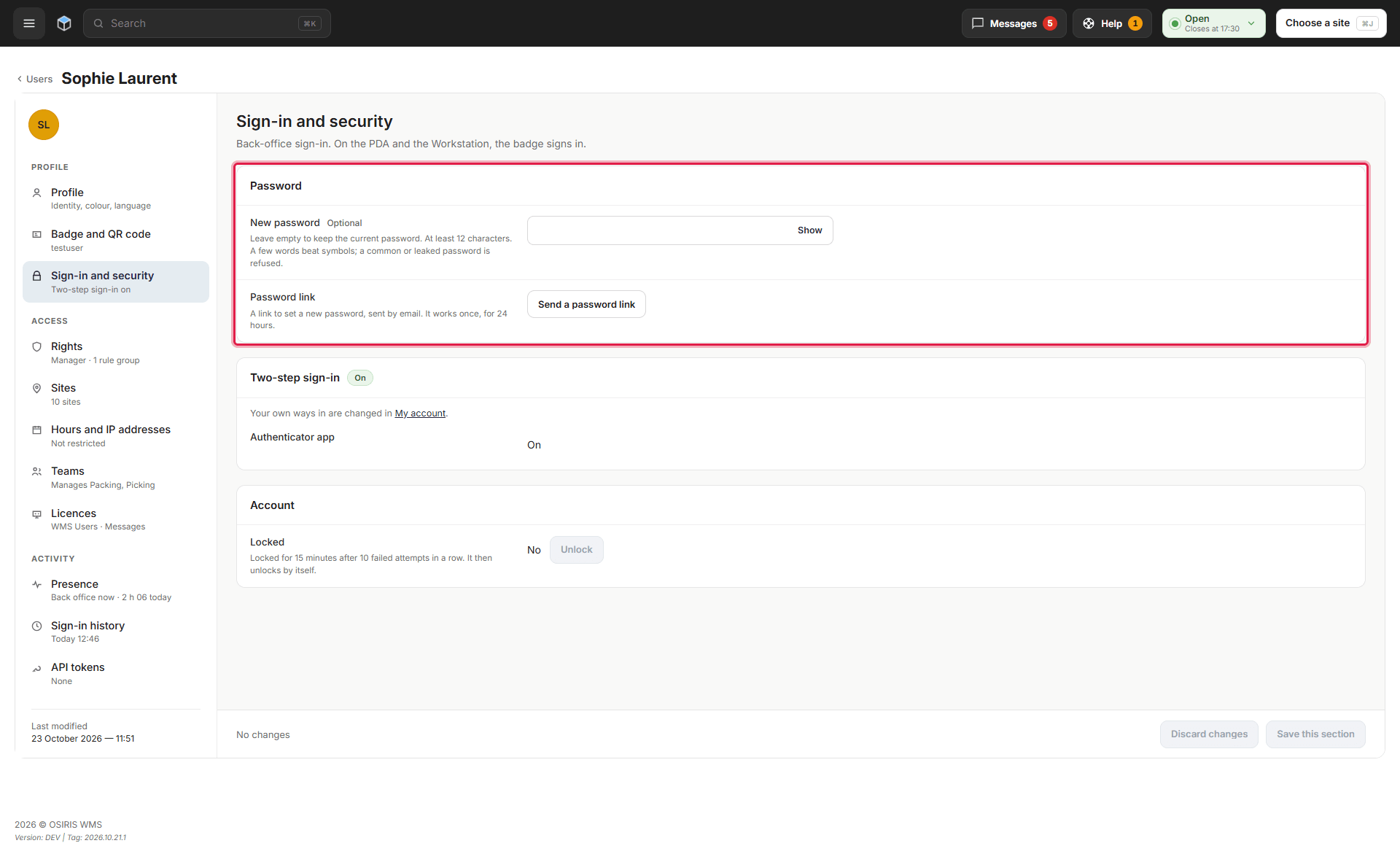
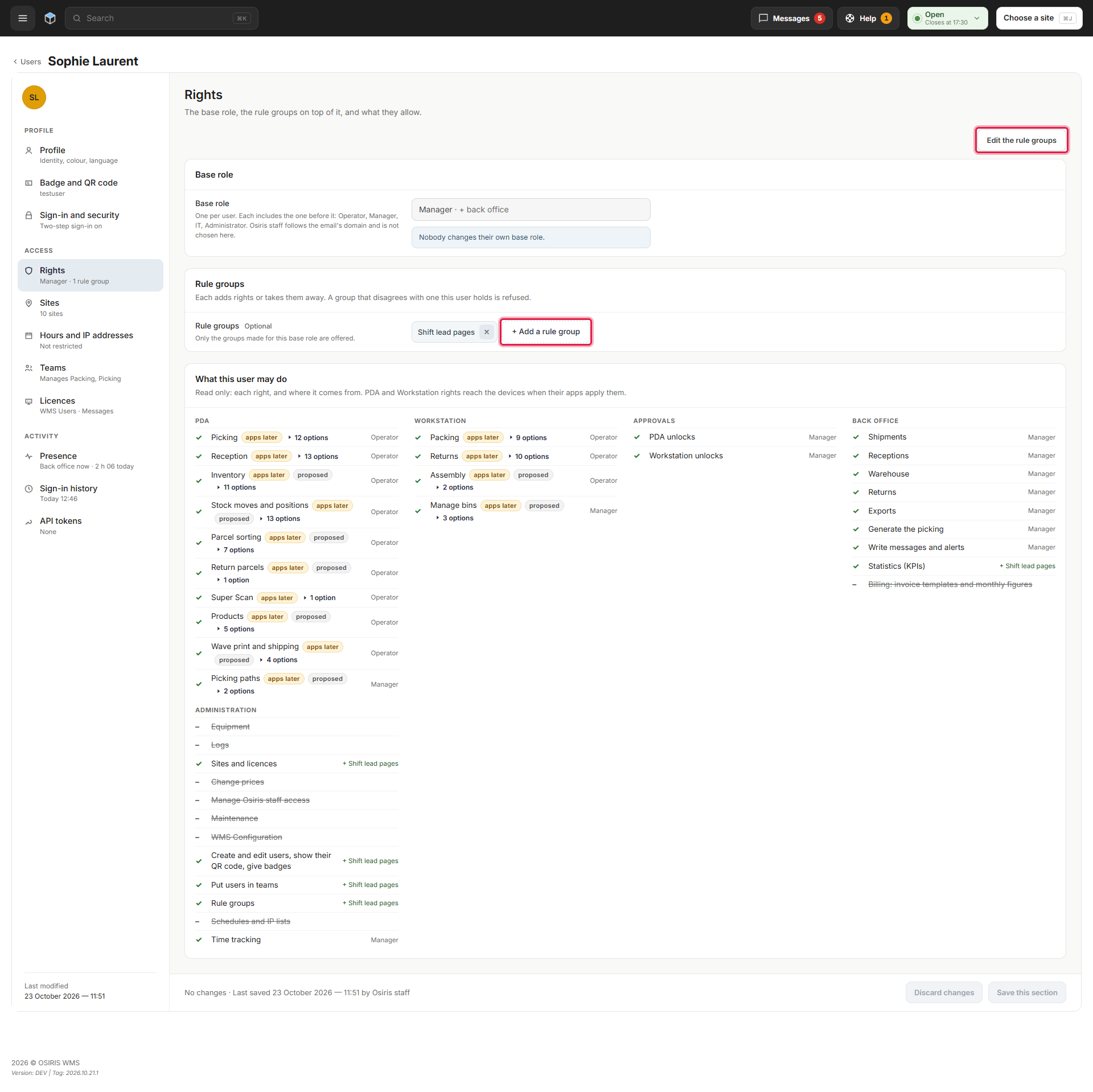
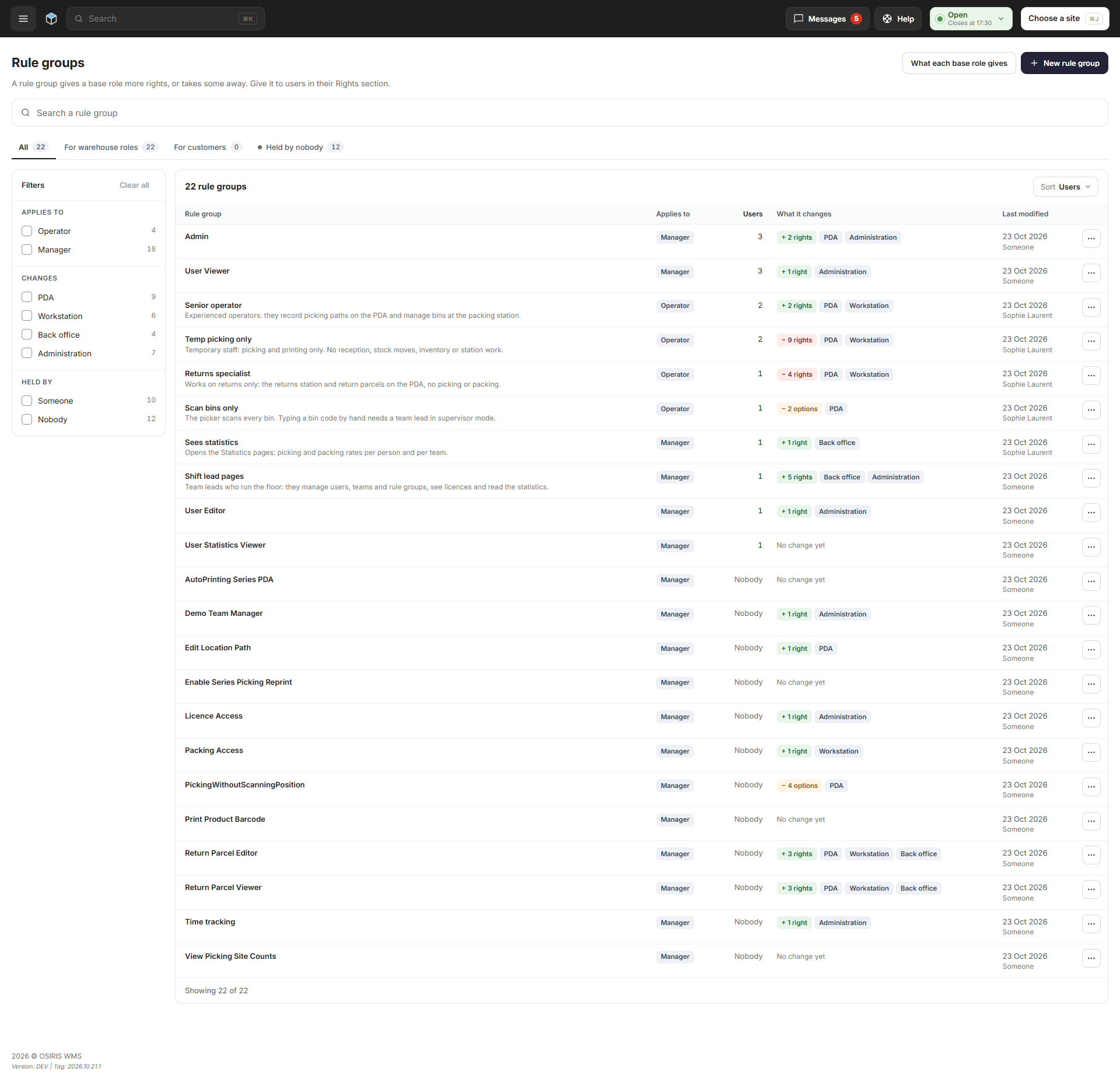
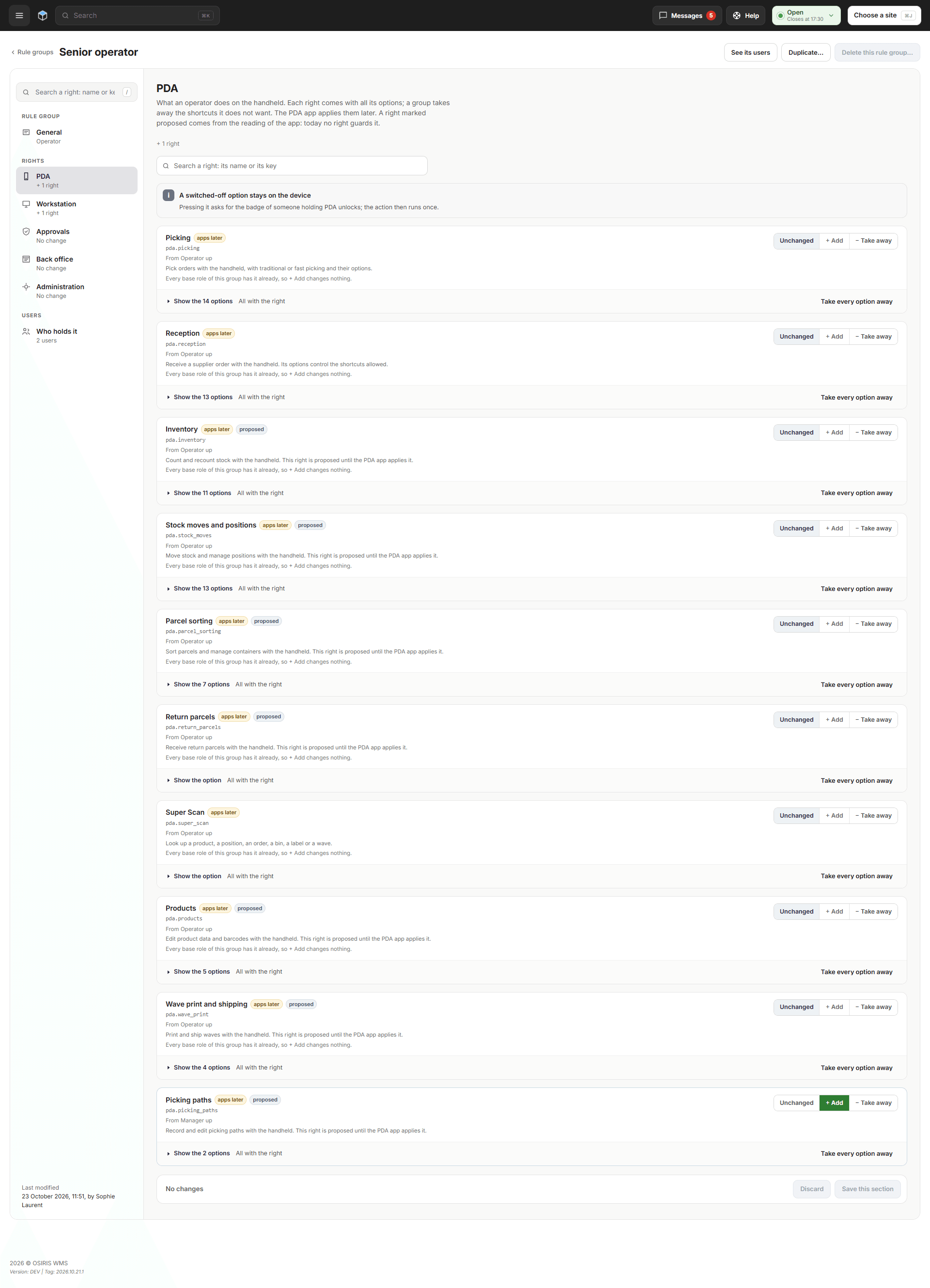
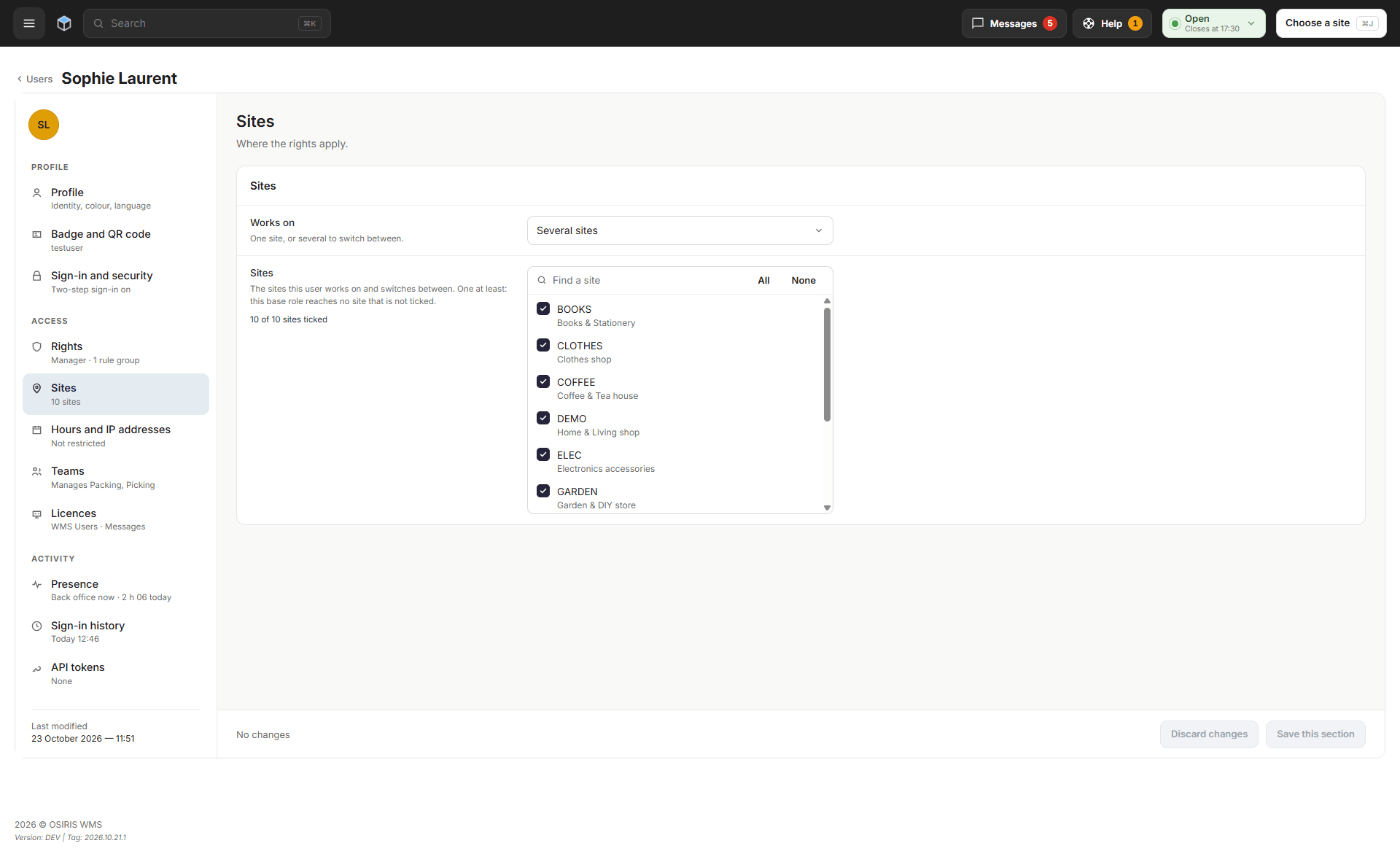
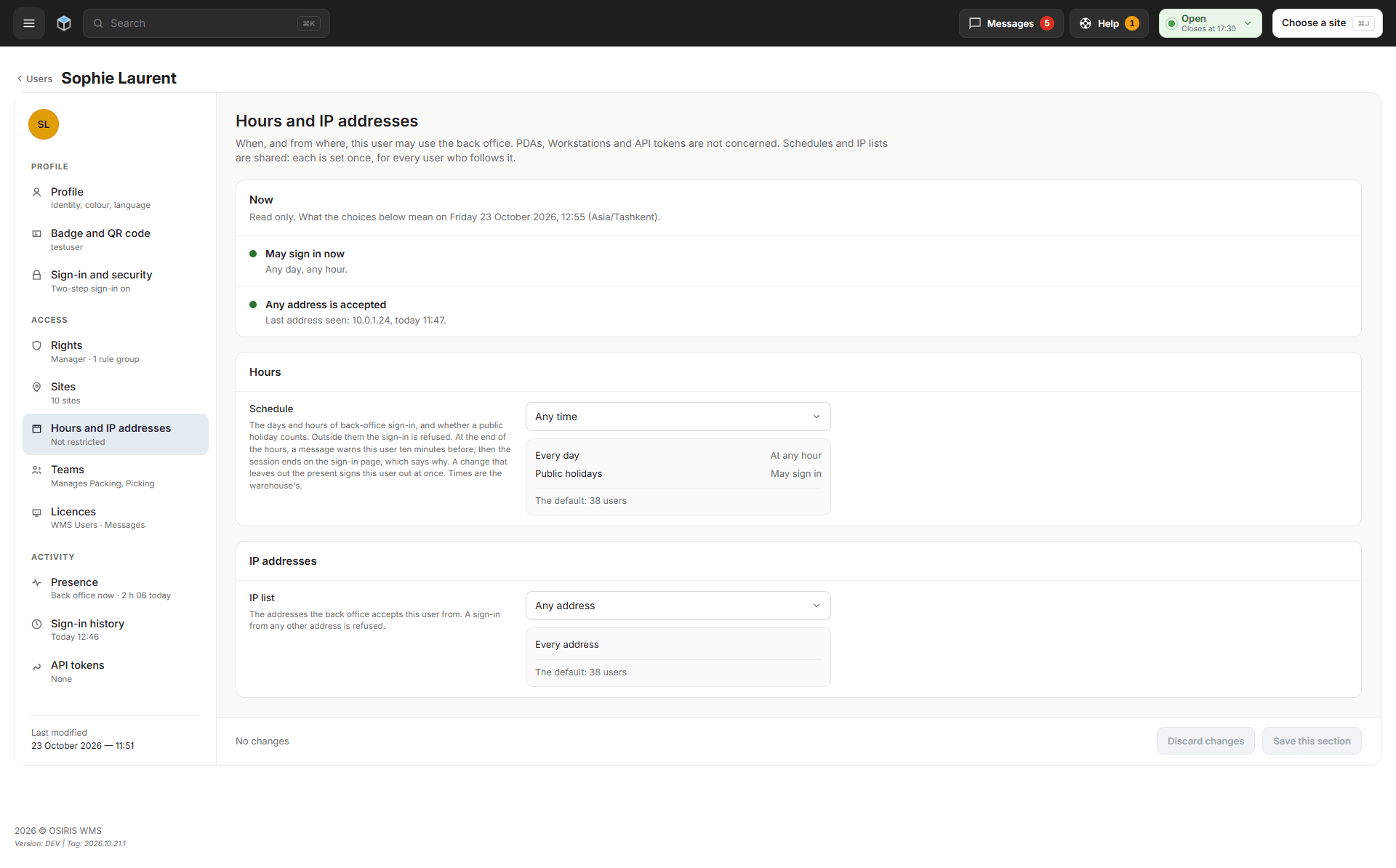
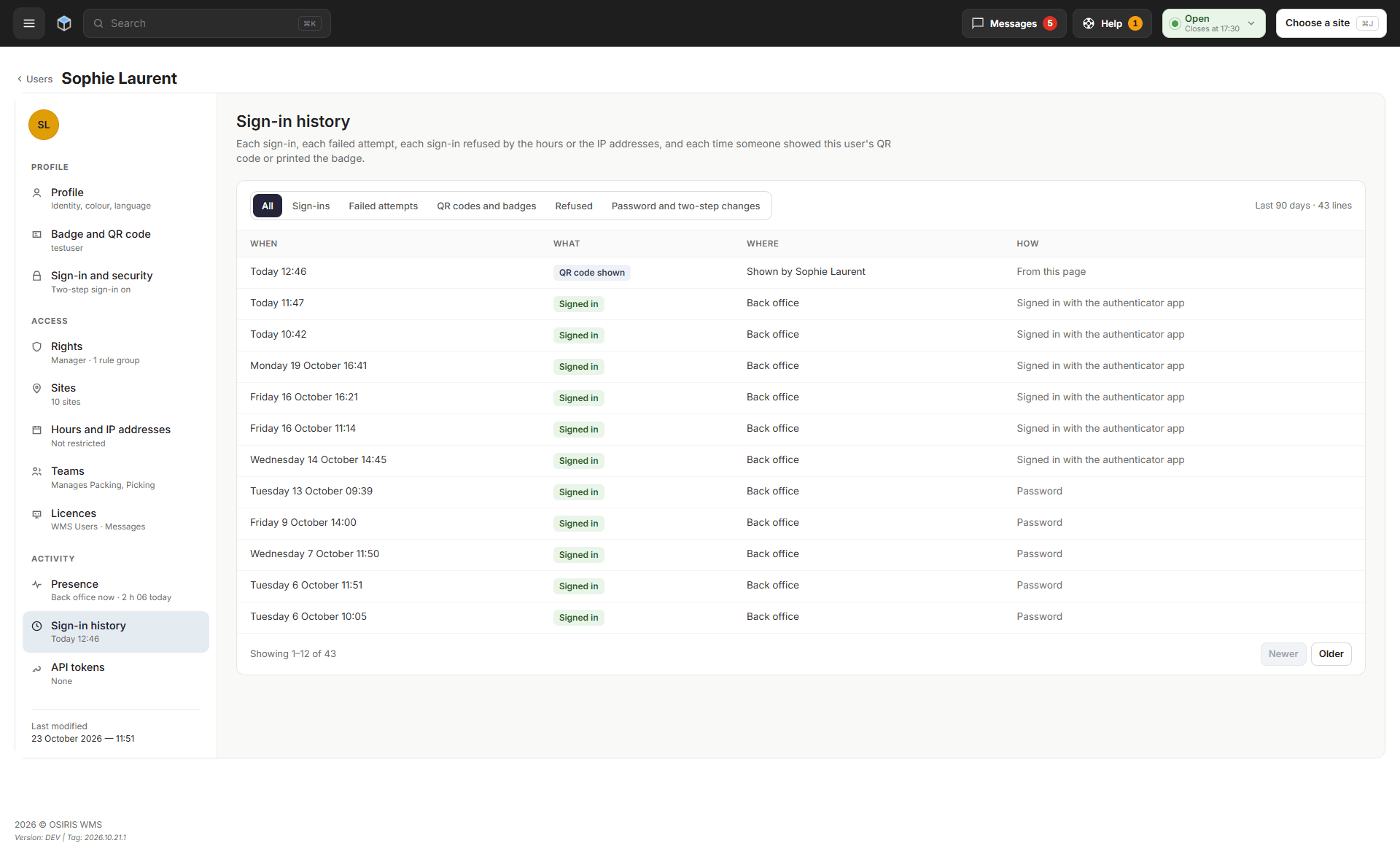
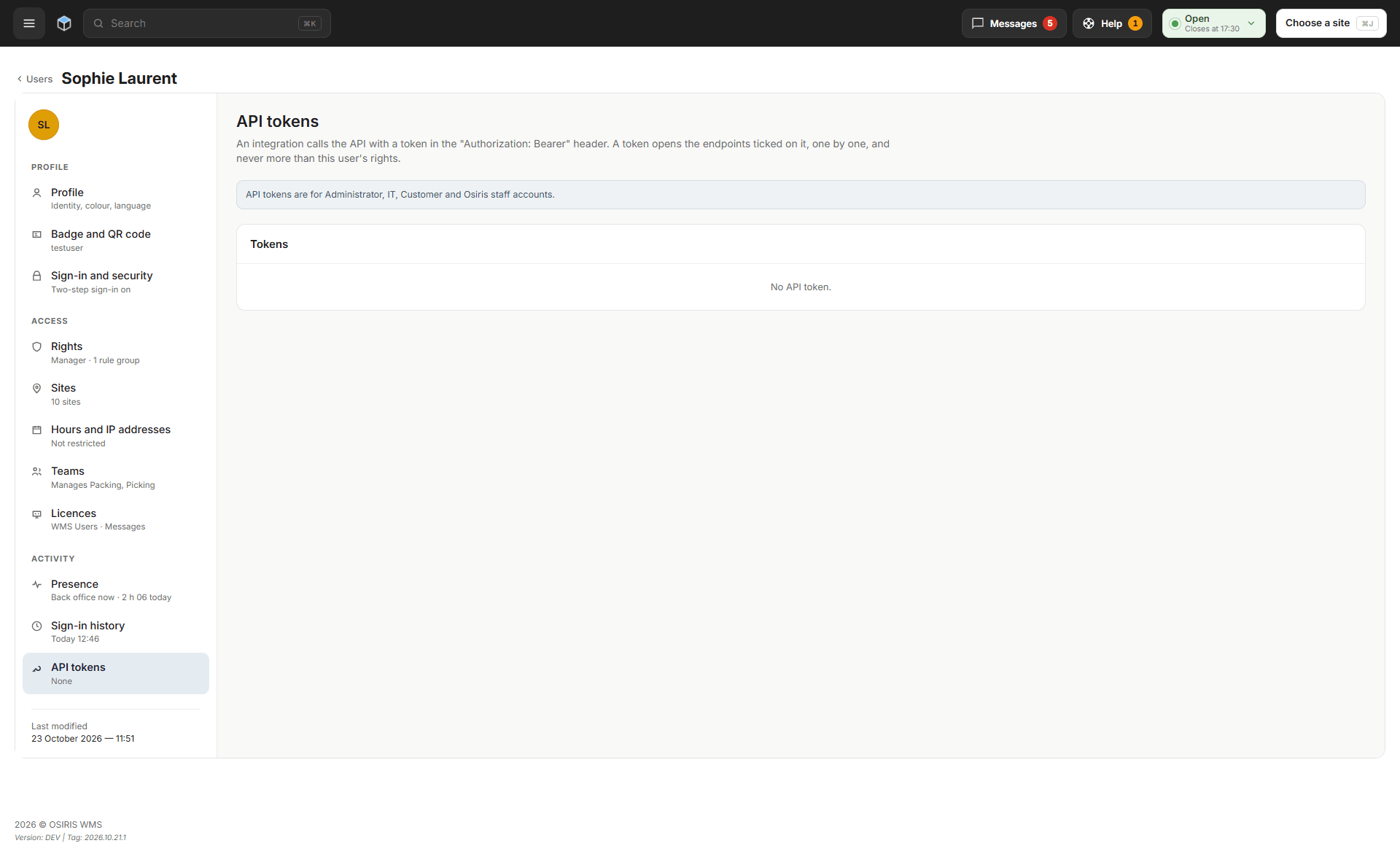
You can now protect your account with two-step sign-in and manage users from one page. Open My Account > Sign-in and security to use an authenticator app, an email code or, where supported, a passkey. The Users list supports bulk actions, and each user's page groups their settings; API (Application Programming Interface) tokens are limited to Administrator, IT and Customer accounts. OSIRIS enables the page per warehouse; during the move, accounts inactive for 90 days are deactivated and an administrator can reactivate them.
Where to Find Things
- Messages: new, the Messages button in the top bar, with the Help button next to it.
- Teams: new, under Users > Teams.
- Put-walls, cell sizes and bin models: Shipments > Picking > Put-Walls, Put-Wall cell sizes and Bin models.
- Put-Wall packing: on the packing station Home screen, under What do you want to pack?
- Exports: your account menu (click your name at the bottom of the side menu), with the number of files ready.
- My Account: still in your account menu, now with four sections: Profile, Sign-in and security, Notifications and Recent sign-ins.
- Two-step sign-in: My Account > Sign-in and security.
- Your color and language: My Account > Profile.
- Advanced search: the Advanced search button at the end of the search box on the Customer Orders page.
- Help for a page: the ? button at the top right of the Customer Orders page opens Getting started.
- Customer Orders bulk actions: tick orders, then Actions… in the bar at the bottom; Regenerate labels, Recalculate weight, Block and Unblock are in the panel that opens.
🚀 Features
WMS
- Where password reset is turned on, the Forgot your password? link is back on the sign-in page; it sends a reset email only to accounts with an authenticator app or a passkey, and everyone else asks an administrator.
- Customer Orders can now search older orders: the Last 3 years only note next to the count opens Search older orders.
- Movement Histories has a new page you can switch to with Classic and New, with filters, saved views, a quick view, and photos and comments on recent movements; it appears once OSIRIS turns it on for your warehouse.
- In WMS Configuration, Email sending lets the WMS send its emails, such as sign-in codes and password links, through your own email server, with OSIRIS as the fallback.
- If someone else saved the same item while you were editing it, the WMS now tells you who changed it and when, and offers to reload it, so you do not overwrite their change.
- Duplicating an order now refuses a reference that another order already uses, and says why.
- On a shared computer, signing in no longer keeps the previous person's language.
- A grayed-out button now explains why it is unavailable, and only the button that confirms a delete is red.
- The back office works better on phones, with password managers and with screen readers.
- Each person now has one avatar color on every page, chosen in My Account.
- Badges now need at least 6 characters, and badge sign-in from a network pauses for 15 minutes after 60 refused badges in 10 minutes.
- The New Customer Orders page now has the same list design as the other new pages.
- Links that ran an action, such as a bookmarked link, no longer run it; use the button on the page instead.
- Pages that check permissions and passwords now load faster.
- Site settings now show their labels and help in your language.
PDA
- A PDA disabled in the back office now shows This device is disabled.
- During put-wall picking, the PDA tells the picking operator not to pick a lot that is past its date, and to report it with Not here.
Workstation
- At the packing station, managers pair their operators' badges; operators can pair a badge only if a rule group gives them that right.
- A disabled packing station now shows This workstation is disabled, with Check again.
Connector
- Order events now carry clearer event names, delivered events list their items, resent events keep their subsite, and each event carries a unique event ID.
- Redirected account notifications now keep their content, and product stock in events counts decimals before rounding.
- When the customer, PDA or packing station API refuses a request, it now gives the reason instead of a server error.
- Badge sign-in is now accepted only on the calls the PDA and the packing station make.
🐛 Bug Fixes
- When one order in an import is refused, the other orders are now imported anyway.
- Order imports now read decimal quantities and country codes correctly.
- A percent sign in an account's event address no longer stops the order import.
- A feed document is no longer lost when a later download of it fails.
- Picking a series and assembling orders no longer freeze when live updates are unavailable.
- At packing, a delivery note attached to the order is now printed instead of the one the WMS generates.
- Packing operators can now add a bin after bins were created in bulk.
- Orders that only damaged stock could fill now show as Not enough global stock.
- Renaming a printer no longer loses its waiting print jobs.
- The supplier order upload now tells you when a document was not saved.
- During reception, the PDA now shows the stock of positions that hold several products.
- A product used as another product's case pack can no longer be deleted.
- Texts from accounts, carriers and sites now show exactly as they were typed.
- Reception dates, best-before dates in stock imports, products without a weight and product export column names now display correctly.
- The Feeds page type check now flags cash-on-delivery and blocked values that are not valid.
- On Linux packing stations, the menu icons and labels show again.
🌐 Locales
- Put-wall, Messages and sign-in texts are available in every back office language.
❤️ Thank You
Thank you for being part of the v2026.10.26.1 release of OSIRIS WMS.
With this update, we continue refining the platform, addressing real operational needs, improving stability, and making the day-to-day experience better across all teams.
We appreciate your trust and remain dedicated to building a system that grows alongside your business.