
✨ Highlights
You can now organize your warehouse staff into teams, each with its own managers, and managers can send messages and alerts to their team from the back office. Messages can be sent now, later or on repeat, using ready-made messages with replies. All screenshots below are subject to change until the release is deployed.
Organize Your Staff Into Teams
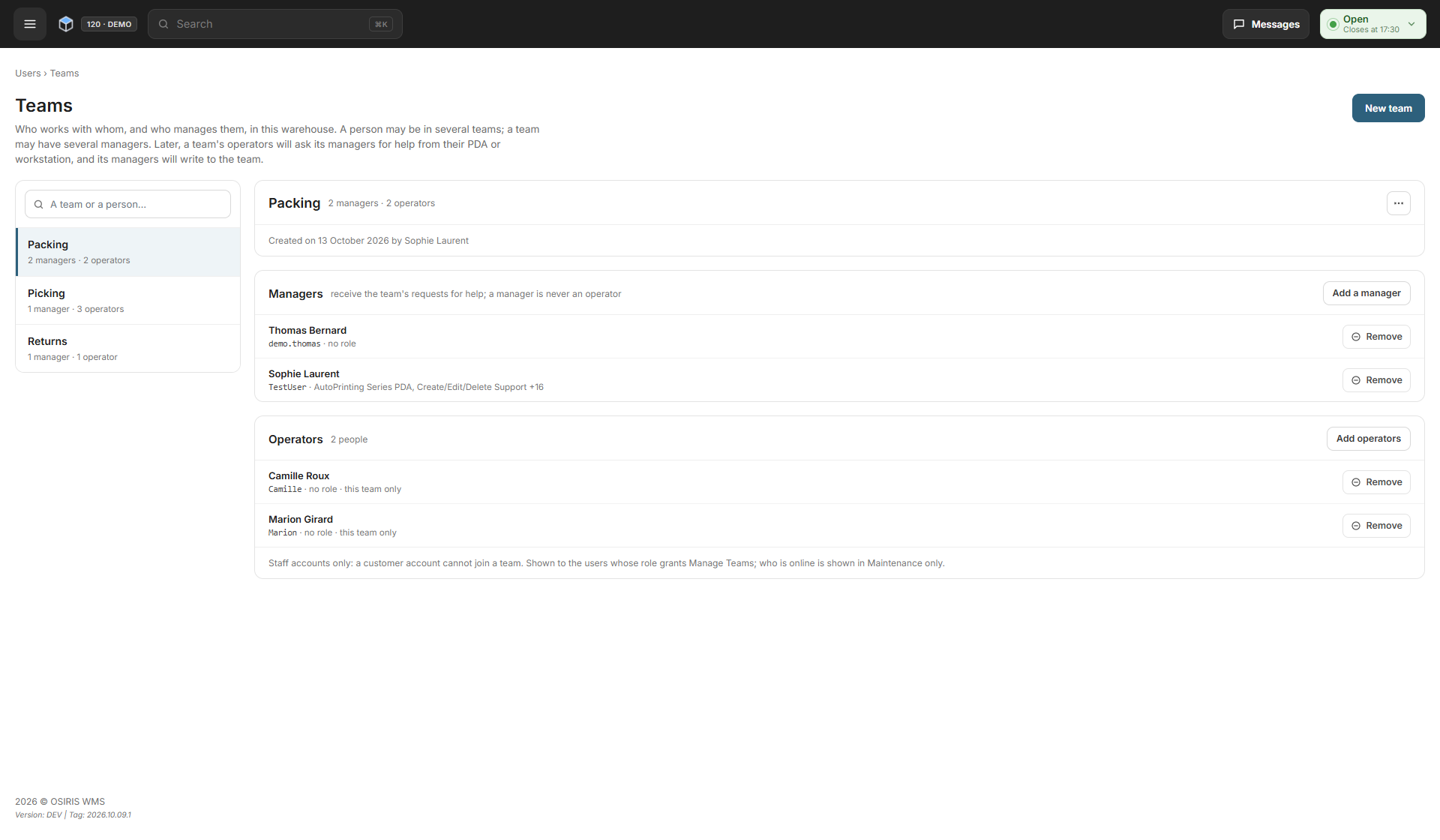
You can now put the people who work together into a team, for example Packing or Picking. Each team has its operators and the managers responsible for them. Create a team on the new Users > Teams page, give it a name, then add its operators and managers; one person can be in several teams, but is either an operator or a manager, never both. At first, only super admins can open the Teams page, until a role is given the Manage Teams permission.
Message Your Teams
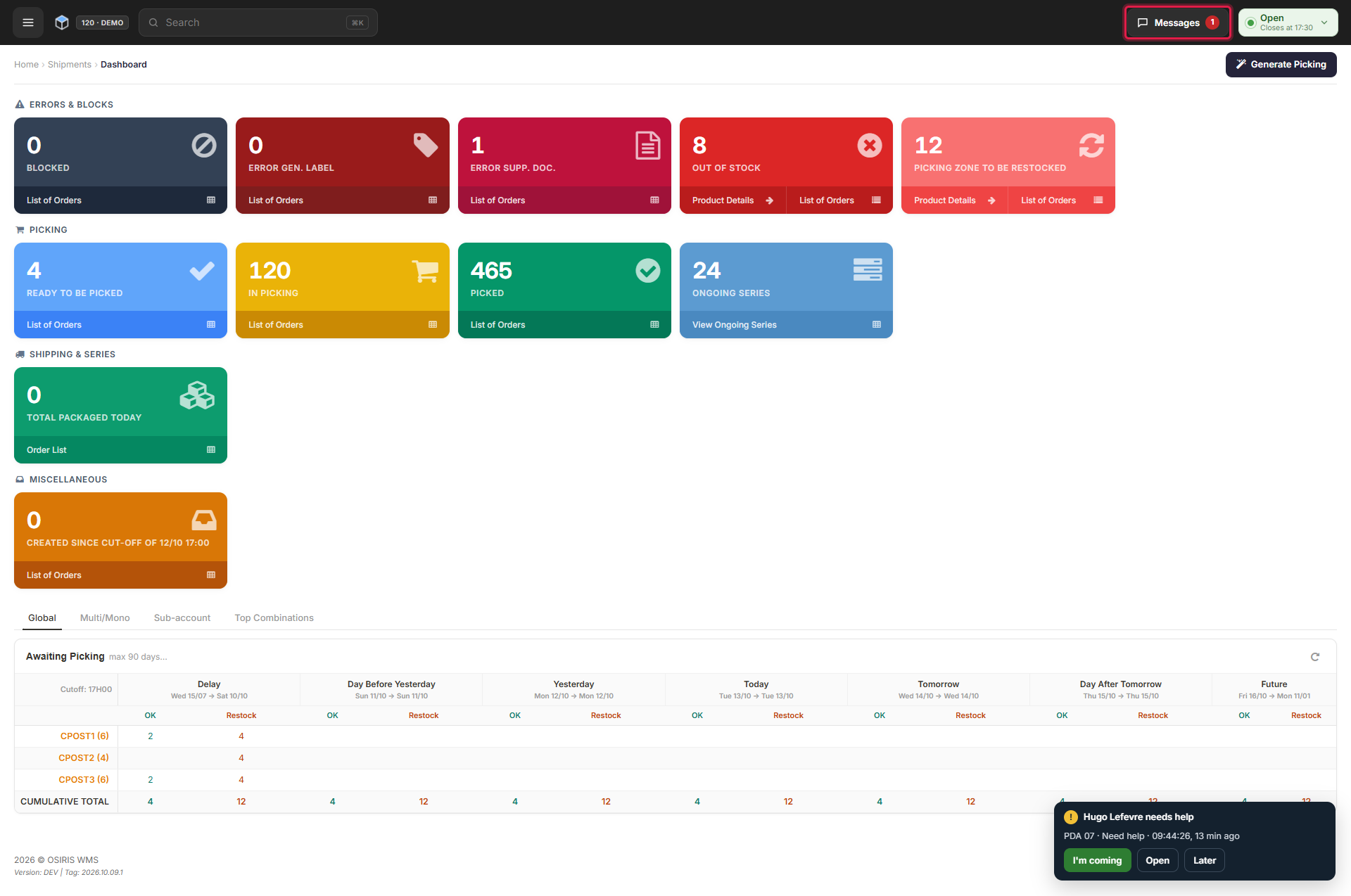
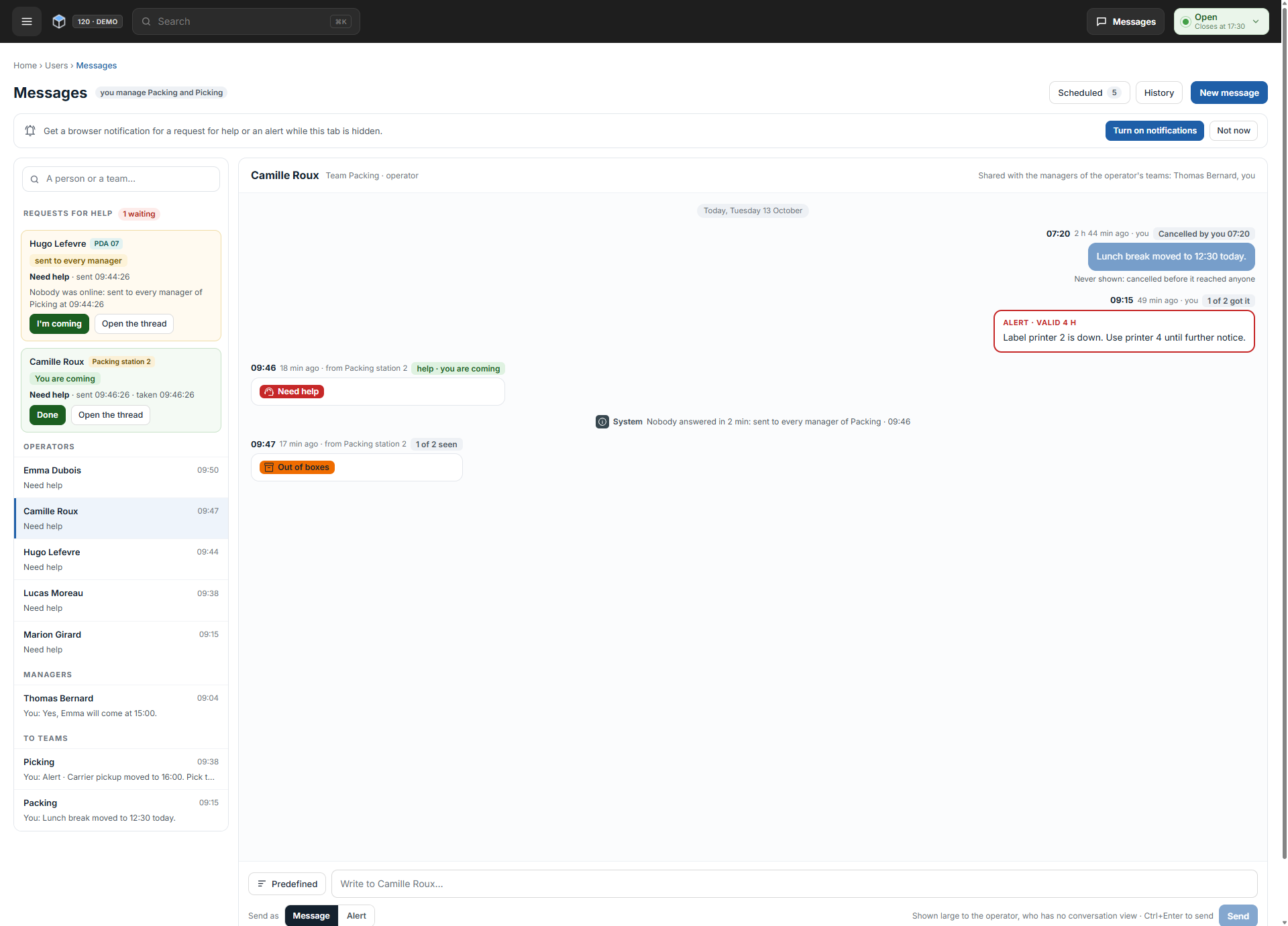
You can now write to one person or a whole team. Open Messages in the top bar on any back office page; the button shows your unread message count, and each conversation opens as a thread. Send a text as a message, or as an alert that must be confirmed with Got it, valid for 15 min, 1 h or 4 h, and see how many people have seen or confirmed it. Managers can also take responsibility for operators' requests for help and mark them as handled from the back office.
Scheduled and Predefined Messages
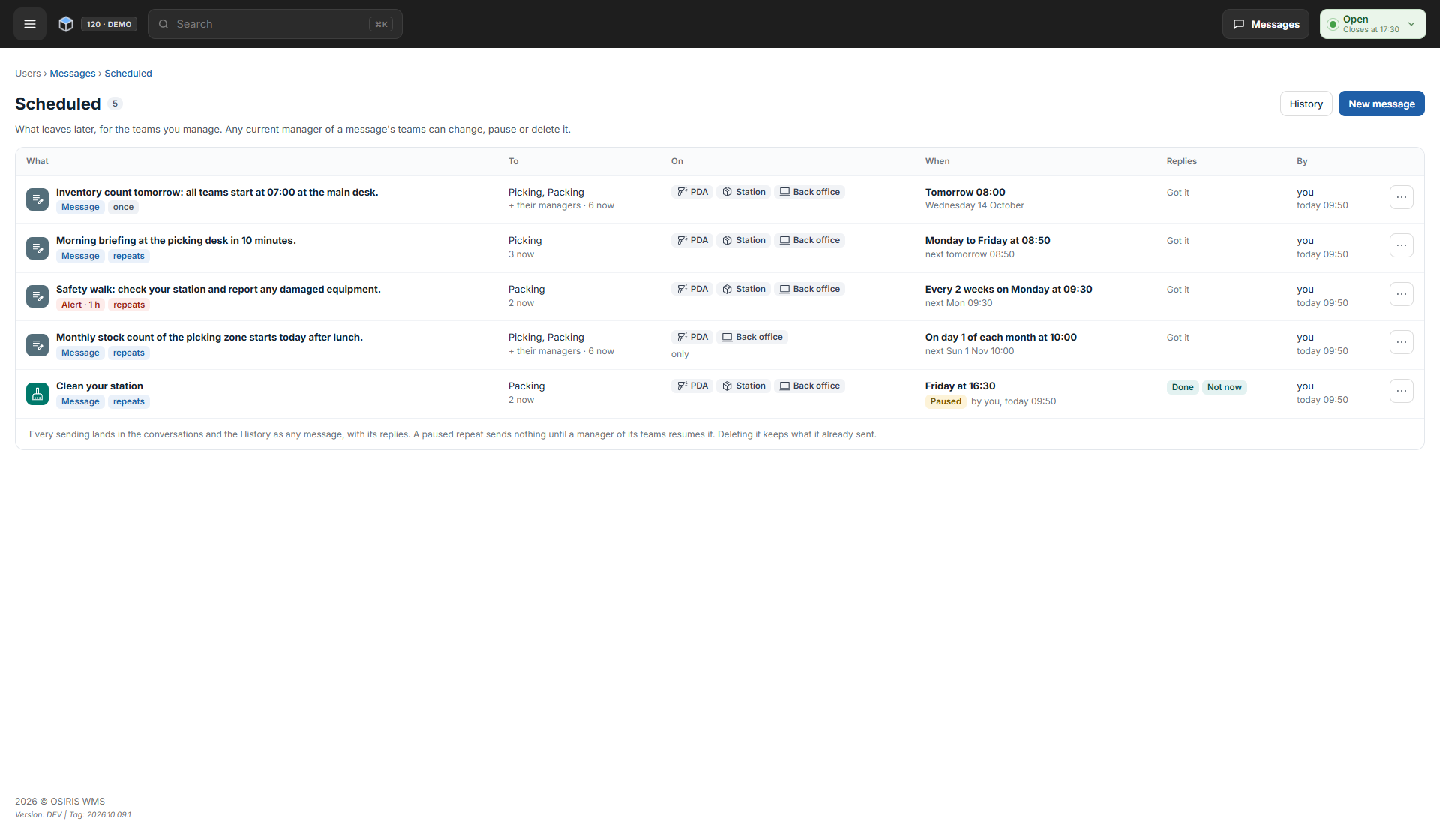
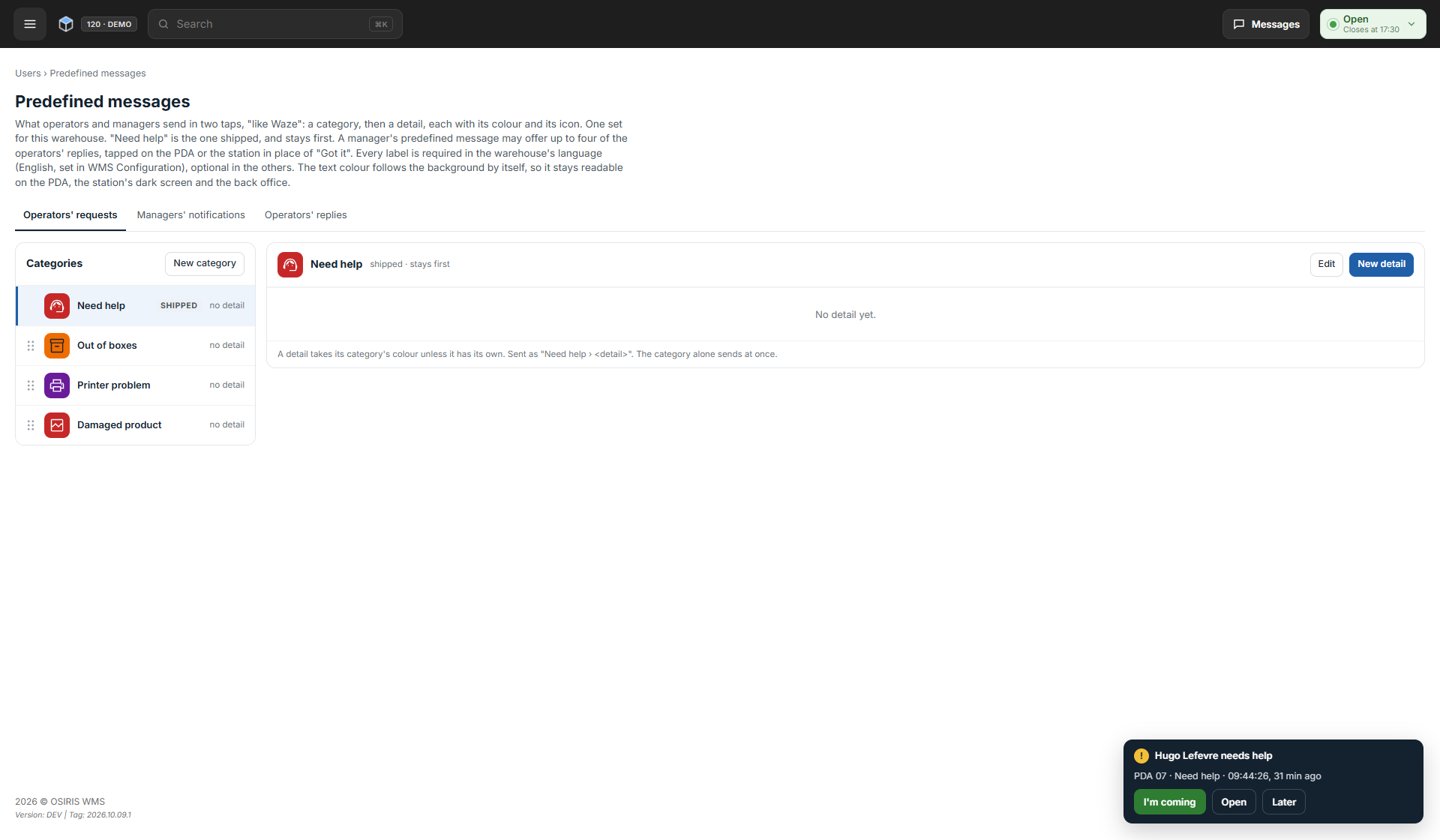
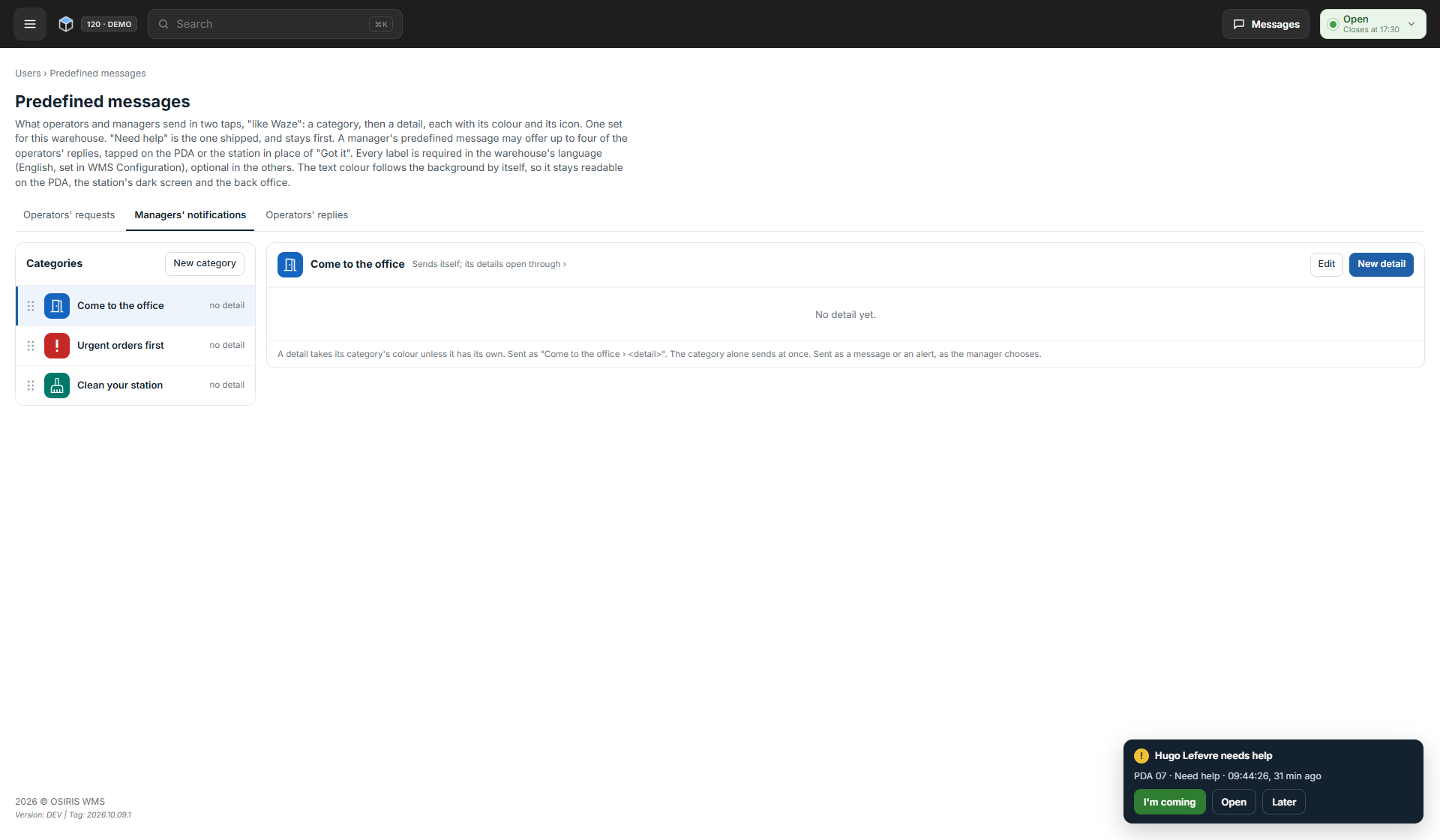
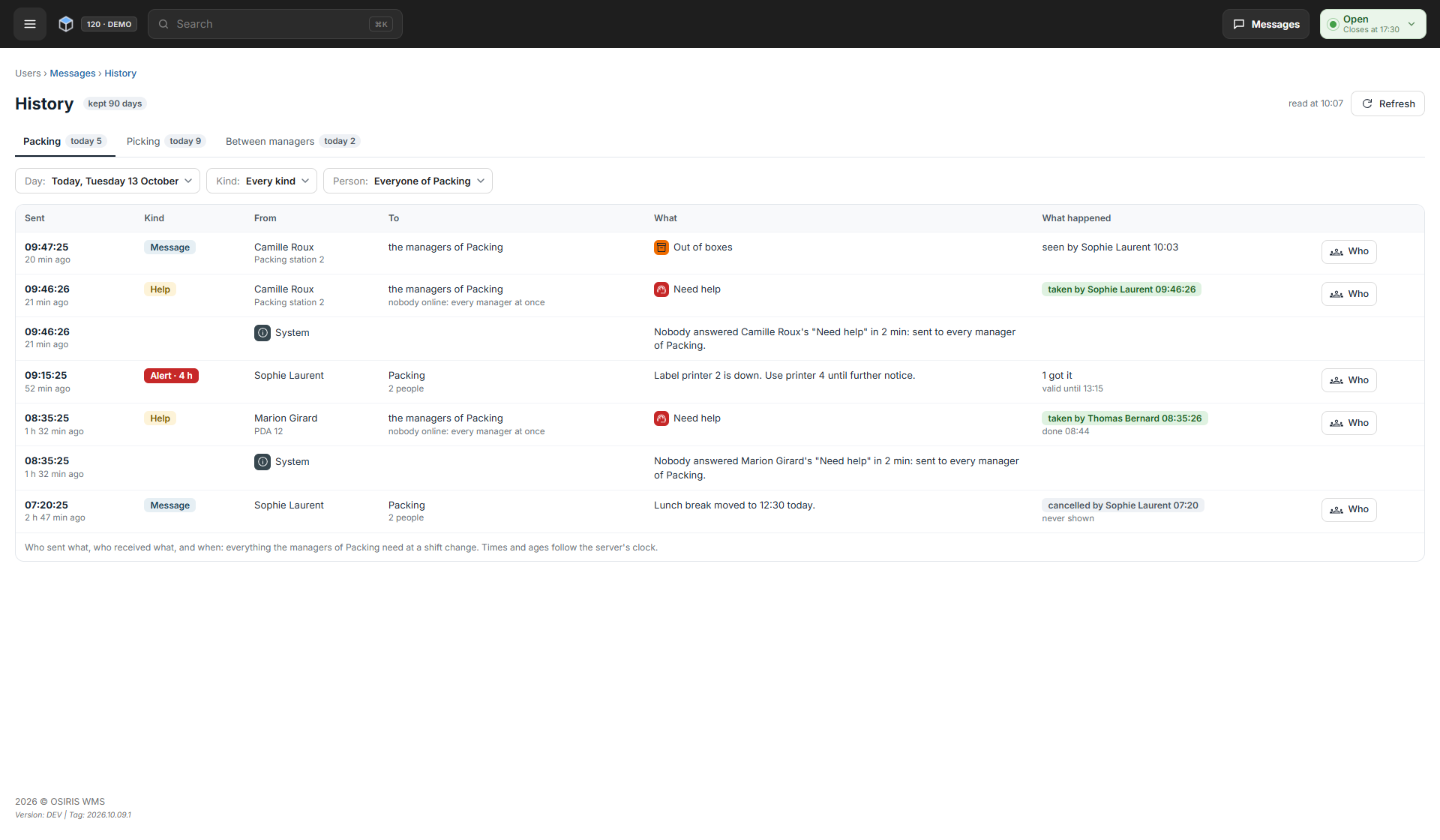
A message can be sent now, later or on repeat, for example every week or on a set day of the month, and Messages > Scheduled lists what is waiting to go out. Users > Predefined messages holds the ready-made messages your managers and operators pick from, each with the replies the reader can tap. Messages > History shows what a team has sent and received.
🚀 Features
WMS
- You can now add a first and last name to a user, shown in Teams and Messages.
- The customer orders page now shows bulk action progress; where search is configured and live updates are enabled, order rows refresh automatically on desktops and tablets, while phones show a notice you can tap to refresh the list.
- On the customer orders page, you can now find a saved view by its name.
- After this update, everyone signs in again once, including on the PDA (Portable Data Assistant) and the packing station.
- A PDA or packing station that is disabled in the back office can no longer be used.
Workstation
- The packing screen now shows the name of the picking operator who picked the order, on both single-item and multi-item packing.
🐛 Bug Fixes
- On the PDA, manual entries are no longer refused for picking operators with the Picking Supervisor Unlock permission.
- Packing supervisors are no longer asked to scan their own badge for manual changes they have permission to approve.
- On smaller screens, the packing screen was cut off; its bar now wraps onto extra rows.
🌐 Locales
- Messages, Teams and Predefined messages are available in every WMS language.
- The label identifying the picking operator on the packing screen is translated in every Workstation language.
❤️ Thank You
Thank you for being part of the v2026.10.13.1 release of OSIRIS WMS.
With this update, we continue refining the platform, addressing real operational needs, improving stability, and making the day-to-day experience better across all teams.
We appreciate your trust and remain dedicated to building a system that grows alongside your business.