
✨ Highlights
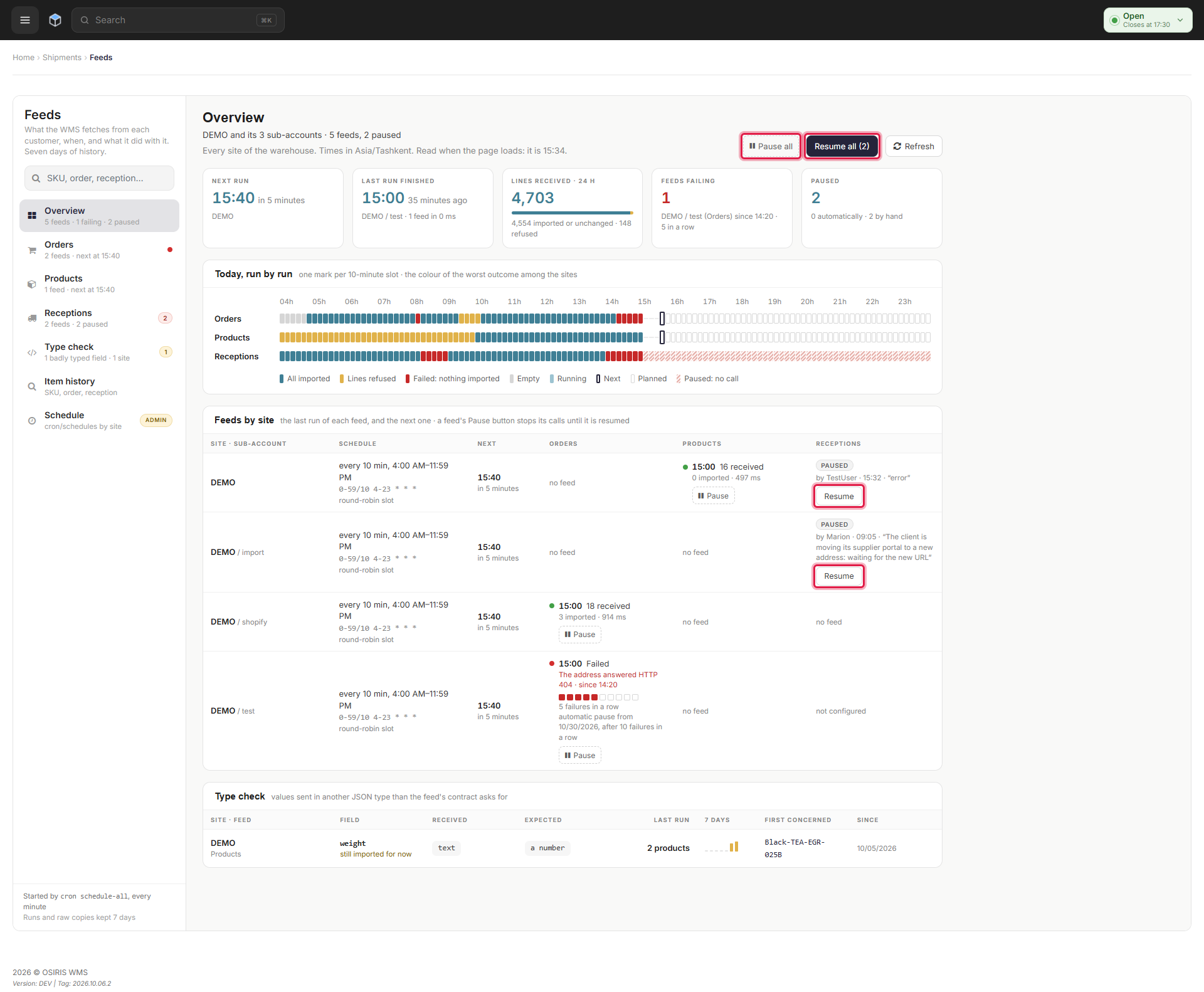
Anyone who can see a feed can now pause and resume it from the Feeds page. A maintenance window set in Admin > Maintenance now suspends every feed's imports until it ends. Super admins can also edit a site's import schedule from the Feeds page.
Pause Feeds, and Suspend Them During Maintenance
You can now pause any feed, whether it imports products, orders or receptions, and resume it later, all from the Feeds page. Anyone who can see a feed can pause or resume it, and every pause and resume is recorded along with a running count of consecutive failures. A maintenance window set in Admin > Maintenance goes further: it suspends every feed's imports until the window ends, and then imports resume automatically.
Edit a Site's Import Schedule
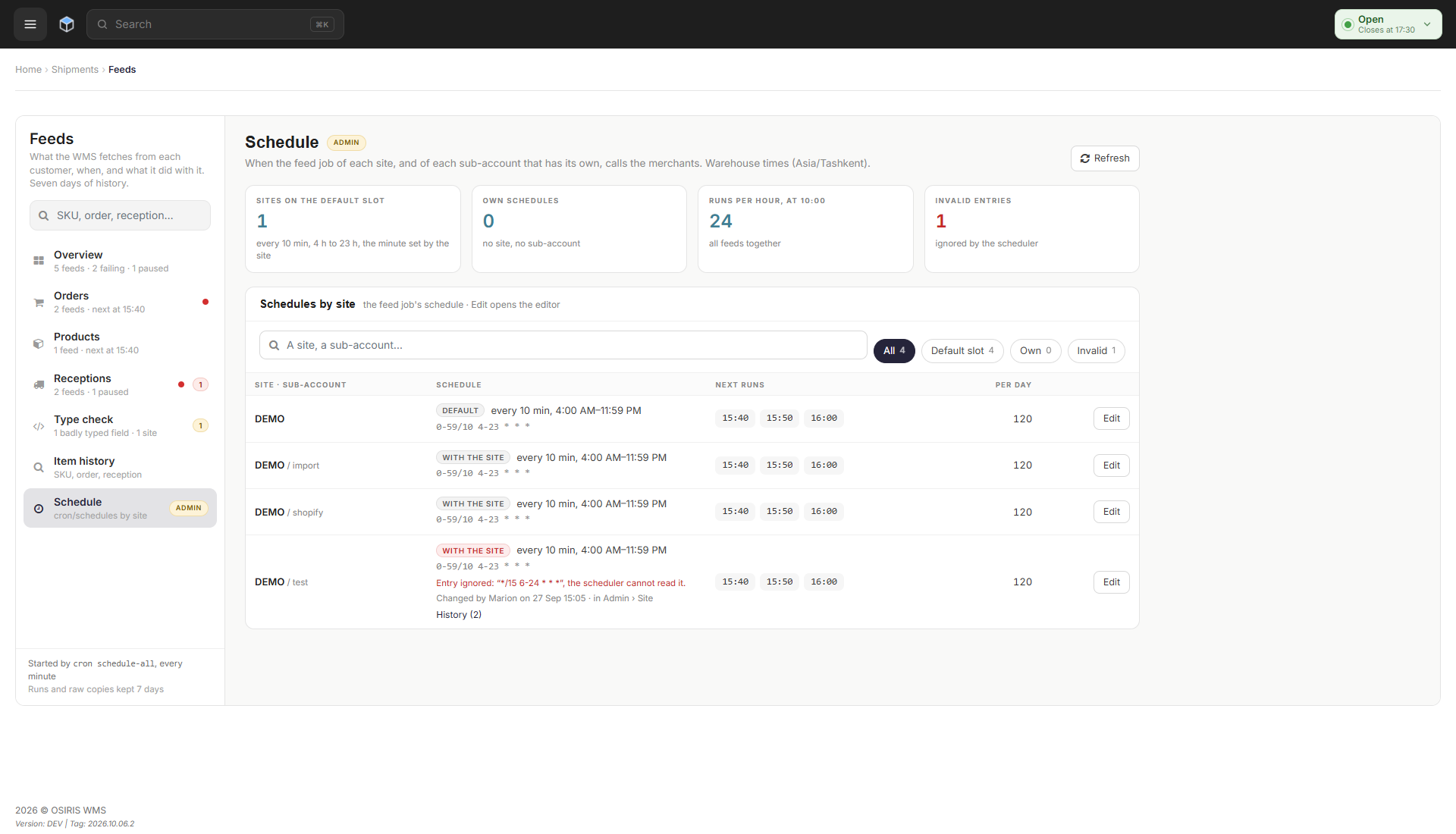
Super admins can now edit a site's or sub-account's import schedule directly from the Feeds page. A simple mode lets you pick a range from every 5 minutes to every 2 hours, while an advanced mode lets you write one scheduling rule per row for finer control. A preview shows the upcoming runs, and a full audit trail records who changed what and when.
🐛 Bug Fixes
- Admin > Site and Admin > Site > Configurations now check that you are acting on your own sites, and require a confirmed action to save or delete a setting.
- After you log in, or change your password or two-factor code, other back office tabs you left open can no longer save changes until you reload them, and tell you the page has expired instead.
- The history of an order or a reception on the Feeds page now shows the last time it was updated, instead of always saying nothing happened in the past 7 days.
- Order and reception refusal messages on the Feeds page now show in your own language, with the affected field named.
- Admin > Maintenance now shows a finished window as ended instead of scheduled, and its paused-feed warning no longer mentions a file that no longer exists.
- Admin > Maintenance now clearly states that a start time is required when scheduling a maintenance window.
❤️ Thank You
Thank you for being part of the v2026.10.06.1 release of OSIRIS WMS.
With this update, we continue refining the platform, addressing real operational needs, improving stability, and making the day-to-day experience better across all teams.
We appreciate your trust and remain dedicated to building a system that grows alongside your business.