
✨ Highlights
Welcome to the v2026.08.13.1 release of OSIRIS WMS.
This release adds warehouse opening hours with a live status and a public holiday calendar, a redesigned WMS setup screen, and a faster way to move between sites with a searchable switcher and keyboard shortcuts. It also lets you reassign carriers in bulk by import, set aside damaged goods with a new Damaged position type, adds a new settings menu on the Workstation, and brings a set of fixes and wording improvements.
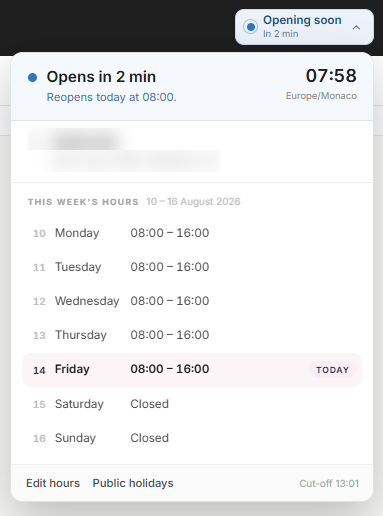
Warehouse Opening Hours and Public Holidays
You can now set your warehouse's opening hours, including lunch breaks and a daily cut-off time, and manage a calendar of public holidays. Holidays can be imported by country and year, so you don't have to enter them one by one.
Once your hours are set, a status shows at a glance whether the warehouse is open, closing soon, on a break, or closed, along with the next opening time and the upcoming holidays.
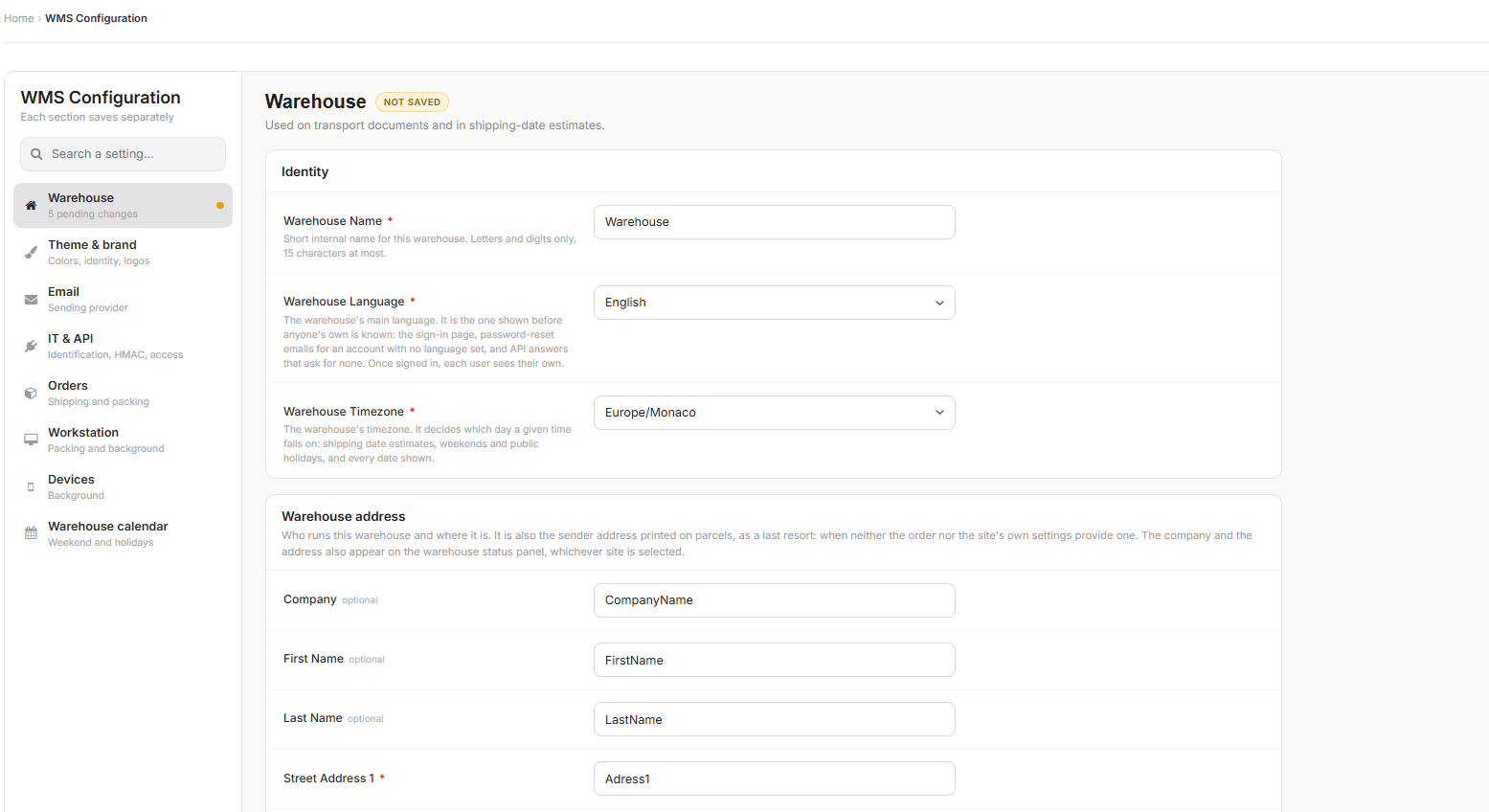
WMS Configuration: redesigned settings screen
Warehouse settings have been reorganized into separate sections. You can now search for a setting directly or browse them from the sidebar, and any section with unsaved changes is clearly flagged so nothing gets lost. Helpful explanations have also been added next to each field so it's clearer what it actually affects.
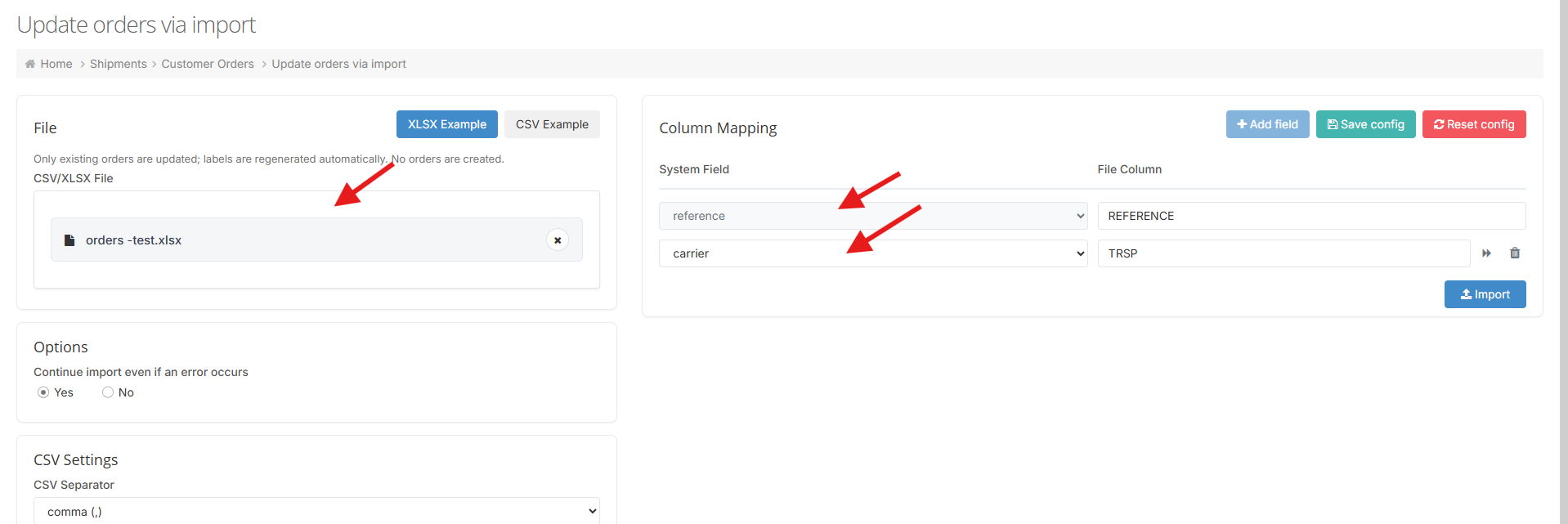
Reassign Carriers in Bulk by Import
You can now change the carrier on many orders at once by importing a file, instead of editing each order by hand. On the Customer Orders page, open the "more" menu next to Create and choose Update import. Download the example file (XLSX or CSV), fill in the order reference and the carrier code for each order, and upload it. The orders are updated together, and their shipping labels are regenerated automatically.

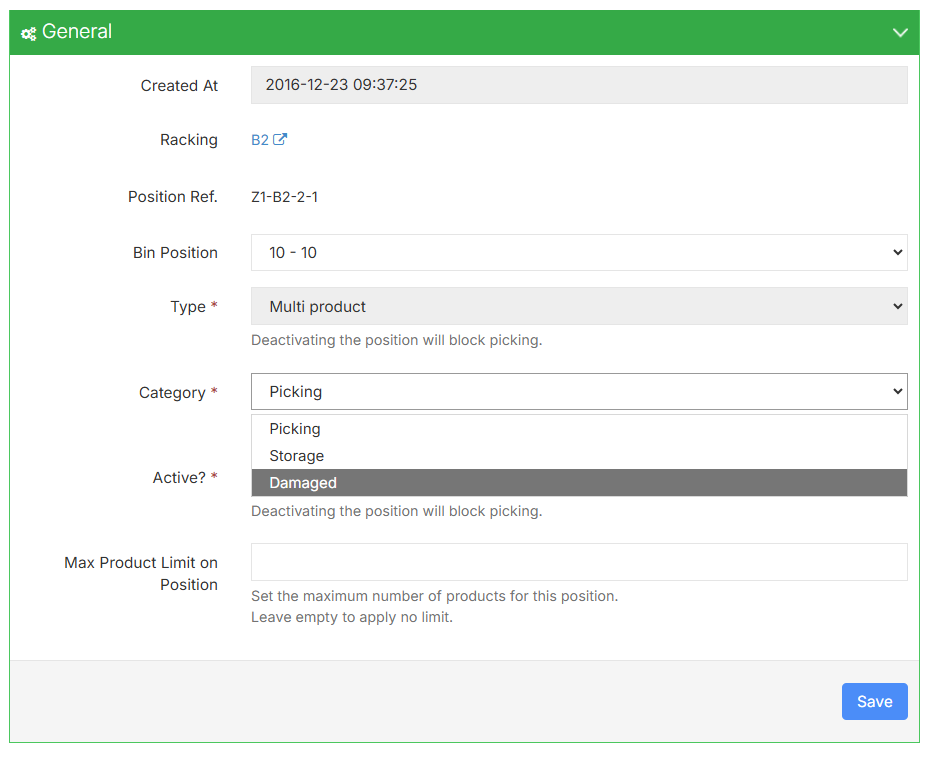
Damaged type of positions
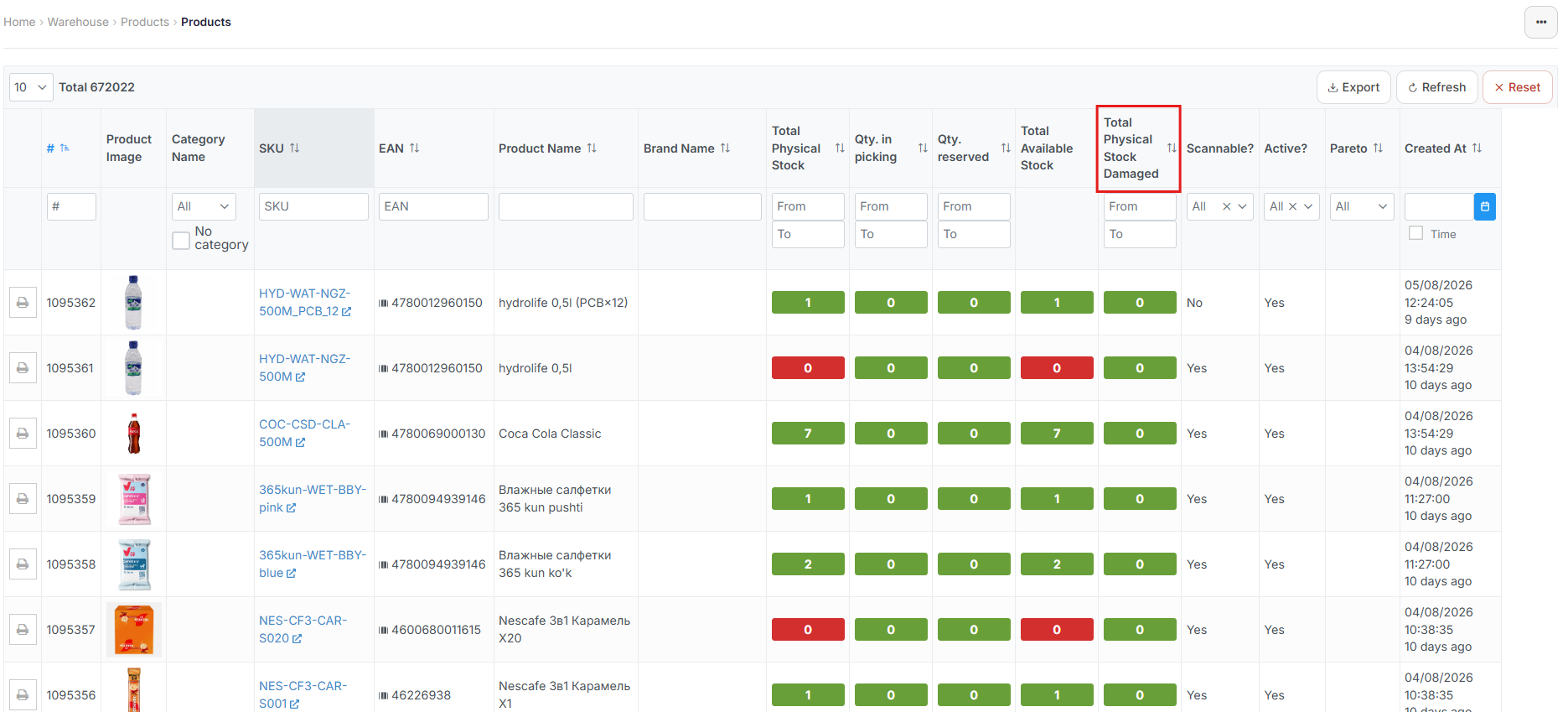
Positions can now be marked as Damaged, alongside the existing Picking and Storage types, so you have a place to keep goods that can't be sold. Stock held in a Damaged position stays visible in your records but is kept out of the stock available to fulfil orders, so damaged items are never picked. Stock also cannot be moved out of a Damaged position, so nothing leaves it by mistake until you decide what to do with it.
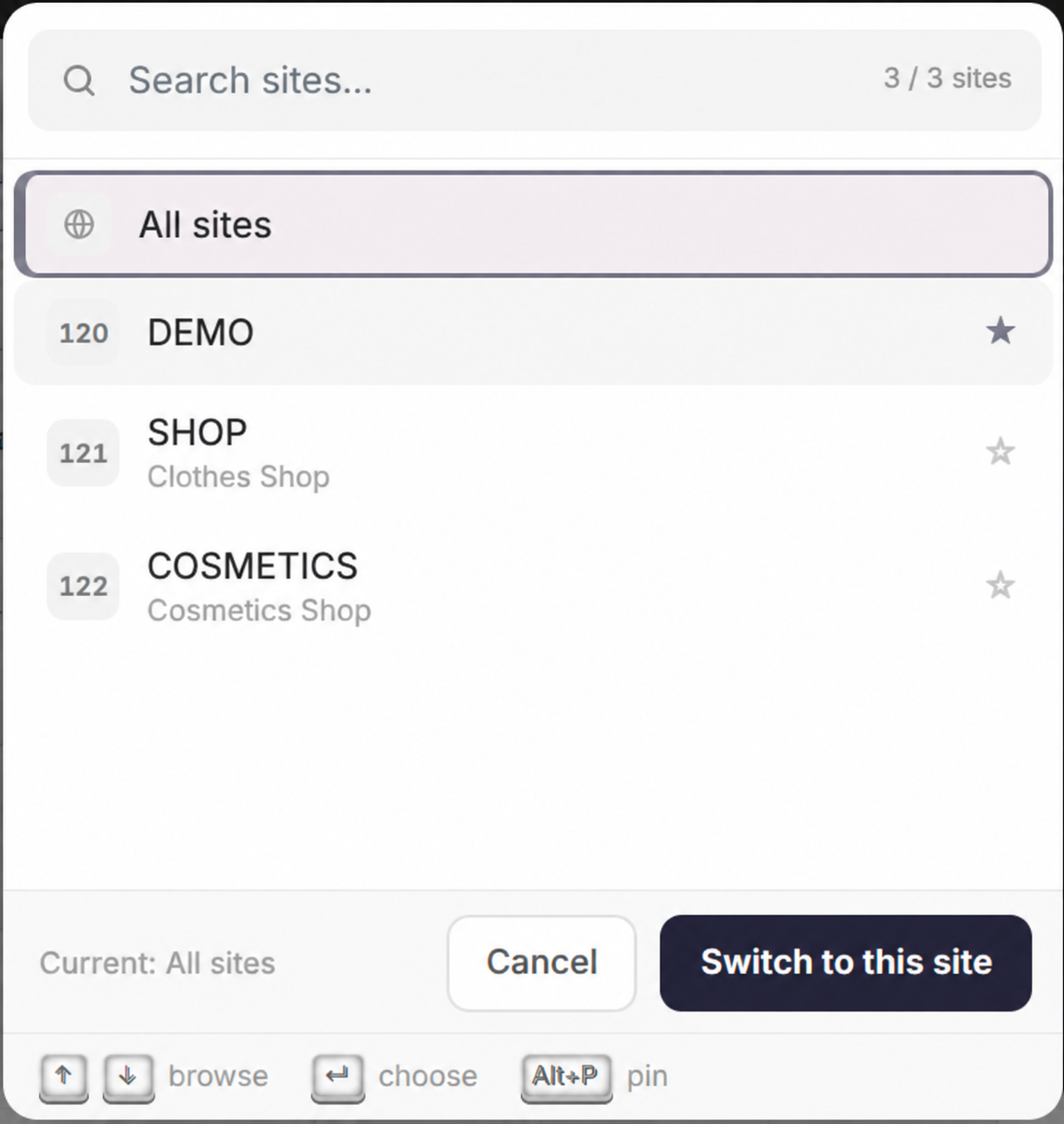
A Faster Way to Switch Sites
Switching sites is now quicker. Open the site switcher and start typing to find any site by its code, pin the ones you use most so they stay at the top, and move through the list with the keyboard. Sites are now identified first by their code, with the full name shown underneath.
Keyboard Shortcuts
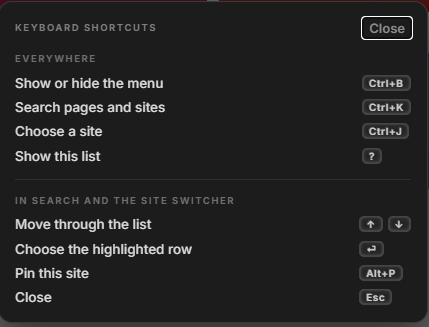
The back office now has keyboard shortcuts for the things you do most. Press Ctrl+B (Cmd+B on Mac) to open or close the menu, Ctrl+K to search pages and sites, and Ctrl+J to switch site. Press "?" at any time to see the full list of shortcuts.
A New Settings Menu on the Workstation
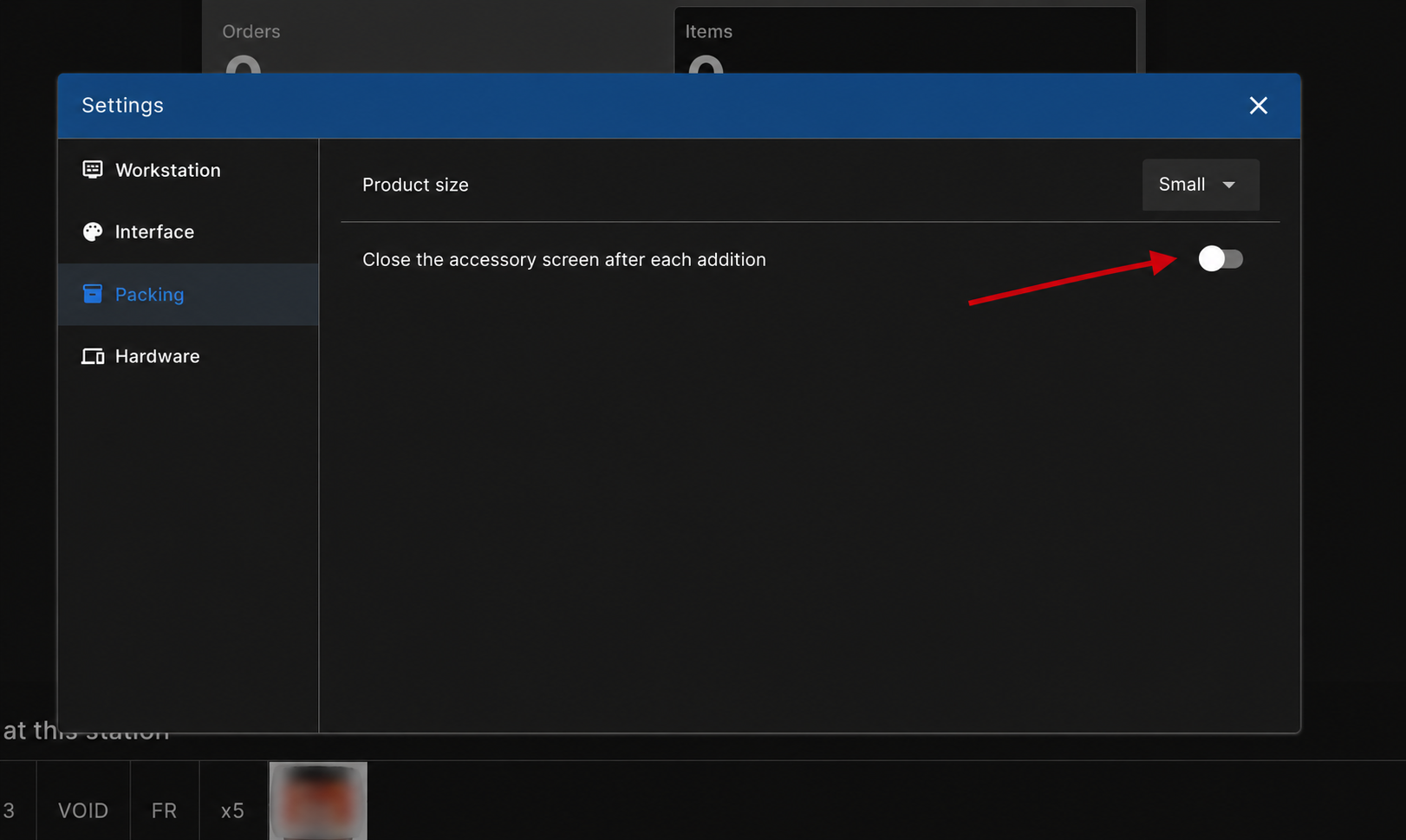
The Workstation now has a Settings menu grouping its options under Workstation, Interface, Packing, and Hardware.
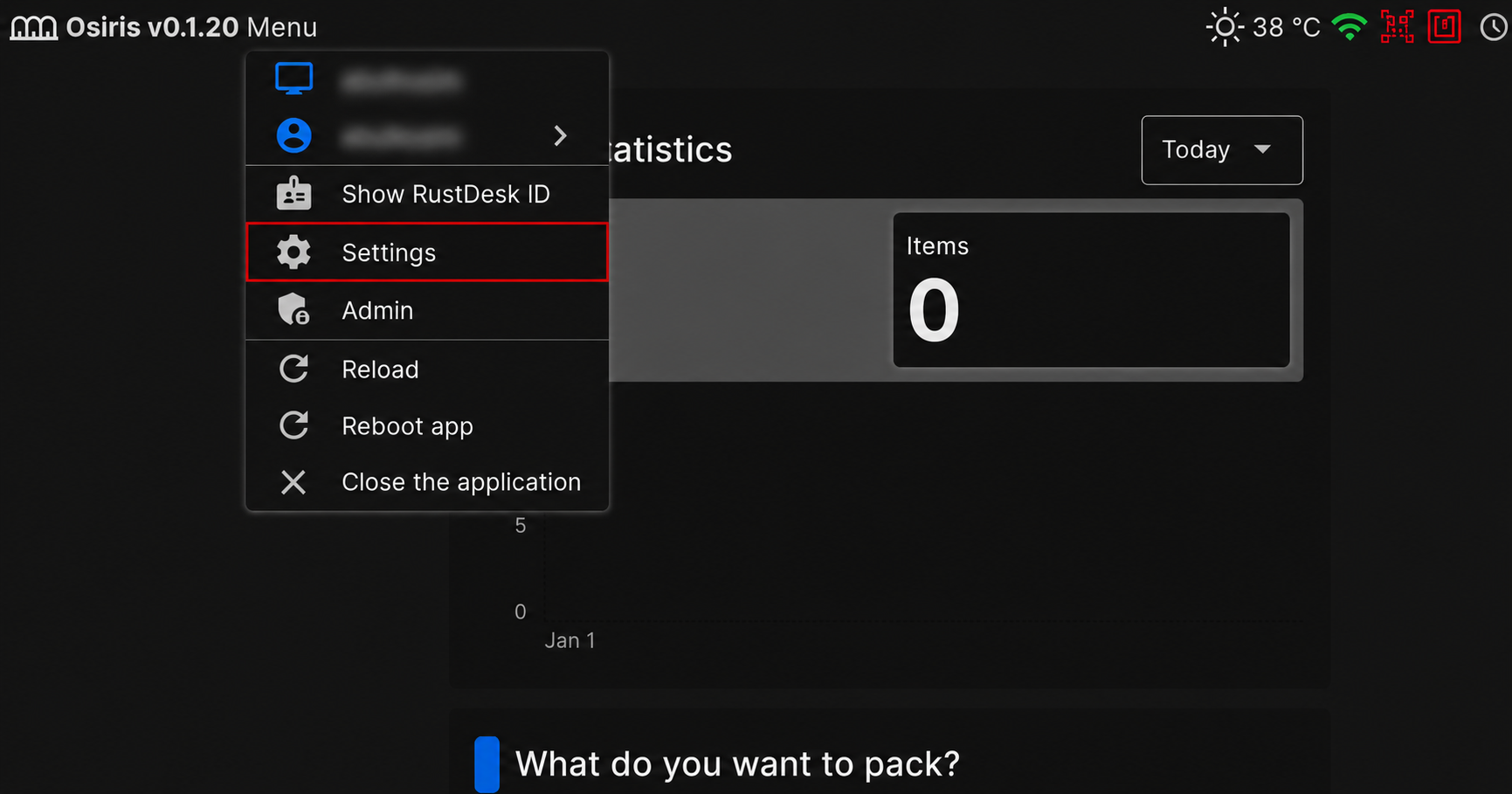
The main addition is in Packing: you can choose whether the accessory screen closes automatically after each addition, or stays open so you can add several in a row and close it yourself. It's on (closes automatically) by default, saved per workstation, and applies to both the add and edit/delete accessory screens.
🚀 Features
WMS
- You can now set warehouse opening hours with lunch breaks and a daily cut-off time, see a live open or closed status, and manage a calendar of public holidays that you can import by country and year.
- The WMS setup screen has been redesigned with a clearer, sectioned layout, a warning before leaving with unsaved changes, a background image option, and a setup label shown in the top bar.
- You can now reassign carriers in bulk by importing a file. Upload a list of order references with the carrier you want, and the orders are updated together, with a summary of what changed and any lines that could not be processed.
- Users can now be sent a secure link to set or change their own password, so new users can set their first password and anyone can reset a forgotten one without an admin. The link works for 24 hours, can only be used once, and the new password has to be confirmed.
- Added a Damaged position type, alongside Picking and Storage. Stock in a Damaged position is kept out of the stock available for orders and cannot be moved out, so you can set aside damaged goods without them being picked or sold.
- Users can now generate API access tokens from their profile to authenticate with the API. Each token is assigned a label and an expiry date, is displayed once at the time of creation, and records when it was last used. Tokens can be revoked at any time.
- The site switcher is now searchable, lets you pin the sites you use most, and can be navigated with the keyboard. Sites are shown by their code first, with the name underneath.
- Added keyboard shortcuts across the back office, with Ctrl+B to toggle the menu, Ctrl+K to search, Ctrl+J to switch site, and "?" to open a list of every shortcut.
- The product page now shows the product's SKU in the breadcrumb, and the breadcrumbs no longer repeat the section name already shown above them.
Workstation
- Added a settings menu that gathers all Workstation options in one place, grouped by Workstation, Interface, Packing, and Hardware, including printer and network details and sound tests.
- Added a Packing option to keep the accessory dialog open after each selection, so operators can add several accessories in a row.
PDA
- The barcode print form now accepts up to 999 copies at once, so you can print a large batch of labels in one go.
🐛 Bug Fixes
- Corrected the copies field in the parcel sorting Create QR codes dialog. It is now labeled "Total", its hint and validation show the real allowed range, and the maximum has been raised to 50.
- Fixed an issue where the packing accessories list could display incorrectly after removing an accessory, which now behaves as expected.
- Improved the reliability of packing video playback, so recordings open correctly whichever storage they are held on.
🌐 Locales
- "Box" has been renamed to "Package" across the back office and the PDA, to match the wording used elsewhere in the product. On the PDA, parcel sorting wording was also made clearer, and the container is now called a "Bin" to tell it apart from a package.
❤️ Thank You
Thank you for being part of the v2026.08.13.1 release of OSIRIS WMS.
With this update, we continue refining the platform, addressing real operational needs, improving stability, and making the day-to-day experience better across all teams.
We appreciate your trust and remain dedicated to building a system that grows alongside your business.